08
Screen Rotate Setting
1. Connect your ARZOPA monitor to a power outlet and an available port on your PC.
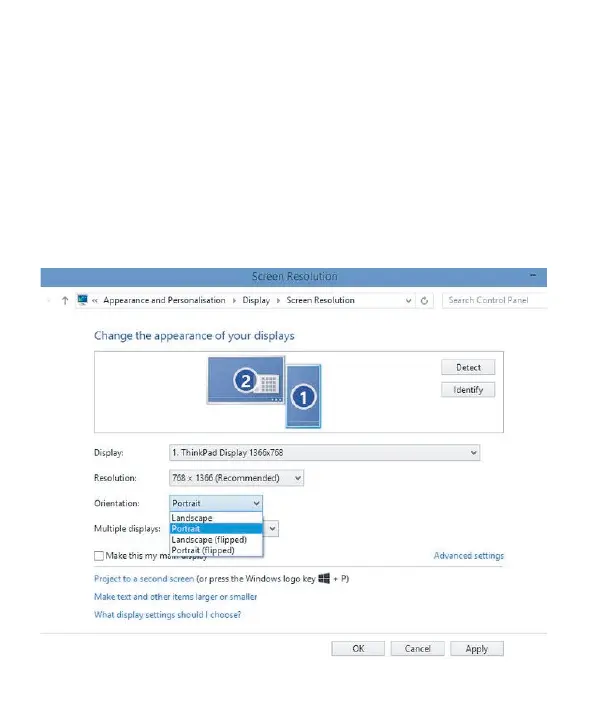
2. Right-click the desktop and select either screen resolution (Windows 7/8) or
display setting(Windows 10).
3. Click the orientation drop-down list, and then select Landscape or portrait
screen.
Note: If you cannot see the option of orientation on your laptop/PC, please check if
your laptop/PC has this function.


 To Next Page