P/N 8007132
Page 4 of 10
Rev. B
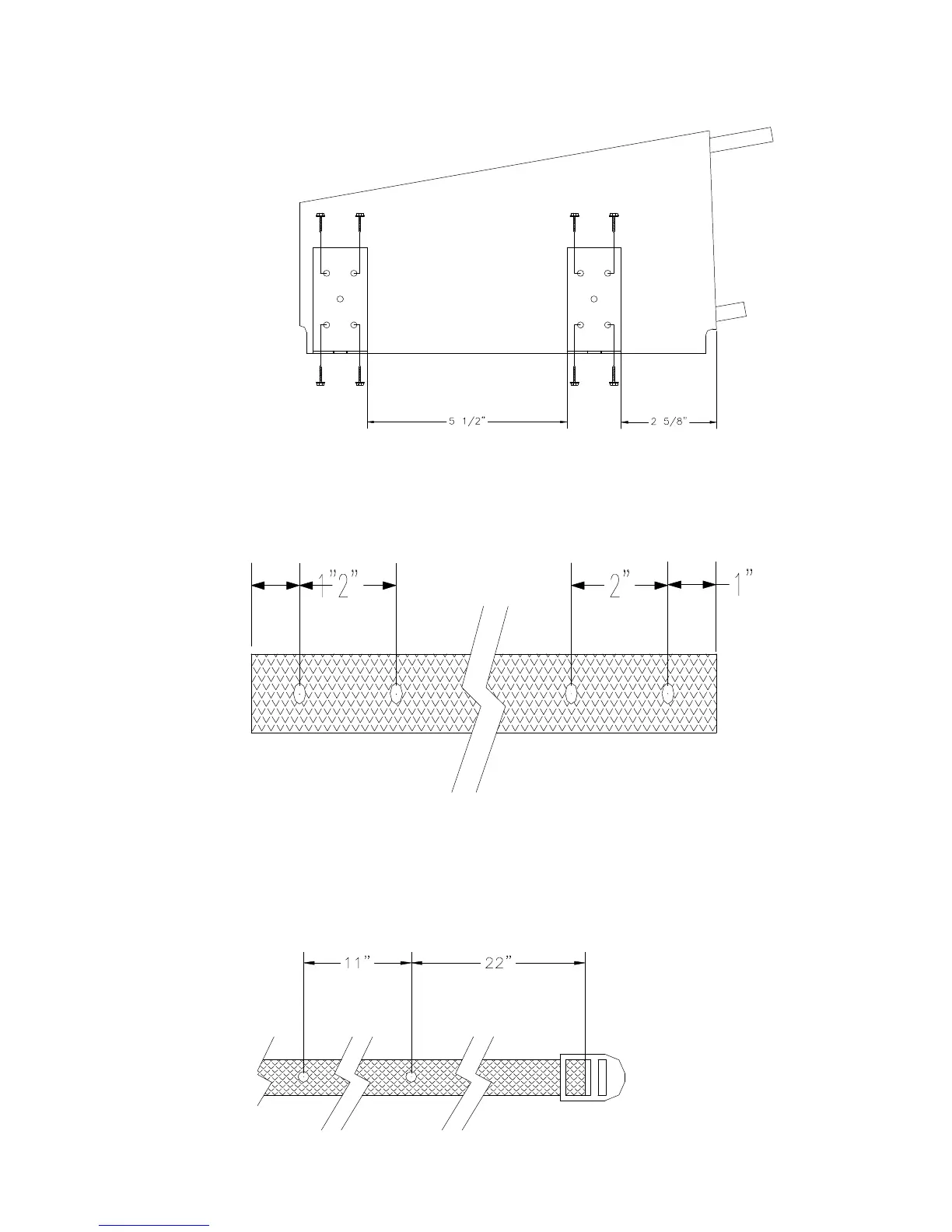
Step #2 Install brackets and straps
1) Mount brackets using four screws. Do not use center hole.
2) Use soldering iron, if necessary, to melt holes in open strap, as shown.
3) Use soldering iron, if necessary, to melt holes in closed strap, as shown.



 To Next Page