P/N 8007132
Page 9 of 10
Rev. B
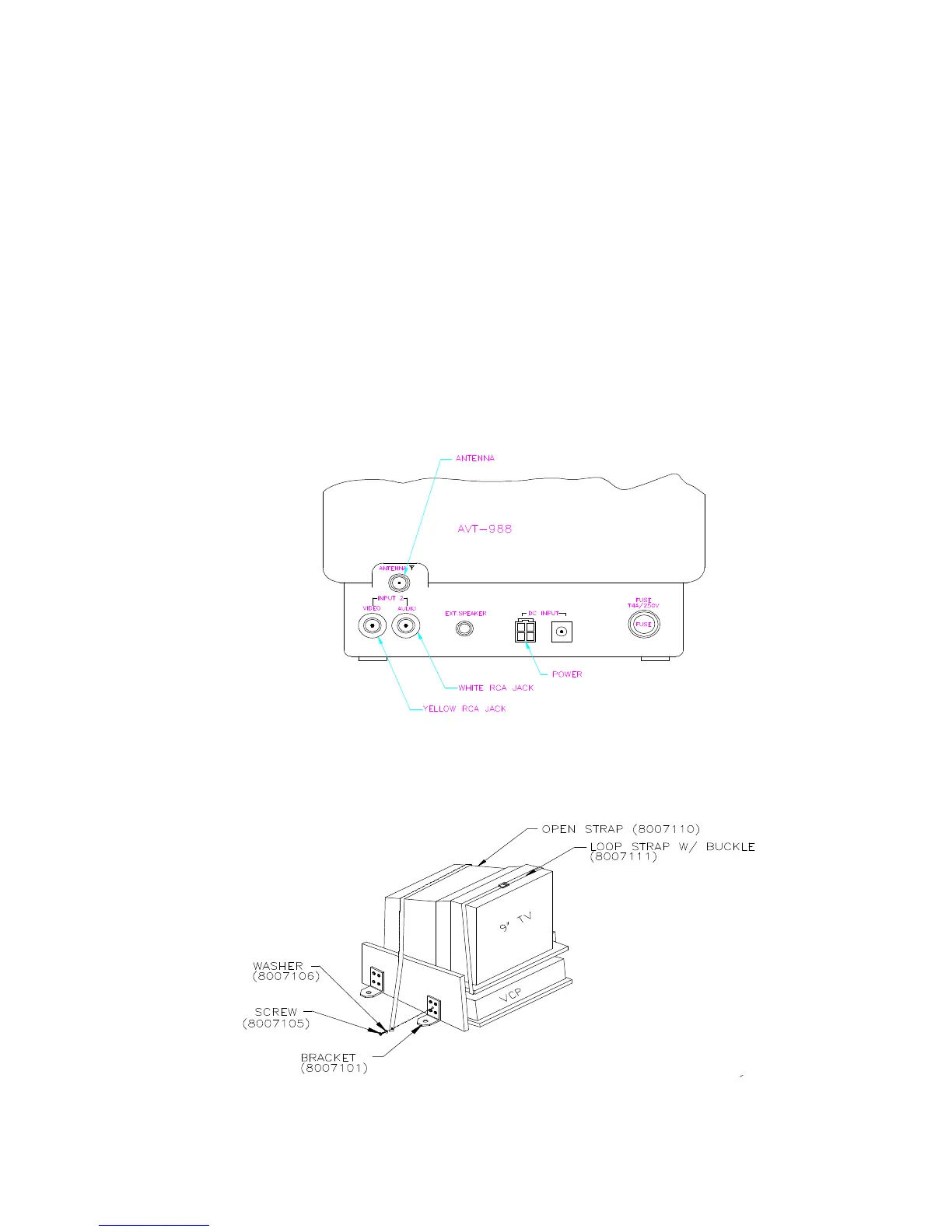
STEP #5 INSTALL TV INTO CONSOLE
⇒ Connect yellow RCA connector (customer supplied) to yellow RCA input jack on
rear of television. This is the video connection.
⇒ Connect white RCA connector (customer supplied) to white RCA input jack on
rear of television. This is the audio connection.
⇒ Connect DC power connector (customer supplied) to rear of television.
⇒ Connect coaxial cable antenna “F” connector (customer supplied)to rear of
television “ANT” input.
⇒ Place television on shelf of console.
⇒ Secure television down with two straps. Make absolutely certain that straps are
tight.



 To Next Page