3) Magnetic Field Condition: Nil.
4) Input signal Unit: Product Specification Standard
5) Reserve after operation: Above 5 Minutes (Heat Run)
Temperature : at 25 ± 5 º C
Relative humidity : 65 ± 10%
Input voltage : 220V, 60Hz
* Download
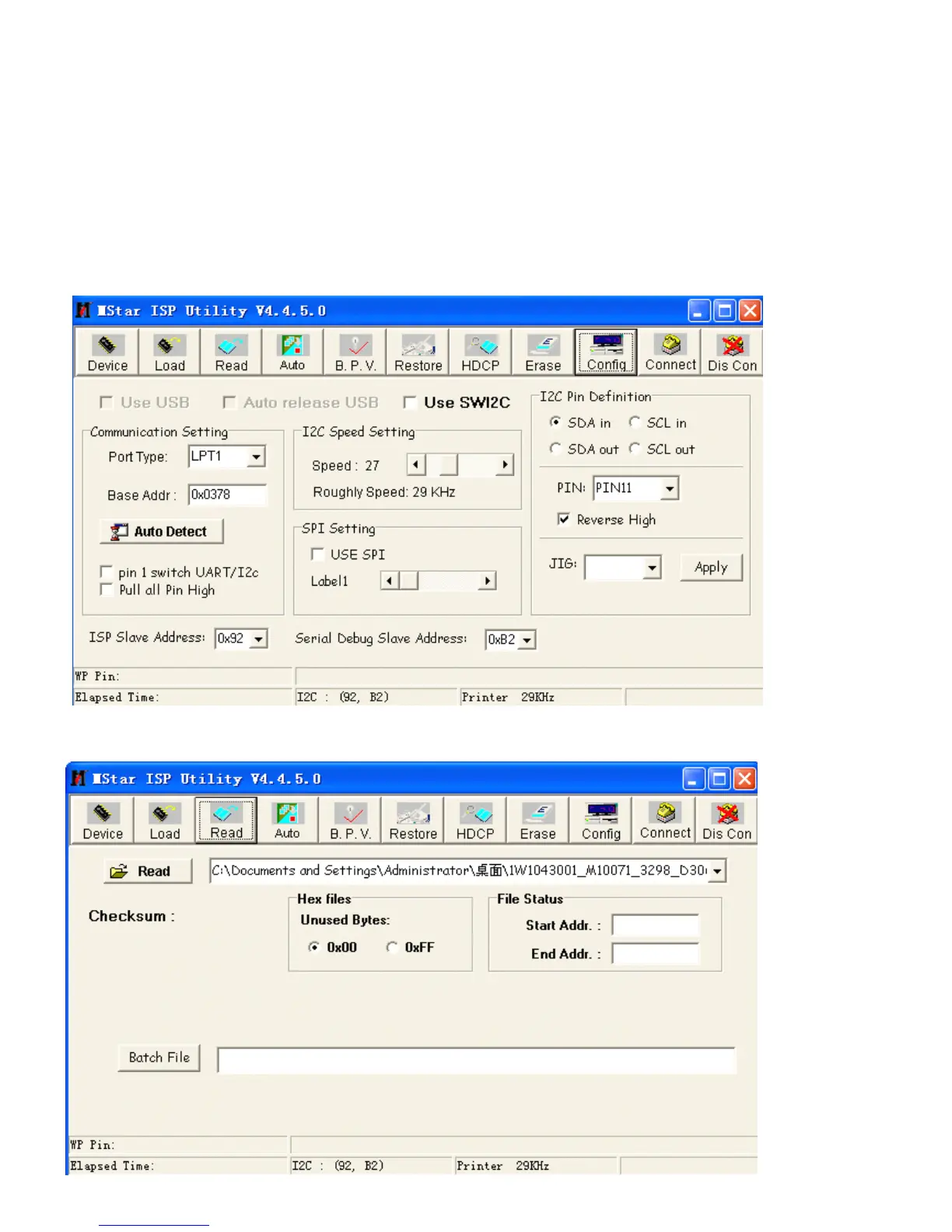
1) Execute ISP program “ Mstar ISP Utility ” and then click “ Config ” tab.
2) Set as below, and then click “ Auto Detect ” and check “ OK ” message. If display “ Error ” , Check connect computer, jig,
and set.
3) Click “ Connect ” tab. If display “ Can ’ t ” , Check connect computer, jig, and set.
4) Click “ Read ” tab, and then load download file(XXXX.bin) by clicking “ Read ” .



 To Next Page