_____________________________________________________________________
ATLANTIC SATELLITE CORPORATION
MODEL ASC300LW
BEACON RECEIVER
11
On the Model pull down screen select the model that you will be working with. In this
case you will see that the model ASC300LW has been selected. You will also see that
the baud rate has been set at 2400 and the Address has been set to F. Note all other
ASC300 series beacon receiver baud rates should be set to 2400. Set the connection to
Serial. Select the COM Port to be used. In this case the COM2 has been selected. Note:
if the Ethernet Options is installed you can also set the Destination IP & Port at this
time. Click OK.
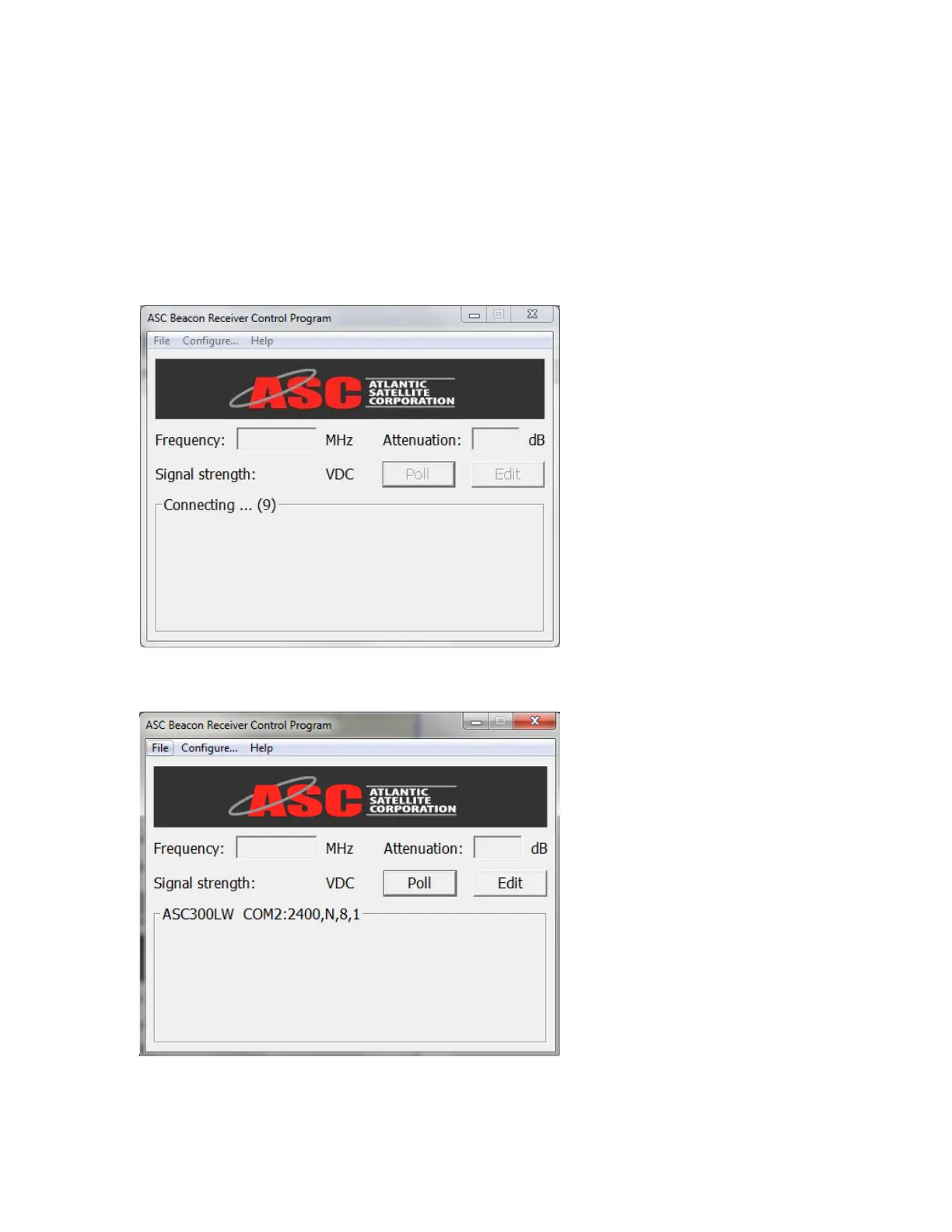
If the selected Com port is not supported then the following screen will appear.
If the selected Com port is supported then the following screen will appear.
Click on the Edit button and the below screen will appear.


 To Next Page