_____________________________________________________________________
ATLANTIC SATELLITE CORPORATION
MODEL ASC300LW
BEACON RECEIVER
4
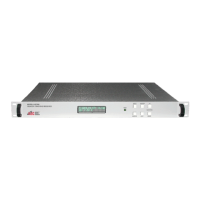
3.0 Front Panel Facilities
RES: Pressing the RES (Reset) button reboots the unit. The unit will retain the
parameters of the previous settings.
LOC/REM: While depressing and holding the LOC/REM button and depressing and
releasing the RES button, the unit will toggle between the local and
remote mode of operation. In the local mode all parameters can be
controlled from the front panel facilities. The remote M&C is not
functional in the LOCAL mode of operation.
3.1 Local Operation
3.11 Changing Frequency
FSET: The FSET button activates the cursor. When depressed and released the
cursors will blink over one of the frequency digits.
CURSOR: Depressing and releasing the CURSOR button will cause the cursor to
move one frequency digit to the right. When the last digit is reached, the
cursor will jump to the first frequency digit. When the desired digit is
selected, the value of that digit may be changed.
UP: While in the FSET mode, the UP button increases the value of the
selected frequency digit.
DOWN: While in the FSET mode the DOWN button decreases the value of the
selected frequency digit.
When the desired frequency is selected depress and release the FSET
button. The cursor will no longer be displayed and the unit will be tuned to
the desired input frequency.
3.12 Changing Gain
When the unit is in the LOCAL mode of operation, the attenuation of the
input signal level can be changed to accommodate the variations in the
beacon input signal strength level. The attenuation is displayed in dB from
0 to 60 dB on 0.5 dB steps.


 To Next Page