EasyManua.ls Logo

ASDA tech ATA22AA001A - Product Overview and Controls; Device Components; Radio Mode Controls; CD Mode Controls

Default Icon
4 pages
Print Icon
To Next Page IconTo Next Page
To Previous Page IconTo Previous Page
Loading...
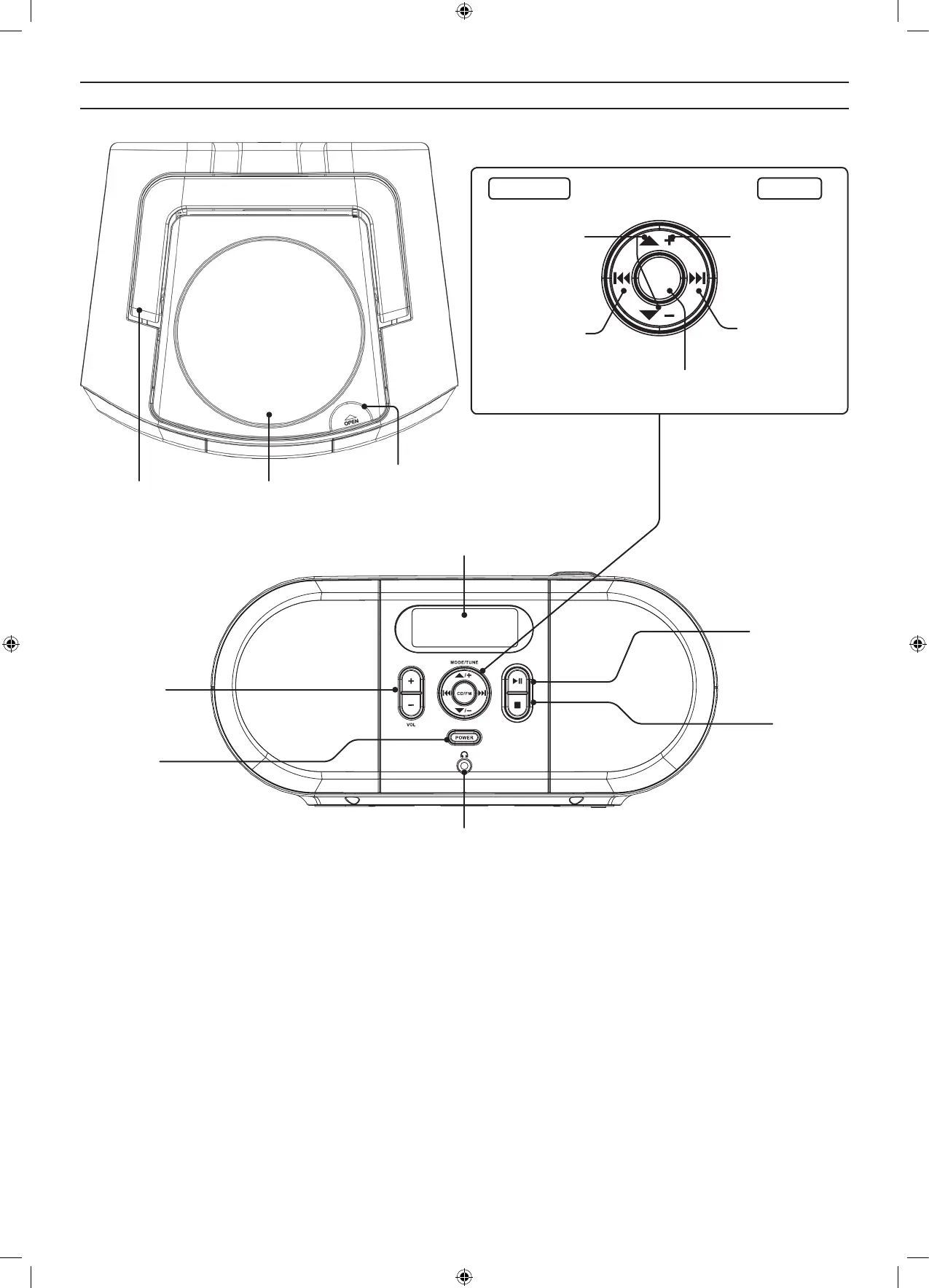
MODE/TUNE
CD/FM
/
/
Carry Handle Disc Door
Disc Door Open
Stop
Press to stop a CD
during play.
Volume
Radio Mode CD Mode
Display
Headphone Jack
(3.5mm audio output)
Press to cycle through
memory presets.
Press and hold to scan
FM frequencies.
Press to ne tune FM
frequencies.
Press to select CD or
FM Radio Mode.
Power
Press to turn the
unit ON or OFF.
Play/Pause
Press to play or pause
a loaded CD.
Press and hold to
preset FM.
Overview
Press to skip tracks.
Press and hold to
search through a
track.
Press to select Shue,
Repeat, or Standard
play modes.
Press and hold to
program CD.

Related product manuals