Saving Radio Presets
1. Tune to the desired AM or FM frequency (see above steps).
2. Press and hold the
button.
3. The display will show "Preset" and begin ashing a preset number (Ex: "P01").
4. Use the
buttons to select the preset to be saved. Up to 10 stations can be
saved (P01 to P10).
5. Press the
button to save that preset.
6. With the radio ON, press the
buttons to cycle through radio presets.
Programming a CD
1. While a CD is playing, press , then press and hold to create a program.
2. "00" will begin ashing on the display.
3. Use the
buttons to select a track.
4. Press
to conrm the selection and add it to the program. Repeat steps 3 and 4 to
add more tracks to the program. Up to 20 tracks can be added.
5. Press
to begin playing the program. Press to stop twice end the program.
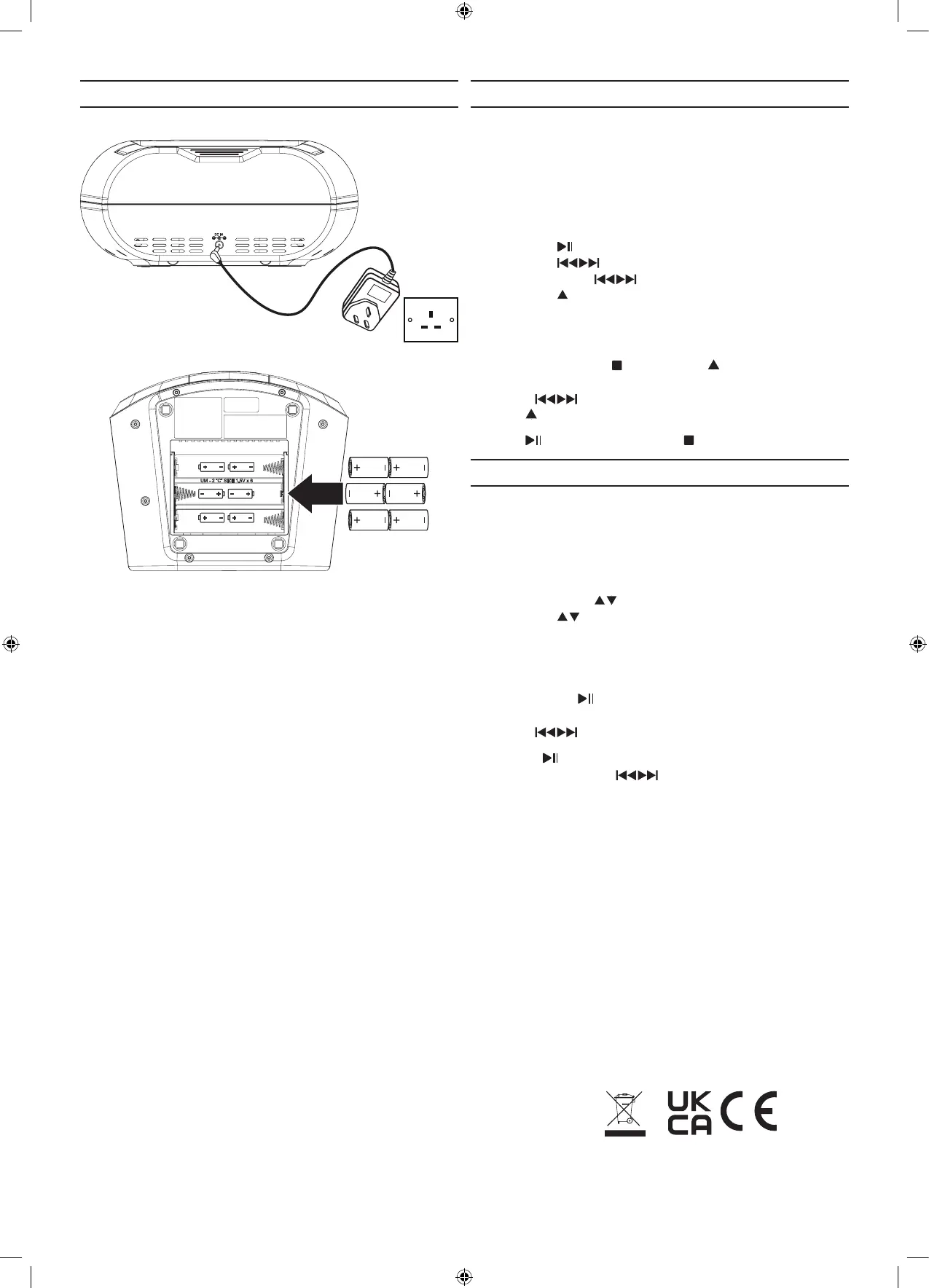
Power and Batteries
Requires 6 C batteries (not included).
Plug the AC/DC adaptor into a standard power outlet.
FM Radio
Radio Reception
An FM antenna is built into the speaker. To improve reception, adjust the position of the speaker.
Tuning the FM Radio
1. Press the Power button to turn the unit on.
2. Press the CD/FM button to switch to Radio mode, then:
• Press and hold the
buttons to scan radio frequencies.
• Press the
buttons to ne tune the radio frequency.
CD Player
Note: This unit is not compatible with MP3 CDs.
Loading and Playing a CD
1. Open the CD Door.
2. Place a CD into the unit, label side facing up.
3. Close the CD Door.
4. Press the Power button to power the speaker on.
5. Press the CD/FM button to switch to CD mode.
• Press the
button to begin playing the loaded CD.
• Press the
buttons to skip tracks.
• Press and hold the
buttons to search through a track.
• Press the
button to play tracks in Repeat, Random, or Single Play Mode. Note the
gure in the display for Repeat and Random Mode.
This symbol on the product or in the instructions means that your electrical and electronic equipment
should be disposed at the end of its life separately from your household waste.There are separate
collection systems for recycling in the EU.
For more information, please contact the local authority or your retailer where you purchased the product.
ASDA, Leeds LS11 5AD/ASDA, Antrim BT41 4GY
Hereby, Huizhou Yinghai Digital Electronics Co., Ltd, declares that this CD BOOMBOX is in compliance
with the essential requirements and other relevant provisions of Directive 2014/53/EU.



 To Previous Page
 Loading...