EasyManua.ls Logo

Asda ATA22DP001A - User Manual

Default Icon
24 pages
Print Icon
To Next Page IconTo Next Page
Loading...
PRODUCT GUIDE
Febuary 22, 2022_v2
Model: ATA22DP001A
HDMI DVD PLAYER
Question and Answer IconNeed help?

Do you have a question about the Asda ATA22DP001A and is the answer not in the manual?

Summary

IMPORTANT SAFETY INSTRUCTIONS

Laser Safety Precautions

Details on dangers of invisible laser radiation and protective measures.

Electrical Safety and Fire Prevention

Warnings about water, moisture, and using only recommended accessories.

Unit Handling, Cord, and General Safety

Precautions for unit handling, cord safety, surge protection, and avoiding sharp points.

Adherence to Operating Instructions

Emphasizes reading, keeping, heeding, and following all safety and operating instructions.

IMPORTANT SAFETY INSTRUCTIONS

Water Safety and Cleaning Procedures

Advises against water use and specifies dry cloth cleaning methods.

Ventilation, Heat Sources, and Installation

Instructions on not blocking ventilation and avoiding heat sources; safe cart movement.

Plug, Accessories, and Storm Safety

Guidelines on plug safety, using specified accessories, and unplugging during storms.

Servicing and Power Source Guidelines

Directs servicing to qualified personnel and specifies operating from the correct power source.

IMPORTANT SAFETY INSTRUCTIONS

Liquid Entry and Object Insertion Prevention

Warns against inserting objects or spilling liquids into the product.

Servicing, Replacement Parts, and Safety Checks

Advises against self-servicing, using specified parts, and performing safety checks.

Mounting Advice and Conditions Requiring Service

Guidelines for wall/ceiling mounting and listing damage requiring professional servicing.

IMPORTANT SAFETY INSTRUCTIONS

Handling, Storage, and Moisture Condensation

Covers safe handling, storage, and avoiding moisture condensation issues.

Player Placement and Cleaning

Advice on placement near other devices and guidance on cleaning the unit and lenses.

ABOUT DISCS

Playable Disc Types and Structure

Lists compatible disc types and explains data organization on DVDs/CDs.

Video System and Region Management

Information on NTSC/PAL settings and regional playback restrictions.

LOCATION OF CONTROLS

Front Panel Controls Identification

Identifies and describes the controls on the front view of the unit.

Rear Panel Connection Ports

Identifies and describes the connection ports on the rear view of the unit.

REMOTE CONTROL

Remote Control Button Functions

Details the layout and functions of each button on the remote control.

Universal Remote Compatibility

Instructions for using a universal remote with the product.

BATTERY INSTALLATION (REMOTE CONTROL)

Battery Installation Procedure

Step-by-step guide for installing batteries into the remote control.

Battery Precautions and Sensor Range

Safety guidelines for batteries and information on the remote sensor's operational range.

CONNECTIONS

RCA (Composite Video;Audio) Connection

Illustrates connecting via composite video and stereo audio jacks.

Coaxial Digital Audio Connection

Illustrates connecting via the coaxial digital audio output.

CONNECTIONS

Component (YUV) Video Connection

Illustrates connecting via component video jacks for higher quality video.

HDMI Digital Audio;Video Connection

Illustrates connecting via HDMI for a single cable audio and video solution.

OPERATIONS

Basic Playback and Control

Covers powering on, disc loading, pause, resume, and stop functions.

Playback Navigation and Volume

Details fast forward/rewind, track/chapter skipping, and volume adjustment.

Repeat and Program Playback Modes

Explains how to set up repeat playback and custom program sequences.

OPERATIONS

Advanced Playback Functions

Explains Angle, Subtitle, Video mode switching, and GOTO features.

Menu Navigation and Audio Language

Covers Title, Menu, Return, Mute, and Audio language selection.

OPERATIONS

System Reset and Display Options

Details how to reset settings and use On-Screen Display.

Color System, AB Repeat, and Zoom

Configuring PAL/NTSC, AB repeat, and zoom features.

Slow Motion and Text-to-Speech (TTS)

Information on slow motion playback and enabling/disabling voice guide.

SETUP

System Setup Menu Overview

How to navigate and use the system setup menu for configuration.

TV System, Screen Saver, and Aspect Ratio

Configuring TV system, screen saver, and aspect ratio settings.

Password and Parental Control Setup

Details on setting/resetting passwords and parental control ratings.

SETUP

Parental Rating Levels Explained

Explains the different parental control rating levels and their meanings.

Resume Playback and Language Settings

How to enable resume playback and configure OSD, Audio, Subtitle, and Menu languages.

Video Output Configuration

Setting HDMI output resolution and video output modes (CVBS, YUV).

SETUP

Audio Output and Downmix Settings

Configuring digital audio output (SPDIF) and downmix options.

Voice Guide and Digital Audio Setup

Enabling voice guide and configuring digital audio output modes (Stereo, Mono).

CARE AND MAINTENANCE

Disc Handling and Cleaning

Guidelines for handling, cleaning, and storing discs to prevent damage.

Unit Cleaning Procedures

Instructions for safely cleaning the DVD player's exterior and plastic parts.

TROUBLESHOOTING GUIDE

Power and Disc Playback Troubleshooting

Solutions for common problems like no power or discs not playing.

Picture, Sound, and Remote Issues

Troubleshooting steps for no picture/sound, rolling picture, and remote control problems.

Playback Start and Function Error Resolution

Addressing issues with starting playback, functions not operating, and forgotten passwords.

SPECIFICATIONS

Power Adapter and Efficiency Details

Details about the included power adapter and its efficiency ratings.

Disc Compatibility and Connection Types

Lists compatible disc types and available connection interfaces.

Operating Temperature and Included Accessories

Information on maximum operating temperature and included accessories.

ACCESSIBILITY

Text-to-Speech and Video Description Features

Explains TTS and Video Description features for visually impaired users.

Enabling;Disabling Accessibility Features

Instructions on how to turn the TTS/Voice Guide feature on or off.

DECLARATION OF CONFORMITY AND DISPOSAL

EU Declaration of Conformity

Statement of compliance with EU directives and link to full declaration.

Product and Battery Disposal Guidance

Guidance on proper disposal of WEEE and batteries.

Overview

This document describes the ASDA tech HDMI DVD Player, model ATA22DP001A, a device designed for playing DVDs and audio CDs. It offers various features for media playback, including different connection options for audio and video, remote control functionality, and accessibility features like Text-to-Speech.

Function Description

The ASDA tech HDMI DVD Player is primarily used for playing back DVD video discs and audio CDs. It supports discs with region code 2 and is compatible with NTSC and PAL color systems. The player can handle various disc types including DVD, CD, CD-R, CD-RW, DVD±R, and DVD±RW.

For DVD playback, the device processes data divided into titles and chapters, allowing users to navigate through the content. For audio CDs, data is divided into tracks. The player incorporates copyright protection technology, meaning it cannot be used to copy, broadcast, or publicly display copyrighted material.

The device offers multiple output options for connecting to a TV or amplifier:

  • Video, L&R Jacks: Standard composite video and stereo audio output.
  • COAXIAL Jack: Digital audio output for connecting to an amplifier with a built-in digital audio decoder.
  • Y, Pb/Cb, Pr/Cr (YUV) Jacks: Component video output for higher quality video.
  • HDMI Output Port: High-definition multimedia interface for digital video and audio.

Usage Features

The DVD player is operated using both front panel controls and a remote control.

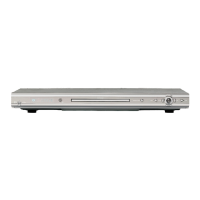
Front Panel Controls:

  • Disc Door: For inserting and removing discs.
  • Display: Shows current status or information.
  • Remote Sensor: Receives signals from the remote control.
  • TTS (Text to Speech) Button: Toggles the voice guide on/off.
  • Open/Close Button: Opens and closes the disc door.
  • Play/Pause Button: Starts or pauses playback.
  • Power Button: Turns the unit on or off.

Remote Control Functions: The remote control provides comprehensive control over the player's functions.

  • Power Button: Powers the unit on/off or switches to standby mode.
  • PROG (Program) Button: Accesses the program setting menu for CD/DVD playback.
  • ANGLE Button: Selects different viewing angles on multi-angle DVD discs.
  • Numeric Buttons (0-9, 0/10, 10+): For direct selection of titles, chapters, or tracks.
  • REV (Reverse) / FWD (Forward) Buttons: For fast rewinding or fast forwarding.
  • L/R Button: Changes audio channels (Mono L, Mono R, Mix Mono, Stereo).
  • PLAY/PAUSE Button: Starts or pauses playback.
  • STOP Button: Stops playback (single press for pre-stop, double press for full stop).
  • SETUP Button: Enters or exits the setup menu.
  • ENTER Button: Confirms selections in menus.
  • MENU Button: Returns to the disc's menu page.
  • RETURN Button: Returns to the previous menu.
  • MUTE Button: Turns sound off/on.
  • AUDIO Button: Selects desired audio language.
  • + / - (Volume Up/Down) Buttons: Adjusts volume level.
  • OSD (On Screen Display) Button: Displays or hides playing status.
  • P/N (PAL/NTSC) Button: Selects the color system (NTSC, PAL, AUTO).
  • ZOOM Button: Zooms in or out during movie playback.
  • SLOW Button: Activates and sets slow motion speed.
  • TTS (Text to Speech) Button: Toggles the voice guide on/off.
  • Open/Close Button: Opens and closes the disc door.
  • VIDEO Button: Switches video output mode (YPbPr, CVBS, YUV).
  • SUBTITLE Button: Selects desired subtitle language.
  • GOTO Button: Accesses Title, Chapter, and Time selection menus for DVDs, or Track and Time selection menus for CDs.
  • NEXT / PREV (Previous) Buttons: Skips to the next or previous track/chapter.
  • TITLE Button: Returns to the disc's title page.
  • Navigation Buttons (Up, Down, Left, Right): For menu navigation.
  • RESET Button: Resets to default settings.
  • REPEAT Button: Sets repeat playback modes (Chapter, Title, All for DVD; 1, All for CD).
  • A-B Button: Defines a section for repeated playback.

Setup Menus: The player features a comprehensive setup menu accessible via the remote control's SETUP button.

  • System Setup:
    • TV SYSTEM: Sets TV type (AUTO, NTSC, PAL).
    • SCREEN SAVER: Activates a screen saver when idle or paused.
    • TV TYPE: Sets aspect ratio (16:9, 4:3 LB, 4:3 PS).
    • PASSWORD: Allows setting/resetting a password and rating level. Default password is "0000".
    • RATING: Sets parental guidance levels (Kid Safe, G, PG, PG 13, PG-R, R, NC-17, Adult).
    • RESUME: Enables or disables playback resume from the last stopped point.
    • DEFAULT: Resets all settings to factory defaults.
  • Language Setup:
    • OSD LANGUAGE: Sets the On-Screen Display language.
    • AUDIO LANG: Sets the priority of the audio language.
    • SUBTITLE LANG: Sets the priority of the subtitle language or turns it off.
    • MENU LANG: Sets the priority of the on-screen menu language.
  • Video Setup:
    • HDMI OUTPUT: Sets the resolution of the output signal for HDMI.
    • VIDEO: Sets video output to CVBS (for Video jack) or YUV/Y,Pb,Pr (for component jacks).
  • Audio Setup:
    • AUDIO OUT: Sets digital audio output (SPDIF/OFF, SPDIF/RAW, SPDIF/PCM).
    • DOWNMIX: Sets audio downmix to LT/RT or STEREO.
    • VOICE GUIDE: Toggles the voice guide (Text-to-Speech) on/off.
  • Digital Setup:
    • DUAL MONO: Sets dual mono audio output (STEREO, MONO-L, MONO-R, MIX-MONO).

Accessibility Features (Text-to-Speech - TTS): The DVD player includes a built-in Audio Guide with Text-to-Speech (TTS) and Video Description.

  • Text-to-Speech: Converts written text into spoken voice output, assisting visually impaired users with on-screen menus and items.
  • Video Description: Provides audio narration describing key visual elements in movies (settings, scene changes, speaker identification, clothing, facial expressions, actions, and onscreen text).
  • Enabling/Disabling TTS:
    • Method 1: Press the TTS button on the remote control.
    • Method 2: Navigate to SETUP menu > Audio Setup > VOICE GUIDE and set to ON or OFF.

Maintenance Features

Caring for Discs:

  • Handle discs by their edges, avoiding contact with the shiny, unprinted side.
  • Do not attach tape or stickers to the disc label.
  • Clean discs periodically with a soft, lint-free, dry cloth. Avoid detergents or abrasive cleaners; use a CD cleaning kit if necessary.
  • Wipe discs in straight lines from the center to the outer edge, never in circular motions.
  • Store discs in their cases after each use.
  • Avoid exposing discs to direct sunlight, high temperatures, or dust, as this can warp them.
  • Do not stick or write on either side of the disc with sharp instruments or ink, as it may damage the surface.

Cleaning the Unit:

  • Disconnect the unit from the AC power source before cleaning to prevent fire or shock hazards.
  • Clean the unit's finish with a dust cloth, similar to caring for other furniture.
  • Use caution when cleaning and wiping plastic parts.
  • Mild soap and a damp cloth can be used on the front panel.

Moisture Condensation:

  • Moisture condensation can damage the DVD player. It occurs when the player is moved from a cold to a warm place, used in a room with a recently turned on heater, exposed to cold wind from an air conditioner, or used in a hot and humid environment.
  • If moisture condensation occurs, do not use the DVD player. Remove the disc, connect the AC/DC adaptor, turn on the player, and leave it on for two to three hours to allow the unit to warm up and evaporate any moisture.

Battery Installation (Remote Control):

  • The remote control requires two AAA size batteries.
  • Ensure correct polarity when installing batteries.
  • Do not mix different types of batteries or old and fresh batteries.
  • Remove batteries if the device will not be used for a long period to prevent leakage.
  • Do not attempt to recharge non-rechargeable batteries.
  • Do not dispose of batteries in fire.
  • Clean battery contacts before installation.

General Safety and Servicing:

  • Do not attempt to service the product yourself; refer all servicing to qualified personnel.
  • Unauthorized substitutions of parts may result in fire or electric shock.
  • After servicing, have a service technician perform safety checks.
  • The unit employs a laser system; avoid direct exposure to the laser beam. Do not open the enclosure.
  • Ensure proper ventilation; do not block openings or place the unit near heat sources.
  • Unplug the apparatus during lightning storms or when unused for long periods.
  • Use a surge protector for AC connection.
  • The unit has sharp points; exercise caution.
  • The mains plug of the adaptor is the disconnect device and should remain easily accessible.

Asda ATA22DP001A Specifications

General IconGeneral
BrandAsda
ModelATA22DP001A
TypeDVD Player
Playable Media FormatDVD, CD
Disc Types SupportedDVD+R, DVD+RW, DVD-R, DVD-RW, CD-R, CD-RW
Video OutputComposite
Audio OutputStereo
Power SupplyAC 220-240V, 50Hz
Power Consumption10W

Related product manuals