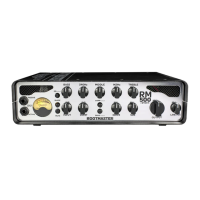
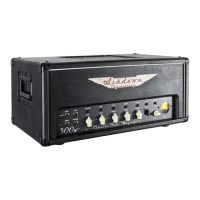
ASHDOWN ENGINEERING - STUDIO 8
FEATURES
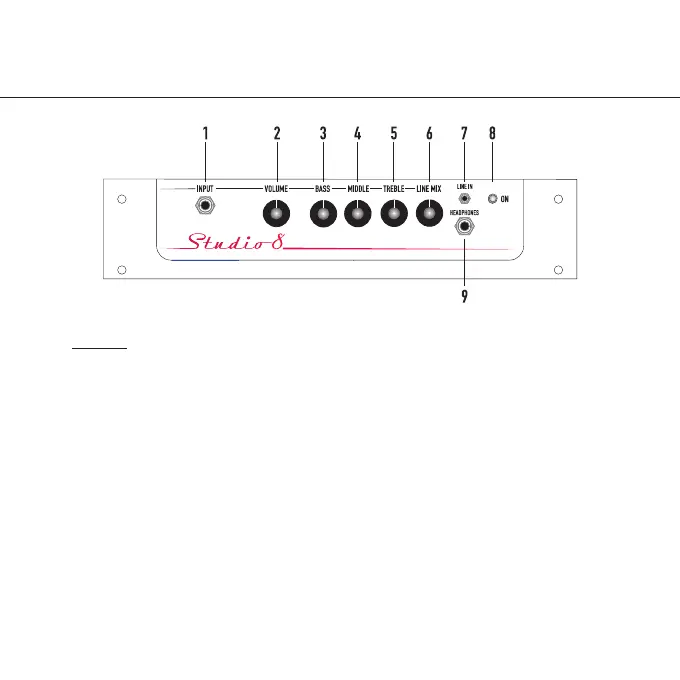
1. Input - a 1/4” Jack Socket for use with
your instrument
2. Volume - A rotary control to adjust the
overall output of the amp.
3. Bass - A rotary control to adjust the
amount of Bass +/- 15dB.
4. Middle - A rotary control to adjust the
amount of Middle +/- 15dB.
5. Treble - A rotary control to adjust the
amount of Treble +/- 15dB.
6. Line Mix - A rotary control to mix the
line level signal with your instrument
7. Line In - For use with a line level instrument
or audio device such as an MP3 player
8. On - light indicates the amplier is
powered.
9. Headphones - Mini Headphone Jack
Output.
USER GUIDE



 To Next Page