Need help?
Do you have a question about the Ashdown STUDIO Series and is the answer not in the manual?
Expresses gratitude and guides users to register their product for customer support.
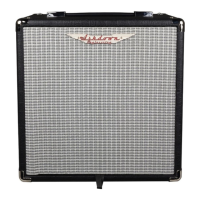
Details the front panel controls and rear IEC power input for the Studio Jnr amplifier.
Explains all controls and connections on both front and rear panels of the Studio 8 amplifier.
Details all controls and connections on both front and rear panels of the Studio 10 amplifier.
Explains all controls and connections on both front and rear panels of the Studio 12 amplifier.
Details all controls and connections on both front and rear panels of the Studio 15 amplifier.
Explains all controls and connections on both front and rear panels of the Studio 210 amplifier.
Details all controls and connections on both front and rear panels of the Studio Minirig amplifier.
 General
| Brand | Ashdown |
|---|---|
| Model | STUDIO Series |
| Category | Musical Instrument Amplifier |
| Language | English |


 To Next Page