Rev 3 Page 54
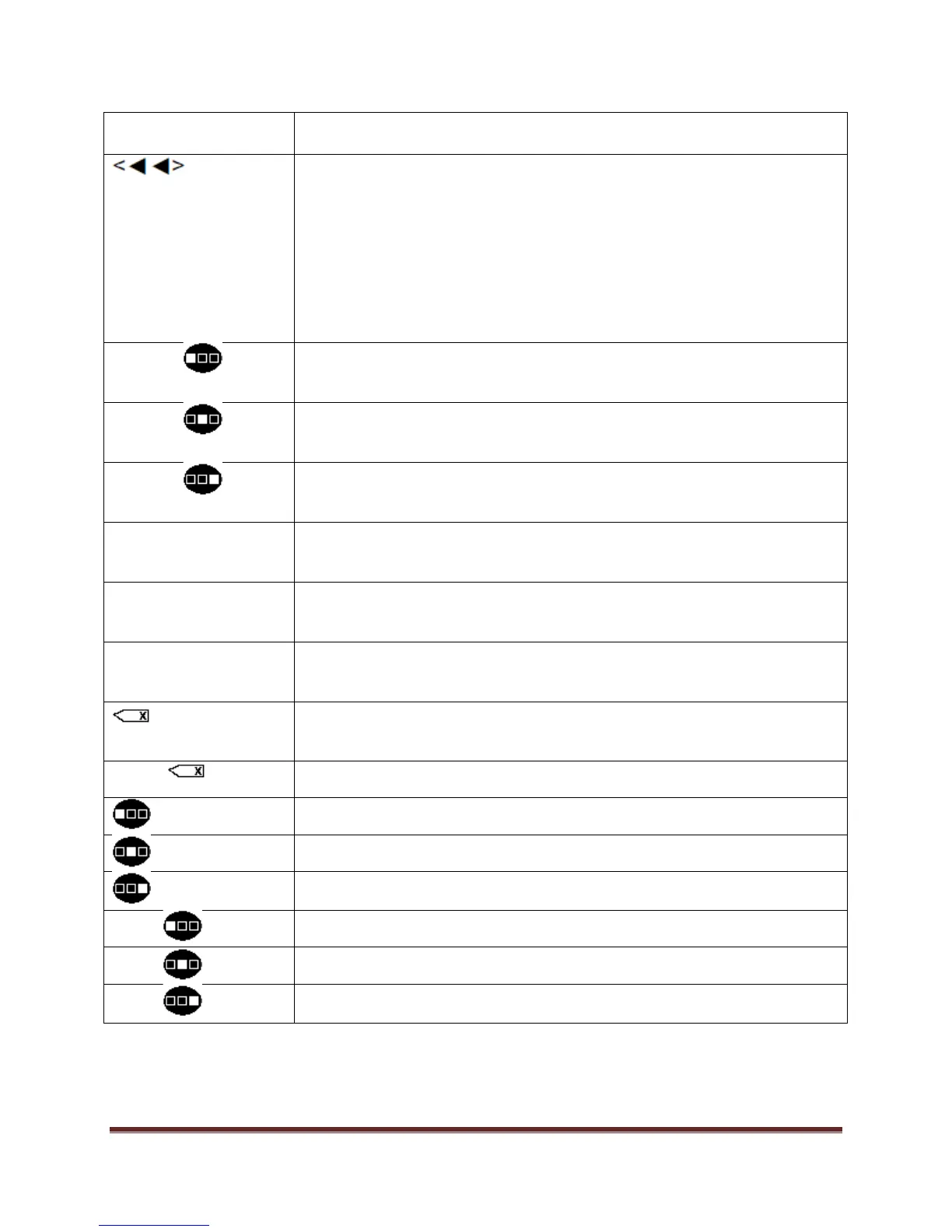
1) While collecting data, move to the previous cell in data collection
sequence.
2) When reviewing an item, move to the previous operation.
3) When reviewing data move to the previous characteristic.
4) When an input box is displayed, delete the previous character in the input
string.
Creates the left symbol shown over the selected number key.
Creates the center symbol shown over the selected number key.
Creates the right symbol shown over the selected number key.
Use the period key to enter a decimal point in a number.
Use the minus key to enter a negative number.
Creates a space after a letter, number or symbol.
Deletes one character to the left of the prompt
Deletes a complete line of characters.
Creates the left letter shown on the top of the key.
Creates the center letter shown on the top of the key.
Creates the right letter shown on the top of the key.
Creates the left letter shown on the top of the key in upper case.
Creates the center letter shown on the top of the key in upper case.
Creates the right letter shown on the top of the key in upper case.


 To Next Page
 Loading...