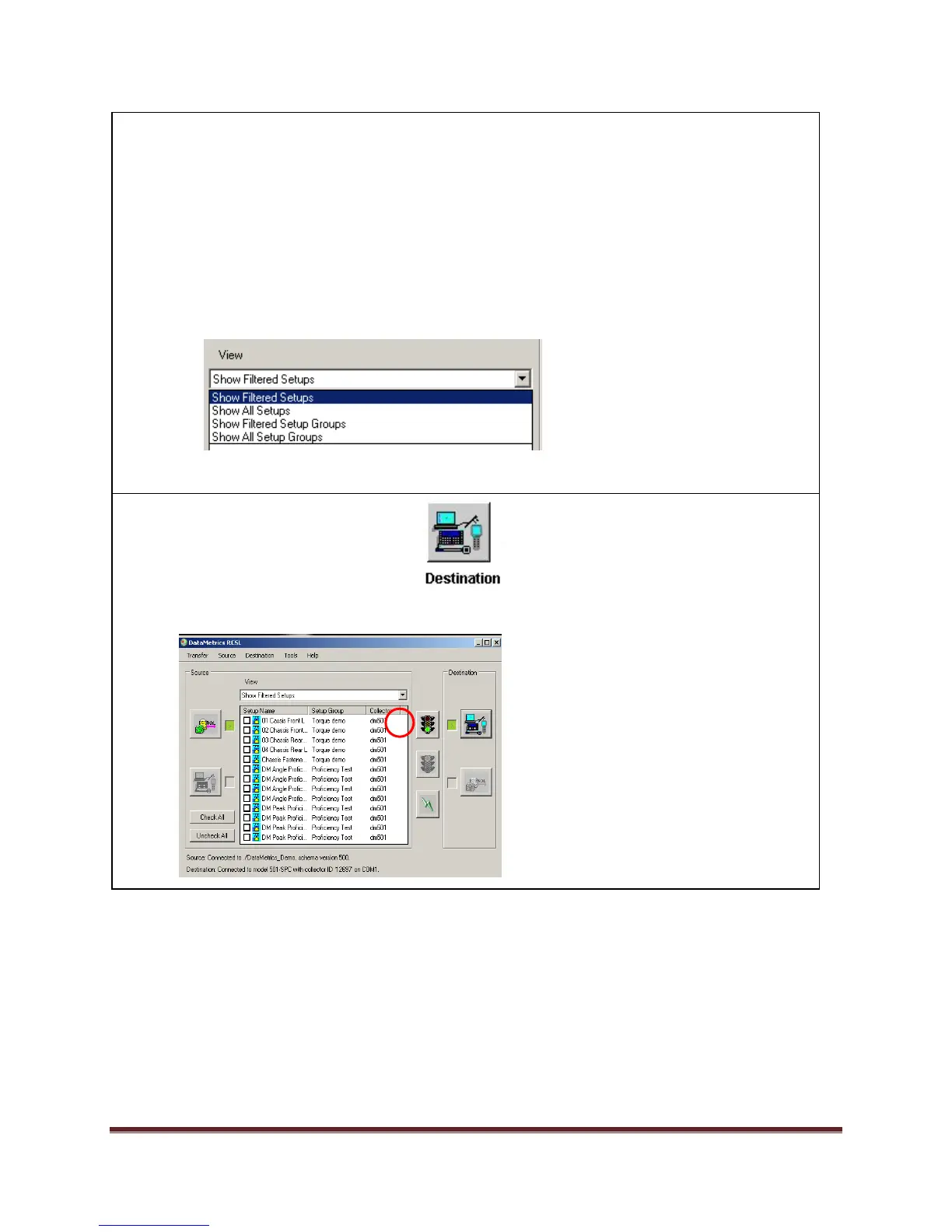
4. Select the View drop down list. The View can be filtered using one of four modes:
a. Show Filtered Setups – displays only those setups associated with the selected
Collector Type(s) as specified in DataMetrics RCSL Preferences.
b. Show All Setups – displays all the setups in the connected database (no filtering).
c. Show Filtered Setup Groups – displays only those Setup Groups associated with
the selected Collector Type(s) selected in DataMetrics RCSL Preferences.
d. Show All Setup Groups – display all the Setup Groups (collections of Setups, Setup
Group Alarm Set, and Passwords) in the connected database.


 To Next Page
 Loading...