Rev 3 Page 82
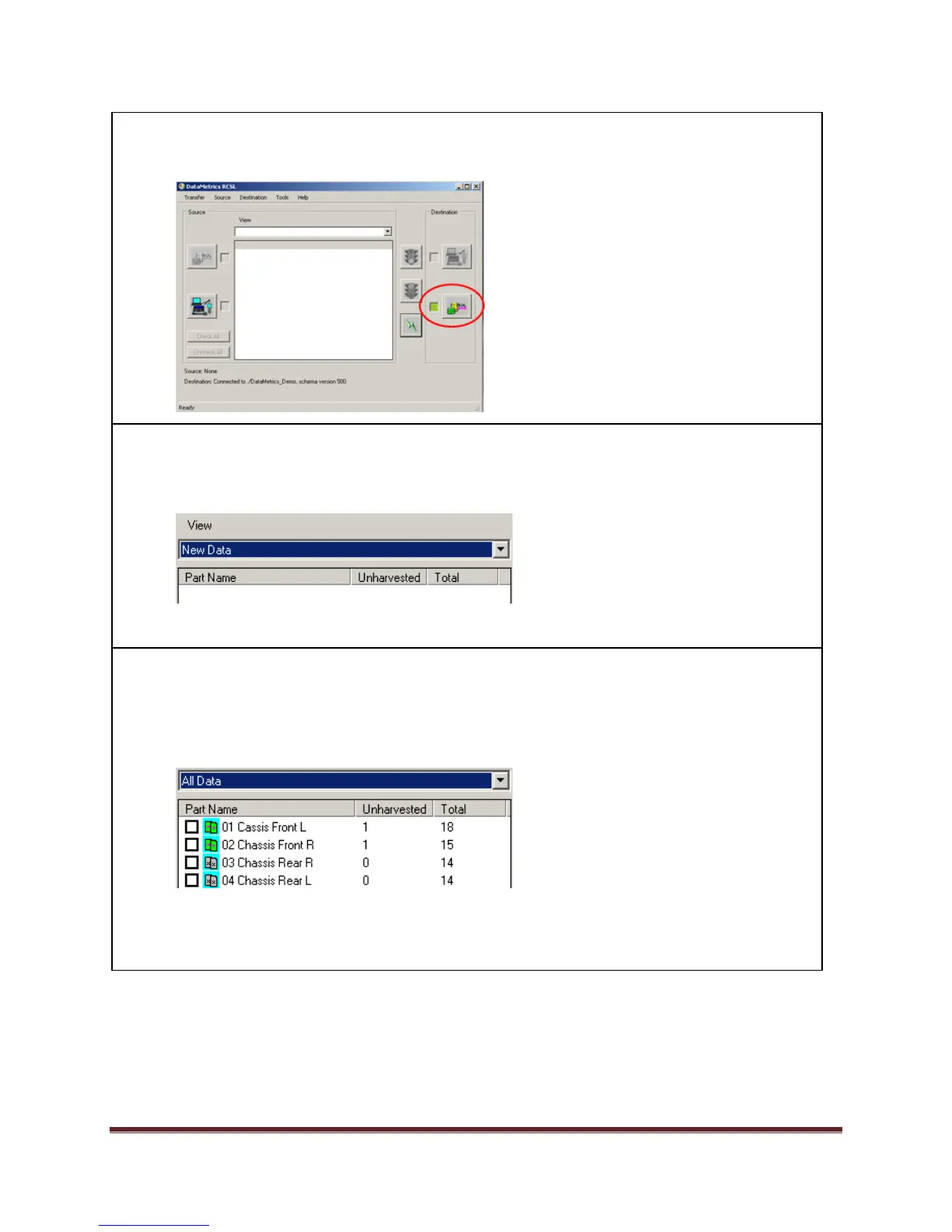
5. Before exiting the sequence, the user needs to deselect the database as the destination.
Click on Destination SPC Database icon to disconnect.
7. Users can also manually transfer data from the collector to the database. In the TranSend II
RCSL main screen, click Source Data Collector icon.
The New Data option will appear in the View window.
8. Select the View Option:
New Data – display only Setups that have Unharvested (not transferred) data.
All Data – display all Setups with Unharvested and Harvested data.
The available parts will appear in the screen.
Select the Setup(s) to transfer from the list by placing a check mark in each part name box.


 To Next Page
 Loading...