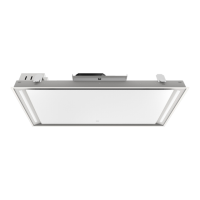
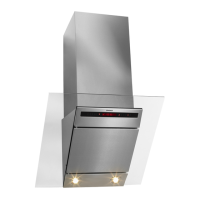
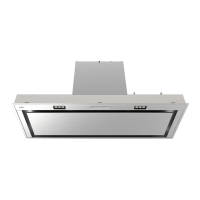
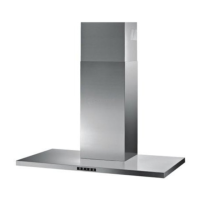
This document provides instructions for the ASKO CCT9051S cooker hood, a built-in unit designed to extract cooking fumes and odors, inspired by Scandinavian design. The manual covers its operation, maintenance, and environmental aspects.
Function Description
The ASKO CCT9051S is a cooker hood designed to remove steam, grease, and odors from the kitchen environment during cooking. It operates in two primary modes: extraction mode, where air is vented outside, and recirculation mode, where air is filtered and returned to the kitchen. The hood features multiple fan speed settings, including a boost setting for intensive extraction, and a timer function for automatic shut-off. It also incorporates LED lighting to illuminate the cooking surface, with adjustable light intensity and color temperature (colder or warmer light). A "Clean Air" function is available to periodically freshen the kitchen air at a low speed setting for up to 24 hours. The cooker hood is controlled via a remote control, which needs to be paired with the hood before first use.
Usage Features
The cooker hood is operated primarily through a remote control, which offers a comprehensive set of functions:
- Fan Control: The remote has a "Fan on/off" key. Pressing and holding it for 1 second switches the hood on at the lowest setting. The '+' key increases the fan speed, with a 1-second hold activating the highest (boost) setting. The '-' key decreases the fan speed. The hood's user interface displays the current speed level with indicators.
- Boost Setting: To activate the boost setting, press and hold the '+' button for at least 1 second. This setting runs for 10 minutes, after which the original extraction setting is reactivated. The speed level 4 indicator flashes during this period. The boost setting cannot be activated simultaneously with the timer function.
- Timer Function: Pressing the timer key activates a 10-minute timer, after which the hood automatically switches off. The timer indicator blinks when active. It can be switched off by pressing any button on the remote except the light key.
- Lighting Control: The light key on the remote, when pressed and held for 1 second, switches the LED lights on at maximum strength. Light intensity can be adjusted by pressing and holding the 'increase light' or 'decrease light' keys. To turn off the light, press and hold the light key for 1 second.
- Color Lighting Temperature Adjustment: The remote allows adjustment of the light's color temperature. After switching on the light, pressing the 'C' key makes the light 'colder', while pressing the 'W' key makes it 'warmer'.
- Recirculation Mode: To switch to recirculation mode, with the light and fan off, simultaneously hold the timer key and the light key until the filter indicator flashes three times. This activates the carbon filter indicator. To switch off recirculation mode, perform the same action until the filter indicator lights up for 3 seconds and then turns off.
- Clean Air Function: This function, activated by pressing and holding the 'clean air' key for approximately 3 seconds when the hood is off, runs the hood at the lowest speed for 10 minutes every hour for up to 24 hours to freshen the air. The display shows a moving 'snake' animation during operation. It can be deactivated by pressing the timer, clean air, '-', or '+' keys (any key other than the light key).
- Remote Control Standby: The remote enters standby after 30 seconds and wakes up when picked up or detecting movement.
- Filter Reset: The hood's user interface includes a filter reset button, which signals when filters require cleaning.
Maintenance Features
Regular maintenance is crucial for the cooker hood's performance and safety.
- Safety First: Before any maintenance, the cooker hood must be switched off by unplugging it or turning off the home's master switch. Abrasive cleaning products and alcohol should not be used.
- Cooker Hood Cleaning: The exterior of the cooker hood should be cleaned regularly with soapy water and a soft cloth, then rinsed with clean water. Aggressive cleaning agents like caustic soda should be avoided. Stainless steel surfaces should be finished with a non-abrasive, non-polishing agent and buffed in the direction of the grain.
- Metal Grease Filters: These filters should be cleaned once a month, or when indicated by the filter cleaning indicator. They can be washed by hand with a neutral cleaning agent or in a dishwasher on a short, low-temperature program, placed with openings downwards. Aluminium grease filters may dull in the dishwasher, which is normal and does not affect performance.
- Removing and Replacing Cassette Filters: To remove, switch off the motor and lighting, push in the latches to open the panel, open the filter's access latch, support the filter, and remove it. To replace, slot the notches at the back of the filter into the cooker hood's opening, tilt the filter upwards, release the access hatch so the notches extend outwards and slot into place, and press the glass plate firmly until a click is heard.
- Active Carbon Filters (for recirculation mode): Regenerable active carbon filters must be washed by hand with neutral cleaning products or in a dishwasher at a maximum temperature of 65 °C (without other dishes or detergent). After washing, remove excess water, remove the holder, and dry the filter in an oven for at least 40 minutes at a maximum temperature of 70 °C. This process should be repeated every 2 months or when indicated by the filter indicator. The filter must be replaced after no more than 3 years or if damaged. It is important that both grease and carbon filters are thoroughly dry before repositioning.
- Filter Indicator: The filter indicator signals when filters need attention. For grease filters, it lights up after 30 operating hours. For carbon filters, it flashes after 120 operating hours. To reset the memory for either, press and hold the '-' key until the indicator goes off or stops flashing.
- Lighting Maintenance: The hood is fitted with LED lights that must be replaced by an authorized technician. Users should not attempt to replace them themselves.
- Remote Control Battery: The remote uses two AAA batteries. When replacing batteries, the pairing connection remains. Batteries should be replaced in time, as low voltage shortens the receiving distance. Batteries should be removed if the remote is not used for a long time and the remote should not be left upside down on a conductive surface.

 Need help?
 General

 To Next Page