18
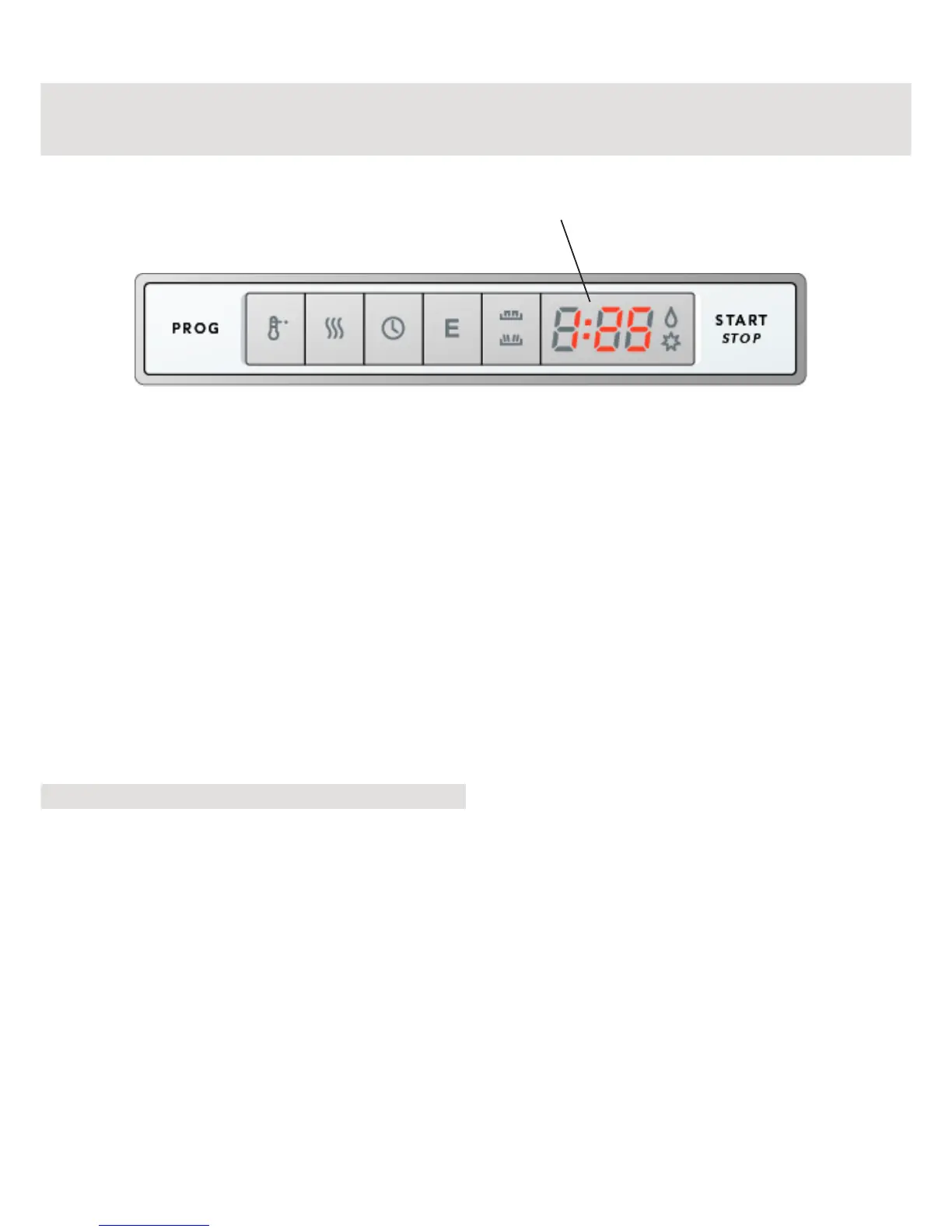
When you have selected the program, the
display shows the length of time the
program took the last time it was used.
When you have started the machine, the
display window shows how much of the
program time remains.
This time can vary a little from one occasion
to another depending on the temperature of
the inlet water, the amount of dishes, the
ambient temperature, etc.
While the program is running, the time is
counted down and the remaining program
time is displayed in the window.
Note!
During the first use of each wash program,
the time display can be slightly misleading
as the machine is estimating the remaining
cycle time. The time displayed the next time
that program is started is an estimate based
on how long the previous cycle took to
complete. If the program takes longer than
estimated, 1 minute will continue to show in
the display until the program is finished.
The corrected time will be displayed the
next time the program is used.
Display window
Display



 To Next Page