EN 13
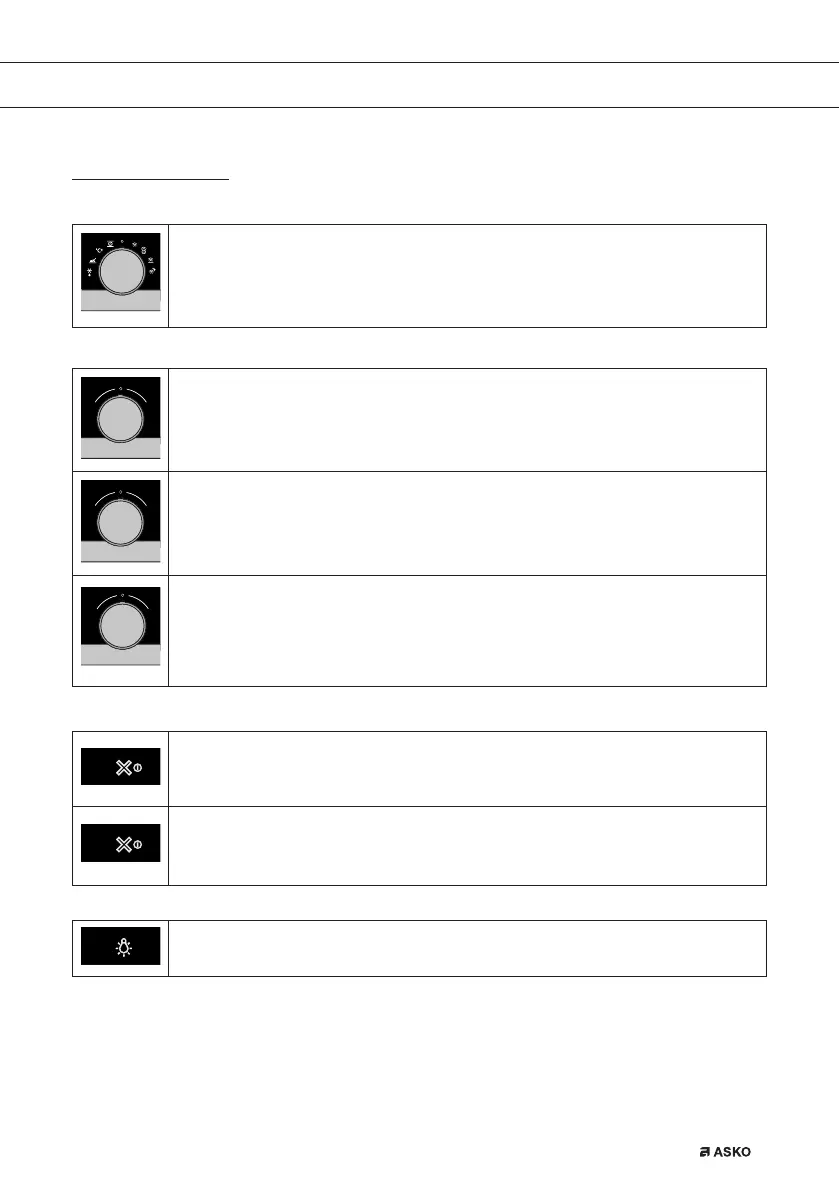
Explanation of the knobs and the keys
Function knob
Select a function
Turn this knob to select the desired function.
• See ‘Description of the functions’ for more information.
Selection knob
To choose a sub oven function
Turn this knob to choose a sub oven function.
• See ‘Control panel general use’ for more information.
Change the settings
Turn this knob to change the settings that are in the active area.
• See ‘Control panel general use’ for more information.
Go to the next setting
Touch this knob to go to the next setting.
• The next to change setting will be in the grey active area.
On/off key and stop key
To switch the appliance on or off
Touch and hold the key for several seconds to switch the appliance on or off.
To cancel or go back in the menu
Touch this key to cancel an operation or to go back one-step in the menu.
Lighting key
Switch the lighting on/off
Touch this key to switch the cavity lighting on or off.
USE
687728_en_naslovnica_drug_papir.indd EN13687728_en_naslovnica_drug_papir.indd EN13 8. 08. 2022 11:40:298. 08. 2022 11:40:29



 To Next Page