418669
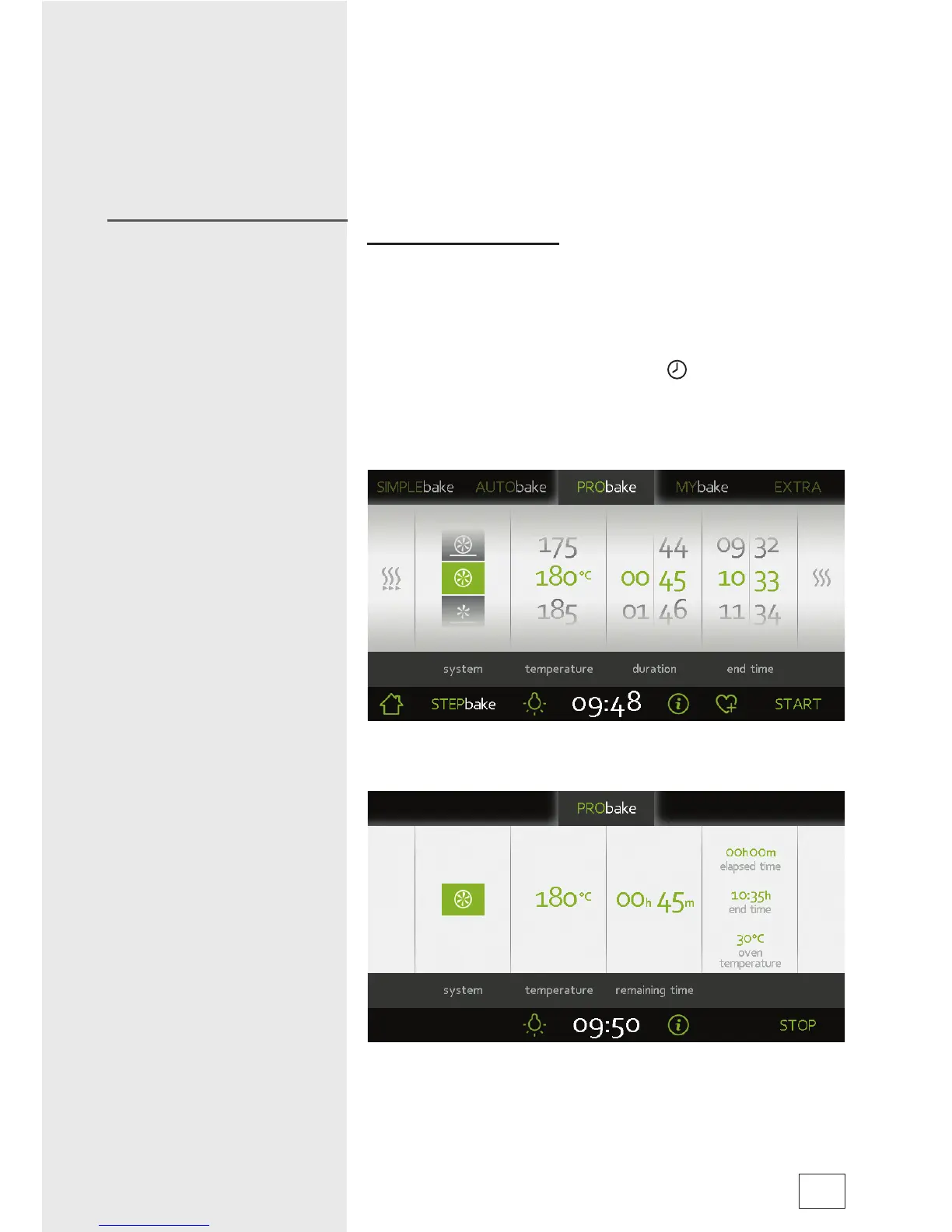
• After setting the heater combination and temperature, touch
the START symbol to start cooking, or choose extra settings
(see section Timer Functions).
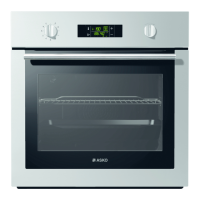
• All settings are indicated on the display.
The last frame displays the oven temperature and the cooking
time elapsed.
Setting the cooking time
In this programming mode, you can defi ne the duration of oven
operation (cooking time).
The longest possible setting is 10 hours, or 24 hours if the set
temperature is lower than 120°C.
• Touch the fi eld with the clock symbol (
) to display the
settings for timer functions / cooking time.
• Set the desired cooking time. Display of end time is adjusted
accordingly.
• Touch the START symbol to turn on the oven.
• Remaining cooking time will be displayed in the fi eld. When
this time expires, the oven will automatically stop operating
(end of cooking). An intermittent acoustic signal will be heard
which you may turn off by touching the display.
Timer functions
17



 To Next Page