418669
Minute minder.
Use this function independently of oven operation when you wish
to be warned at a previously set time. The minder’s countdown
timer can be set to a maximum of 10 hours.
- Set the clock by touching the CLOCK symbol. Touch the
(
) symbol to select the settings time and confi rm it with the
(
) symbol.
Clock display will alternate between the clock and minute
minder time.
- The minute minder can be switched off prematurely by
touching the CLOCK. Delete it by touching the (
) symbol.
Saving and editing user recipes
This program allows you to prepare your food the way you like
it, with the same steps and settings each time. The customized
program you have specifi ed can be stored in the oven memory
to be retrieved next time you need it. Memory program offers 8
food categories (meat, fi sh, vegetables, bread, etc.) and up to 15
dishes and combinations for their preparation can be stored in
each category.
You may also store your favourite dishes from the SIMPLEbake or
AUTObake program, or any dish for which you have defi ned the best
procedures yourself with the PRObake and STEPbake functions.
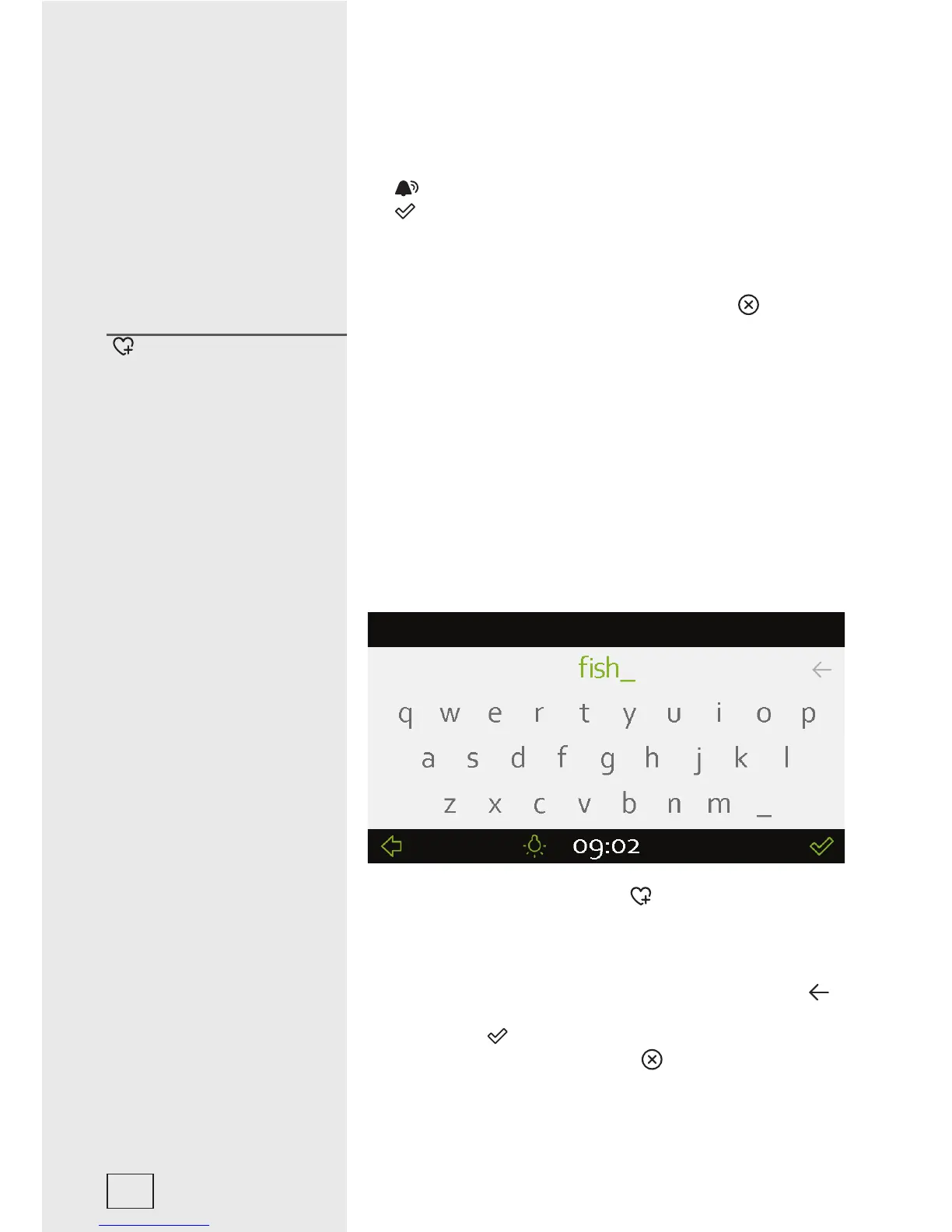
• For each program, touching the ( ) symbol will display an
input keyboard.
• Touch the letters you like to select the desired name of the food
which is displayed at the top. Each name can include up to
16
characters. If required, delete a character by touching the (
),
symbol in the upper right corner. Confi rm the name entered by
touching the (
) symbol.
- Delete the recipe by touching the (
) symbol.
Stored settings -
MYbake
22



 To Next Page