18
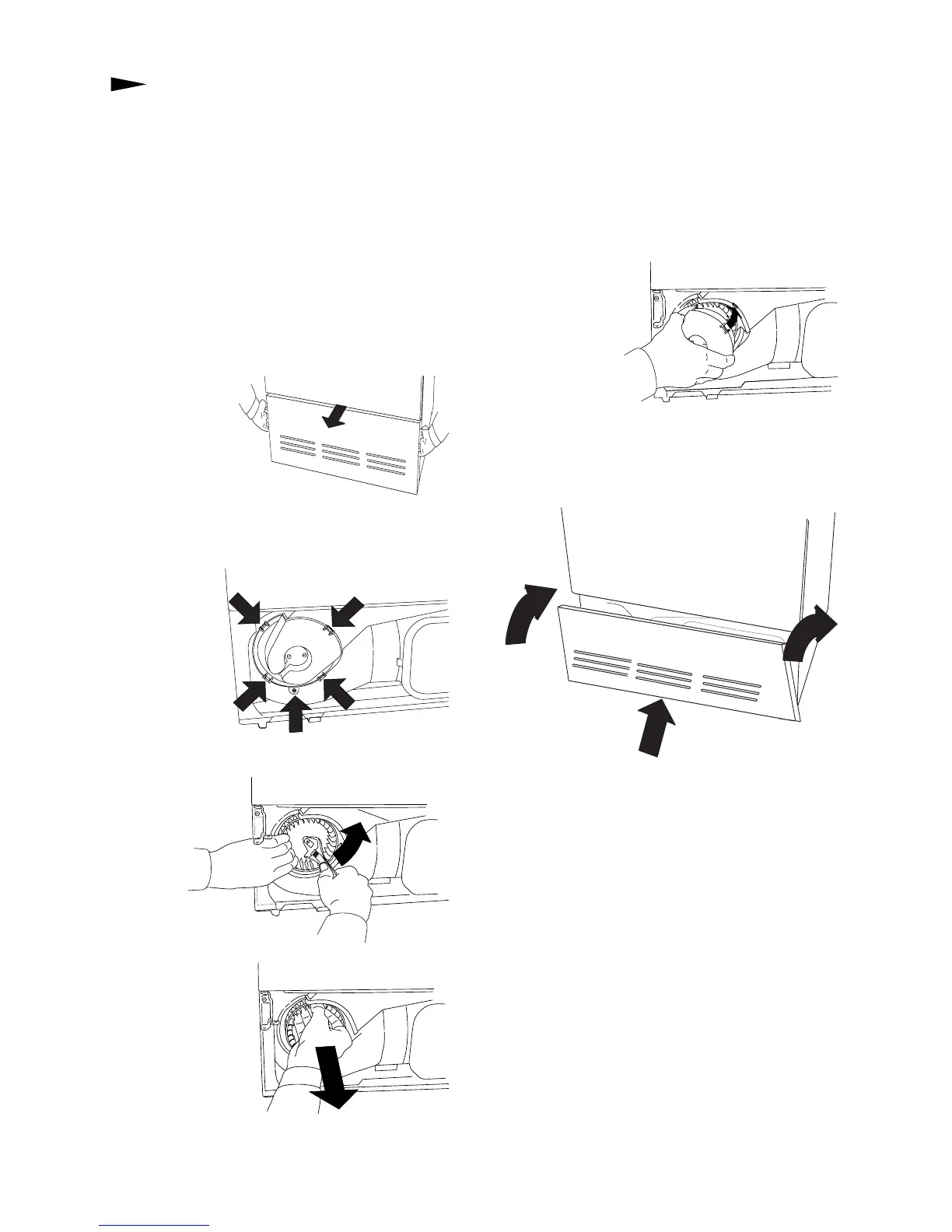
CLEANING THE FAN
The fan should be cleaned at least once a year.
If you have any household pets the fan must be
cleaned more often.
1. Turn off the main power switch.
2. Remove the lower cover.
3. Remove the safety screw (1). Prise out the
four clips in the order shown and remove the
fan cover.
4. Unscrew the nut while holding the fan.
5. Take out the fan
and clean it with a
brush and water.
6. Put the fan back into place and screw on the
nut.
7. Refit the fan cover, making sure the clips
hold the cover
in place. Don’t
forget to fit the
safety screw.
8. Fit the lower cover back in place.
2
2
1
2
2
1
4
3
5
2



 To Next Page