INTRODUCTION
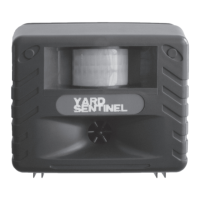
The Yard Sentinel™ pest repellent by Aspectek™ is the industry’s most advanced outdoor
anti-pest product. The product brings together peace of mind and aordability as a result
of years of research and innovation. This device allows you to rid your yard, garden or
outdoor area of pests humanely and without the use of poisonous chemicals.
How does it work?
The Yard Sentinel™ uses ultrasonic technology as well as a sonic alarm to repel pests from
your yard. The device is environmentally friendly, safe for humans and pets, and won’t
even harm the pests you want to repel.
Features
Your device is equipped with several features:
• AC adapter.
• 10 m extension cord (33 ft).
• Battery-operational: Requires 4 C batteries (not included).
•
Intelligent Power System (IPS): AC power will take priority over battery when both
are installed. In the case of power failure, device will switch to battery backup when
batteries are installed.
• Ultrasonic: Adjustable high frequencies that only pests can hear.
• Sonic: Audible alarm and harassment noise.
• Modes: Motion Sensor, Constant or Continuous Sweep.
• Infrared Motion Sensor: Detects pests in range and activates device.
• Operating Time: Select Day, Night or 24 HR.
SAFETY AND MAINTENANCE
1. Please read the manual before using the product.
2.
Do not restrict airow around the unit. Do not position behind furniture or curtains.
For best eect, position in open areas.
3. Do not attempt to open the unit beyond its functional use.
4.
This is not a toy. Do not hold up to your ears with either the ultrasonic or sonic
sounds activated.
5. Please consider other people and their privacy before using the security alarm.
6. This pest repellent is environmentally friendly, safe and harmless to pests and pets.
7. Keep the motion sensor lens clean by periodically wiping with a damp cloth.
8. Remove batteries when not in use to avoid leakage that could damage the unit.
9. Check all cables used to connect the device for cracks or damaged insulation. Do
not use the device in case of defects or serious damage.
10.
If repairs are required, original replacement parts should be used exclusively in
order to avoid serious damage. Repairs or other work may only be carried out by
authorized personnel. Please contact us for warranty information (see page 10).
11. Do not connect any power sources to 4C size battery holder except C size batteries,
or it may damage the unit. Contact us for information about our our special extension
cord with alligator clip and D/C power plug for connecting to a 12V D/C Sealed Lead-
Acid (SLA) battery.
3
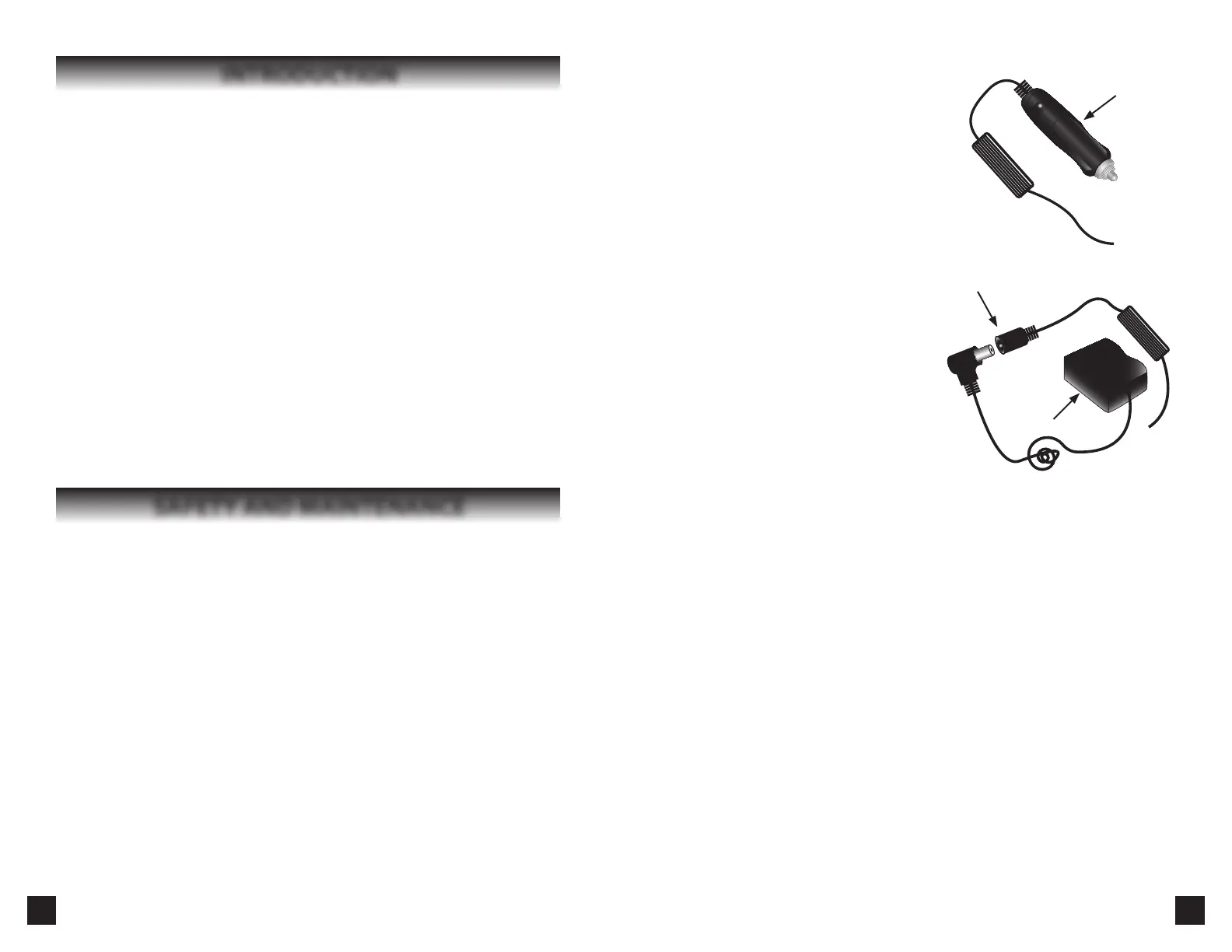
It can also be powered by a vehicle’s “cigarette lighter” power outlet with our special
adapter cord (Fig. 9) (NOT INCLUDED).
For ordering information, see page 11.
In addition, we have 65 ft (20 m) extension cords
available (Fig. 10).
Turning the Yard Sentinel™ on and o:
The Yard Sentinel™ does not have an on/o switch.
To turn it o, unplug it or remove the batteries. To
turn it on, plug it in or insert batteries.
When the unit is plugged in or batteries are
installed, it will trigger a red sensor light within 20 seconds. The light will stay on for
about 20 seconds, after which the device
will be ready to operate.
SETTINGS:
You can customize your device’s settings for
best results in your particular situation. The
ultrasonic setting control switch is located on
the top left of your control panel. Remove the
back cover to access it.
Motion Sensor: The Motion Sensor will
activate the ultrasonic and sonic sounds
when it detects pests within its range.
Constant: This setting will cause the device to emit a frequency at random intervals of not
more than 40 seconds on AC. The pause in between helps ensure the pest does not become
accustomed to the sound. You control the frequency emitted using the Frequency dial. This is
a good setting to use if you only want to repel one type of animal and if the animal sometimes
goes out of range of the motion sensor. (Battery saver: On battery power, the device will
activate for shorter durations at intervals of up to ve minutes to preserve battery life.)
Continuous Sweep: This setting emits cycles of random frequency (approximately from
15kHz to 20kHz) with a break of not more than 40 seconds. This is the ideal setting if you
want to repel two or more dierent types of pests. (Battery saver: On battery power, the
device will activate for shorter durations at intervals of up to ve minutes.)
Frequency Dial:
Various pests have dierent ranges of ultrasonic hearing. Sometimes you will need to
experiment to nd the range that best repels the pest you want to control. However,
the Frequency dial illustrates a range of frequencies and the pests they are eective at
repelling as a guide.
Sensitivity Dial:
The “Sensor Sensitivity” dial controls the detection range of the device’s Infrared Motion
Sensor. You can adjust the range from near to far (5 to 45ft / 1.5 to 14 m). The ideal range
will vary under dierent environments. Try setting it to maximum and reducing it if you
nd the device activates when there is no motion in the area.
Mounting to a Wall:
Two screws and fasteners are included with this unit for mounting on walls. Drill the
screws into a suitable wall or upright surface. Align the notches on the back cover with
8
Fig. 10
A/C Adapter
Extension Cord
Cigarette
Lighter
Plug
Fig. 9


 To Next Page
 Loading...