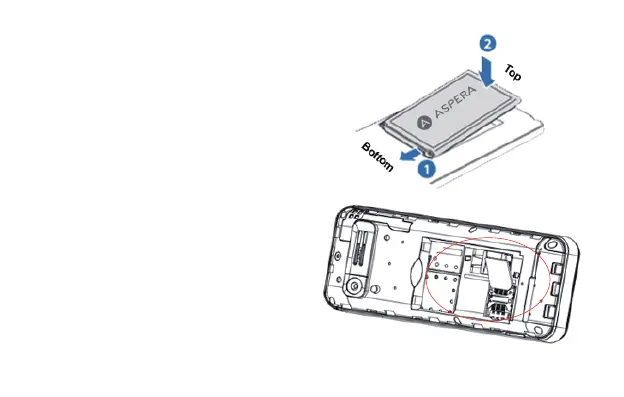
Installing battery and sim:
4)Pull the battery up from the top left
and then lift the battery away.
5)Insert sim into the SIM slot, do this by
sliding the sim to the left under the silver
bar with the angled corner first.
6)With the metallic contacts of the
battery facing the metallic contacts in the
battery slot, press the battery down until
it locks into place. You can then re-install
the back cover.
14



 To Next Page