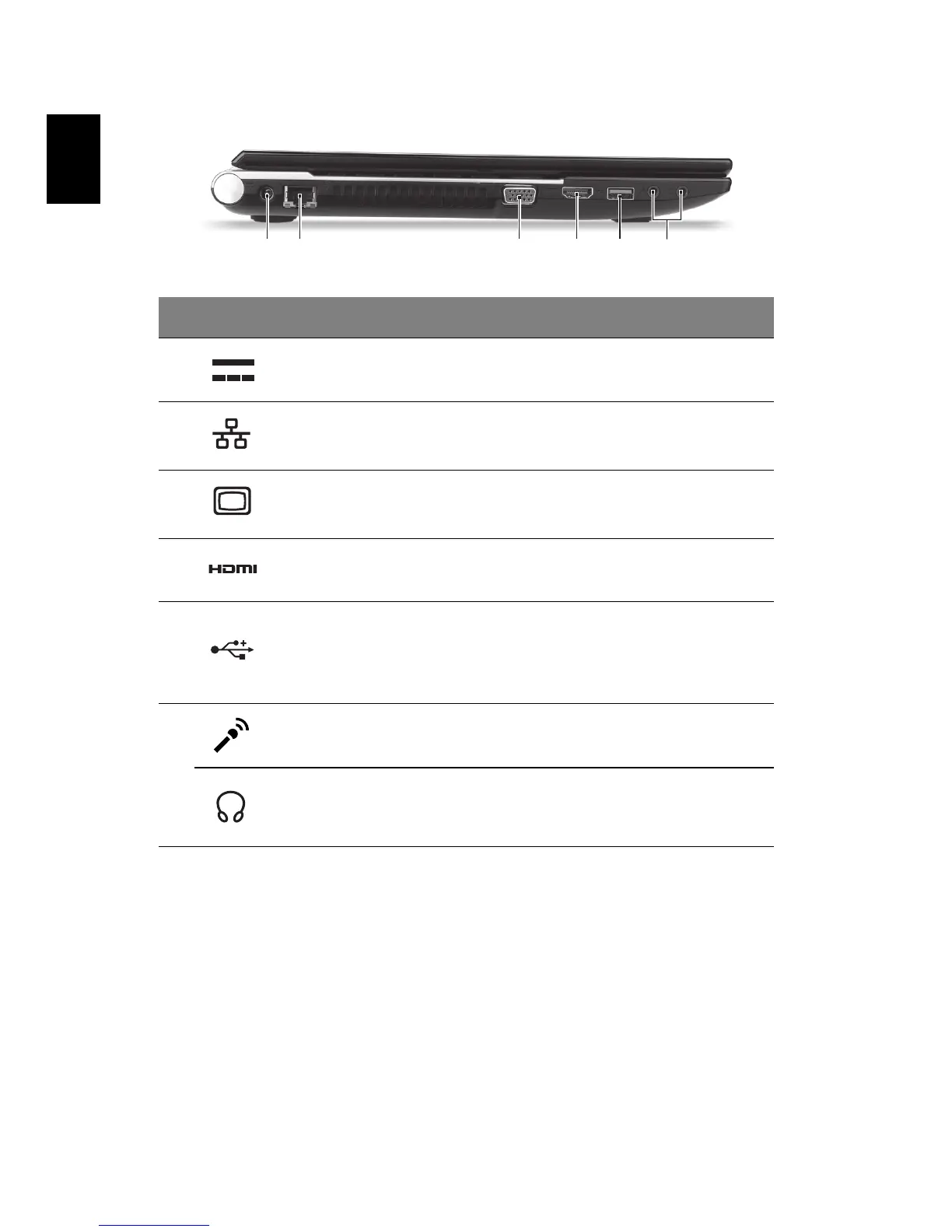
Left view
Information on USB 3.0
• Compatible with USB 3.0 and earlier USB devices.
• For optimal performance, use USB 3.0-certified devices.
• Defined by the USB 3.0 specification (SuperSpeed USB).
# Icon Item Description
1 DC-in jack Connects to an AC adapter.
2
Ethernet (RJ-45)
port
Connects to an Ethernet 10/100/1000-
based network.
3
External display
(VGA) port
Connects to a display device
(e.g., external monitor, LCD projector).
4HDMI port
Supports high definition digital video
connections.
5USB port
Connects to USB devices.
If a port is black it is USB 2.0 compatible, if
it is blue it is also USB 3.0 compatible (see
below).
6
Microphone jack Accepts inputs from external microphones.
Headphones/
speaker/line-out
jack
Connects to audio line-out devices
(e.g., speakers, headphones).



 To Next Page