Need help?
Do you have a question about the Aspire switch 10e and is the answer not in the manual?
Instructions on maintaining the computer's condition and longevity.
Steps to safely power down the computer using Windows or hibernate.
Guidelines to prevent damage from sunlight, heat, moisture, and physical stress.
Steps for safely cleaning the computer and when to seek professional help.
Overview of the computer and keyboard components with labeled views.
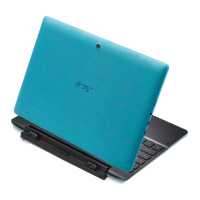
Identification and description of components visible on the computer's cover.
Identification and description of components on the front of the computer.
Identification and description of components on the bottom of the computer.
Identification and description of ports and buttons on the sides of the computer.
Explanation of different LED colors and their meanings for system status.
Diagram and description of keys and touchpad on the keyboard's front.
Diagram and description of ports on the right side of the keyboard.
Instructions on how to connect and disconnect the keyboard using the Acer Smart Hinge.
Explanation of special keys like Caps Lock, Num Lock, and Scroll Lock functions.
Description of function key combinations for quick system control.
Explanation of the Windows key and Application key functions.
Explanation of how to use the touchpad for cursor movement and clicking.
Details on multi-finger gestures for navigation and interaction.
Steps to create a system backup for future recovery.
Instructions to back up system drivers and pre-installed applications.
Overview of options to restore the computer to a previous state or factory condition.
Procedure to restore the system to a previous restore point.
Steps to reset the computer to its original factory state.
Instructions for connecting to a wireless local area network (WLAN).
Process for pairing and connecting Bluetooth devices to the computer.
Feature to reduce blue light emissions from the screen for eye protection.
Procedure to set up BIOS passwords for system security.
Explanation of different password types and their security functions.
How to enter passwords when prompted by the system or BIOS.
Tips and settings to conserve battery power and reduce energy consumption.
Instructions on how to connect the AC adapter to charge the battery.
Advice on usage patterns to extend the battery's lifespan.
What to do when the battery charge is critically low.
Step-by-step guide for inserting memory cards into the reader.
Procedure to safely eject memory cards from the reader.
How to connect audio devices like headphones and microphones.
Explanation of the HDMI Micro interface for high-quality digital audio/video.
Information on connecting USB peripherals and different USB standards.
Description of the compact Micro USB port and its compatibility.
Troubleshooting steps for power-on issues and system startup failures.
Solutions for a blank screen, including brightness and display output checks.
Guidance on restoring the system to factory default, including backup warnings.
Useful tips for navigating and using the Windows 8.1 operating system.
Steps to check and install Windows operating system updates.
Table of common error messages and their corrective actions.
Importance of activating security software for protection against online threats.
Setting up and using wireless networks for internet connectivity.
Information on pre-installed security software and its benefits.
Tips for creating and managing secure passwords to protect online accounts.
Advice on safely sharing personal data online and avoiding scams.
 General
| Display Size | 10.1 inches |
|---|---|
| Resolution | 1280 x 800 pixels |
| Processor | Intel Atom Z3735F |
| RAM | 2 GB |
| Storage | 32 GB eMMC |
| Battery Life | Up to 12 hours |
| Graphics | Intel HD Graphics |
| Wireless | 802.11 b/g/n |
| Bluetooth | Bluetooth 4.0 |
| Weight | 1.2 kg |
| Ports | 1 x Micro USB, 1 x Micro HDMI |
| Battery | 2-cell Li-ion |
| Operating System | Windows 10 Home |

 To Next Page