12 - Your Acer computer tour
Keyboard
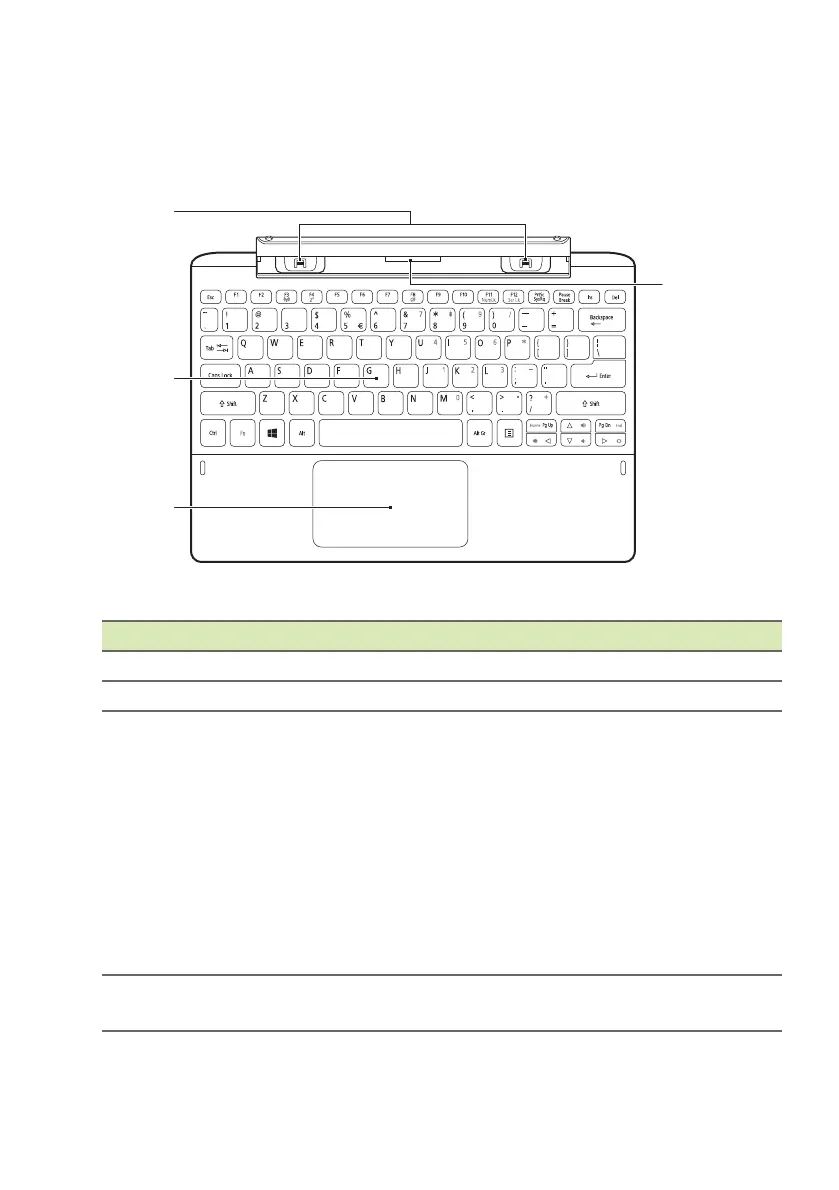
Keyboard front view
# Icon Item Description
1 Keyboard hooks Fastens to the computer.
2 Keyboard For entering data into your computer.
3 Touchpad
Touch-sensitive pointing device.
The touchpad and selection buttons
f
orm a single surface.
Press down firmly on the touchpad
surface to
perform a left click.
Press down firmly on the lower right
corner to perform a right
click.
Swipe the right-hand edge of the
touch
pad inward to access the
charms.
4
Keyboard
conne
ctor
Connects to the computer.


 To Next Page