33
33
3
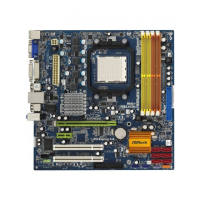
ASRock A780FullHD Motherboard
EnglishEnglish
EnglishEnglish
English
ASRock DVI I/O PlusASRock DVI I/O Plus
ASRock DVI I/O PlusASRock DVI I/O Plus
ASRock DVI I/O Plus
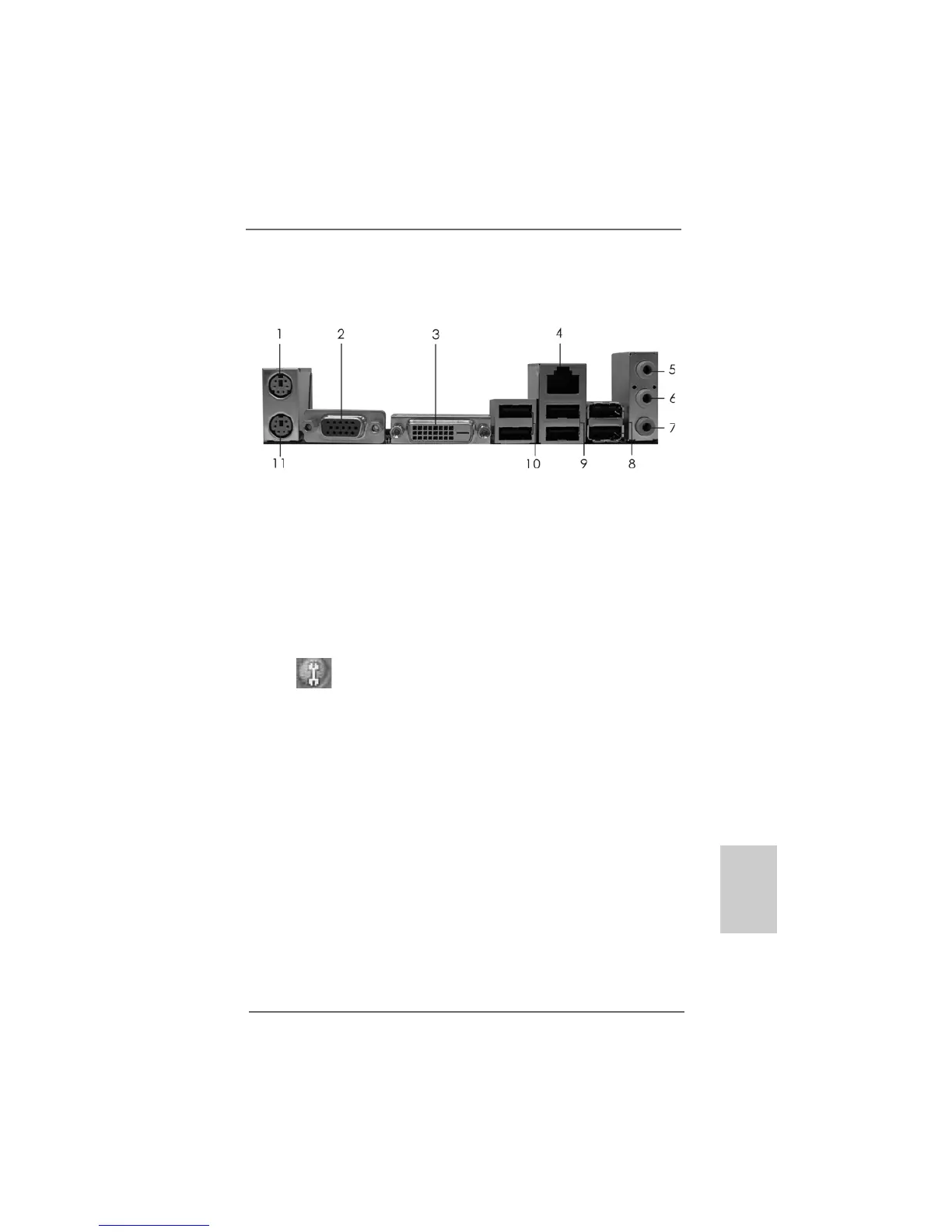
1 PS/2 Mouse Port (Green)7 * 7 Microphone (Pink)
2 VGA/D-Sub Port 8 USB 2.0 Ports (USB45)
* 3 VGA/DVI-D Port 9 USB 2.0 Ports (USB01)
4 RJ-45 Port 10 USB 2.0 Ports (USB23)
5 Line In (Light Blue) 11 PS/2 Keyboard Port (Purple)
6 Front Speaker (Lime)
* To enable Multi-Streaming function, you need to connect a front panel audio cable to the front
panel audio header. Please refer to below steps for the software setting of Multi-Streaming.
For Windows
®
XP:
After restarting your computer, you will find “Mixer” tool on your system. Please select “Mixer
ToolBox” , click “Enable playback multi-streaming”, and click “ok”. Choose “2CH” or
“4CH” and then you are allowed to select “Realtek HDA Primary output” to use Rear Speaker
and Front Speaker, or select “Realtek HDA Audio 2nd output” to use front panel audio. Then
reboot your system.
For Windows
®
Vista
TM
:
After restarting your computer, please double-click “Realtek HD Audio Manager” on the
system tray. Set “Speaker Configuration” to “Quadraphonic” or “Stereo”. Click “Device
advanced settings”, choose “Make front and rear output devices playbacks two different audio
streams simultaneously”, and click “ok”. Then reboot your system.




 To Next Page