
 Need help?
Do you have a question about the ASROCK B560M-HDV and is the answer not in the manual?
Lists all included hardware components and accessories provided with the motherboard.
Comprehensive technical details of the motherboard, including CPU, chipset, memory, and expansion capabilities.
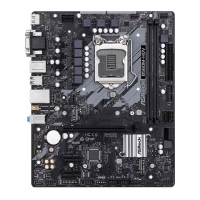
Diagram illustrating the physical placement and identification of key components and connectors on the motherboard.
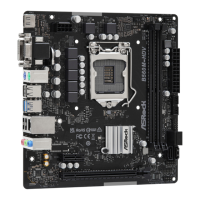
Detailed description and diagram of the rear panel connectors for external devices and peripherals.
Critical safety and handling guidelines to prevent damage during component installation.
Step-by-step instructions for correctly and safely installing the CPU into the LGA1200 socket.
Guide on mounting the CPU cooler assembly, including thermal paste application and securing mechanisms.
Instructions for installing DDR4 RAM modules, emphasizing dual-channel configuration and correct orientation.
Information on utilizing PCIe slots for graphics cards and other expansion peripherals.
Explanation of jumper functions, specifically the Clear CMOS jumper for system reset.
Detailed guide to internal motherboard headers for front panel, USB, audio, and fan connections.
Step-by-step procedure for installing M.2 SSDs, covering standoffs and screw placement.
Guidance on installing essential drivers from the support CD for optimal system functionality.
Covers installation and usage of A-Tuning for system monitoring, overclocking, fan control, and operation modes.
Instructions for using the APP Shop to download software, drivers, and utilities, including UI overview and app management.
Overview of the UEFI SETUP UTILITY, how to enter, and basic navigation principles.
Explanation of the EZ Mode interface, acting as a system status dashboard.
Introduction to Advanced Mode, detailing the UEFI menu bar for system configuration.
Description of the UEFI Main screen, displaying system overview and favorite BIOS items.
Guide to overclocking features, including CPU ratio, voltage, and memory settings for performance tuning.
Covers detailed configurations for CPU, Chipset, Storage, Super IO, ACPI, USB, and Trusted Computing.
Access to system utilities for secure erase, firmware updates (Instant Flash, Internet Flash), and network configuration.
Monitoring system hardware status including CPU temperature, fan speeds, and voltages for system health.
Options for setting supervisor/user passwords, secure boot, and Intel Platform Trust Technology.
Configuration of boot device priority, fast boot options, CSM, and boot failure guard settings.
Options for saving/discarding changes, loading defaults, and exiting the UEFI setup utility.
 General
| Processor socket | LGA 1200 (Socket H5) |
|---|---|
| Processor manufacturer | Intel |
| Compatible processor series | Intel Celeron, Intel Core i3, Intel Core i5, Intel Core i7, Intel Core i9, Intel Pentium |
| Maximum number of SMP processors | 1 |
| Non-ECC | Yes |
| Memory channels | Dual-channel |
| Memory slots type | DIMM |
| Number of memory slots | 2 |
| Supported memory types | DDR4-SDRAM |
| Maximum internal memory | 64 GB |
| Supported memory clock speeds | 4600, 5000 MHz |
| Supported storage drive interfaces | M.2, SATA III |
| Parallel processing technology support | - |
| Number of SATA III connectors | 4 |
| USB 3.2 Gen 2 (3.1 Gen 2) connectors | 0 |
| USB 2.0 ports quantity | USB 2.0 ports have a data transmission speed of 480 Mbps, and are backwards compatible with USB 1.1 ports. You can connect all kinds of peripheral devices to them. |
| Wi-Fi | No |
| LAN controller | Intel® I219-V |
| Ethernet interface type | Gigabit Ethernet |
| Component for | PC |
| Motherboard chipset | Intel B560 |
| Audio output channels | 7.1 channels |
| Motherboard form factor | micro ATX |
| BIOS type | UEFI AMI |
| ACPI version | 6.0 |
| System Management BIOS (SMBIOS) version | 2.7 |
| Cables included | SATA |
| Harmonized System (HS) code | 84733020 |
 Weight and Dimensions
| Depth | 198 mm |
|---|---|
| Width | 244 mm |



 To Next Page
