14
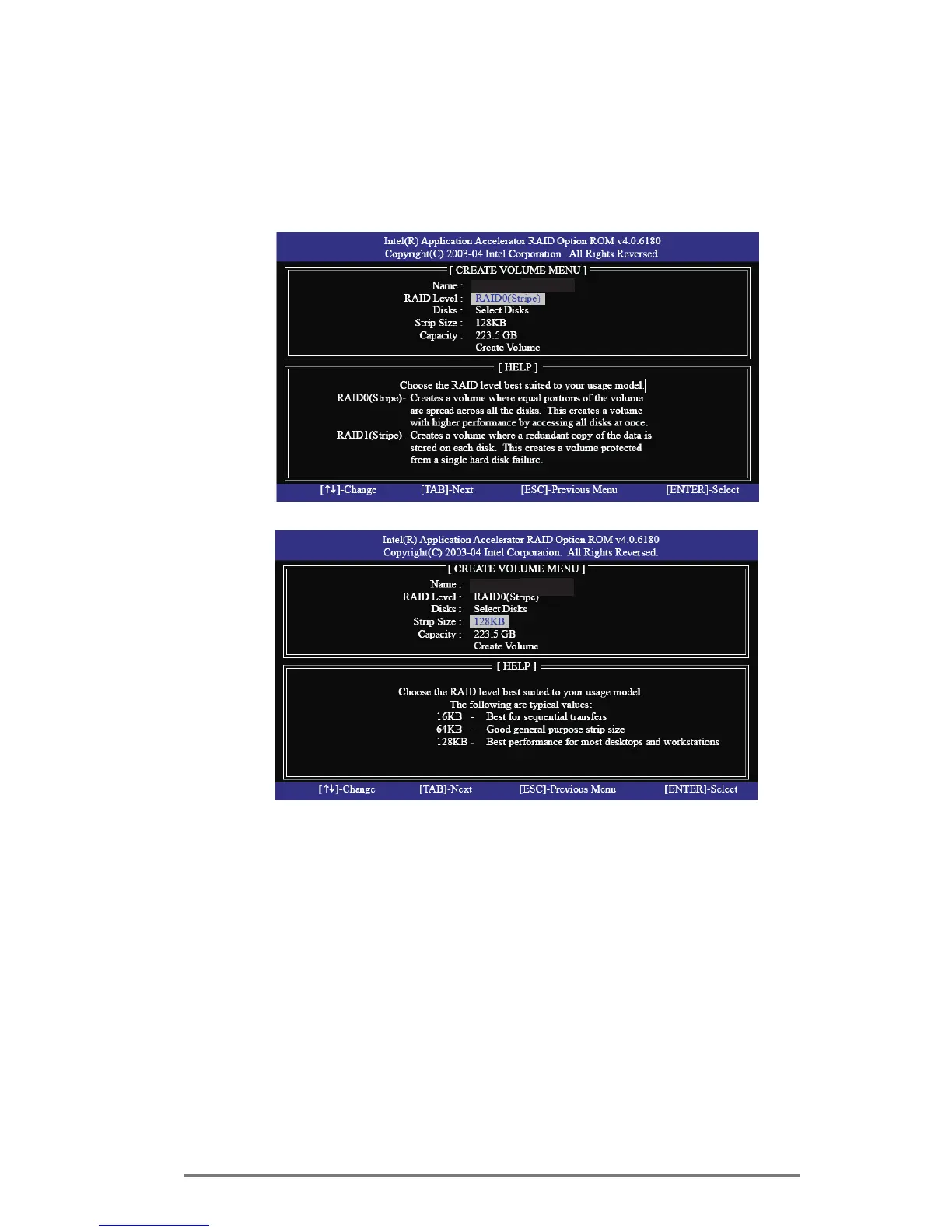
Use the up or down arrow keys to select your desired RAID
Level.YoumayselectRAID0(Stripe),RAID1(Mirror),RAID
5orRAID10foryourRAIDlevel.Press<Enter>,andthenyou
can select Strip Size.
If you selected RAID 0 (Stripe), use the up or down keys to
selectthestripesizeforyourRAID0arraythenpress<Enter>.
Theavailable valuesrange from8 KBto 128KB.The default
selection is 128 KB.The strip value should be chosen based
ontheplanneddriveusage.
•
8/16KB-lowdiskusage
•
64KB-typicaldiskusage
•
128KB-performancediskusage
After you set disk block size, press <Enter> to set disk
Capacity.
Volume0
Volume0



 To Next Page
 Loading...