24
2.7 AMD Dual Graphics Operation Guide
This motherboard supports AMD Dual Graphics feature. AMD Dual Graphics brings
multi-GPU performance capabilities by enabling an AMD A55 FCH (Hudson-D2)
integrated graphics processor and a discrete graphics processor to operate
simultaneously with combined output to a single display for blisteringly-fast frame
rates. Currently, AMD Dual Graphics Technology is only supported with Windows
®
8
/ 7 OS.
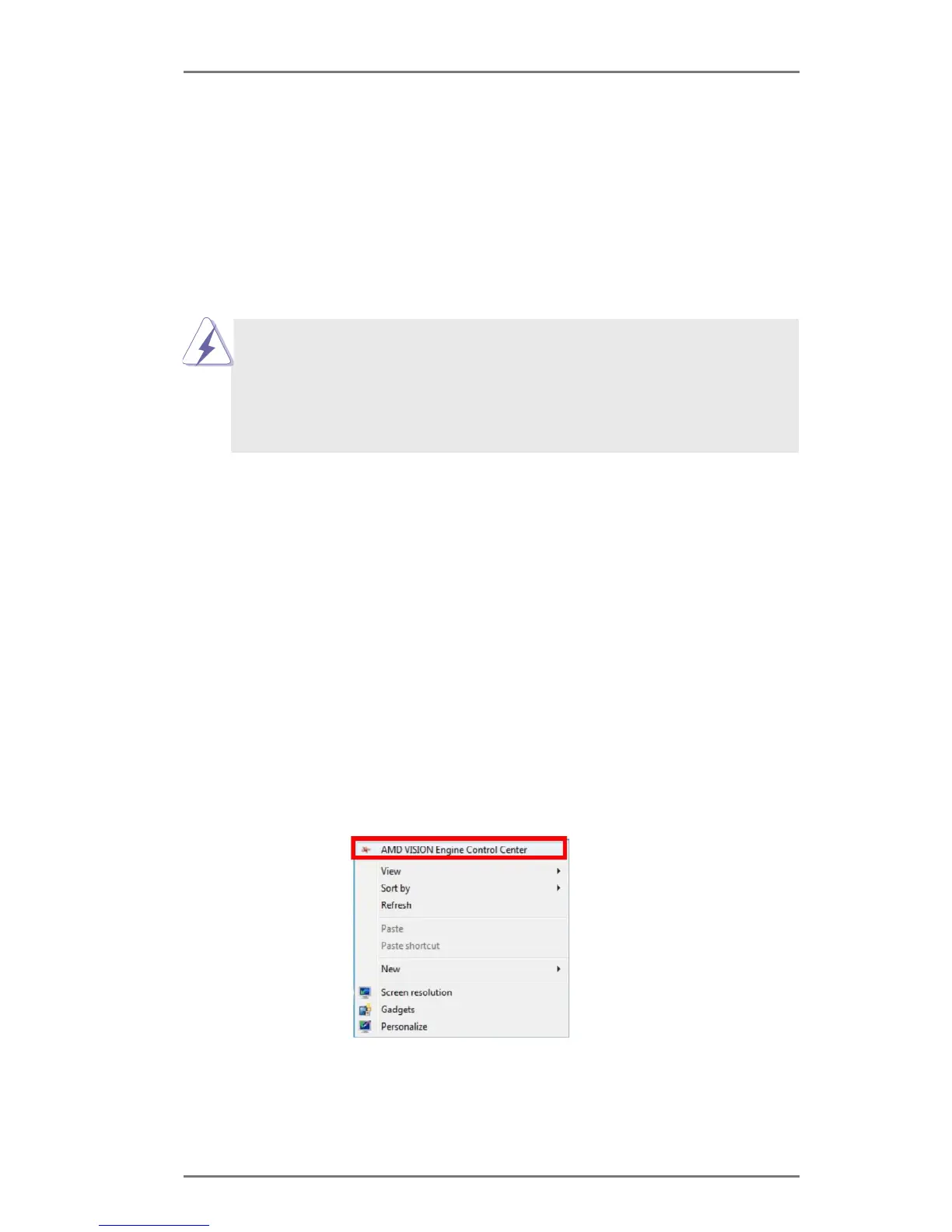
Step 1. Please keep the default UEFI setting of “Dual Graphics“ option on [Auto].
Step 2. Install one AMD RADEON PCI Express graphics card to PCIE1 slot.
-
board display only. For any future update, please refer to our website for
further information.
installed in your system.
What does an AMD Dual Graphics system include?
An AMD Dual Graphics system includes an AMD Radeon HD 8000/7000 graphics
processor and a motherboard based on an AMD A55 FCH (Hudson-D2) integrated
chipset, all operating in a Windows
®
8 / 7 environment. Please refer to AMD website
for further information.




 To Next Page