English
30
Step 3
You will receive a verication email. Follow the steps in the email to verify your
account.
After verifying your account, you can access your PC through web browsers at
http://orbweb.me.
On the Account Veried page, if you click Go to My Computers, you will see the
Orbweb.ME portal page as a client.
Setting Up Shared Folders on Host Computer
Step 1
Double-click the Orbweb.ME Professional icon on your desktop.
Or, if you just nished signing up for your host computer, you can click Congure
this computer in the screen to begin.
Step 2
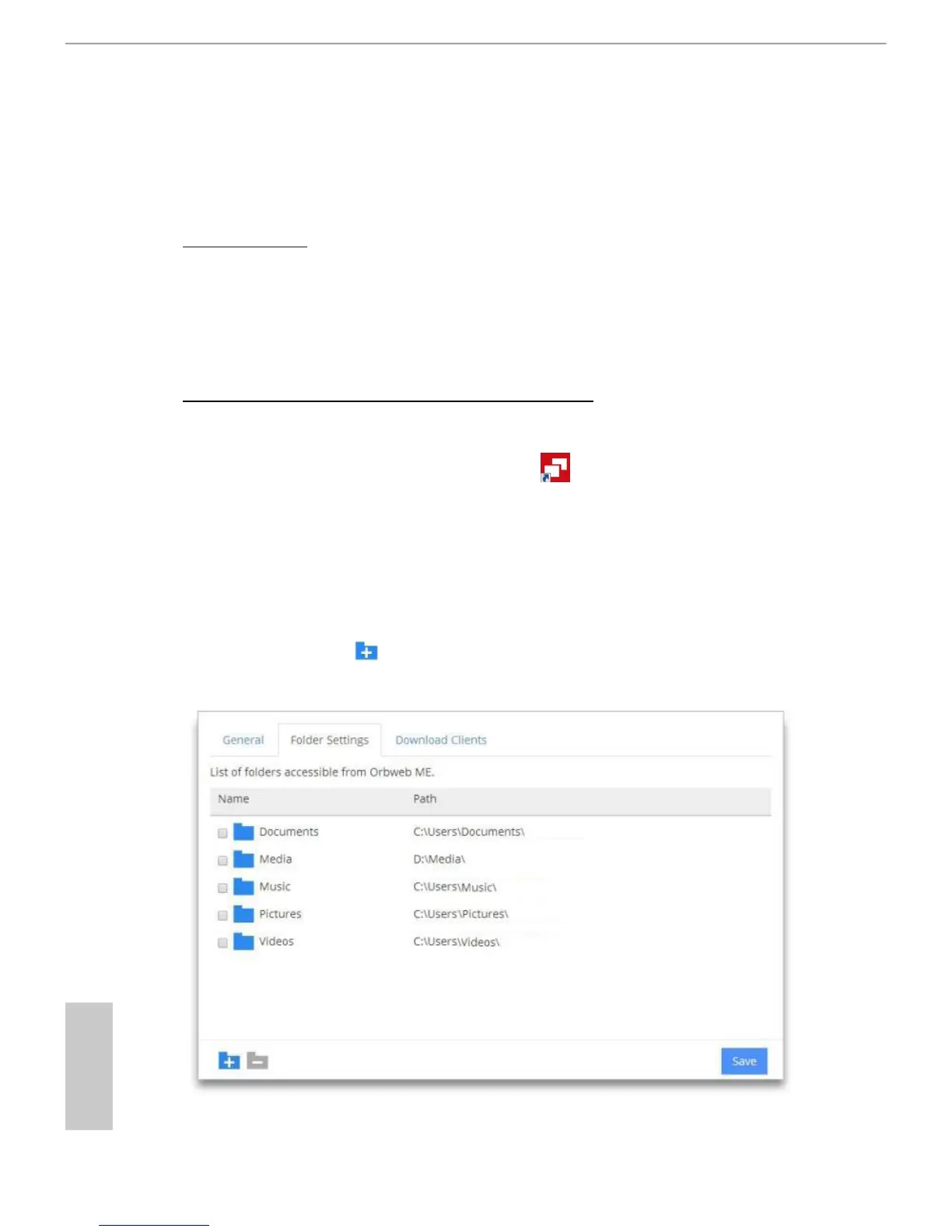
Click Folder Settings tab and the default shared folders display.
To add a folder, click . Select a folder to add it into Orbweb.ME. Then click
Save.
You can access the documents in these shared folders on the host computer
remotely through Xplorer from your client device.




 To Next Page