English
42
4.3 OC Tweaker Screen
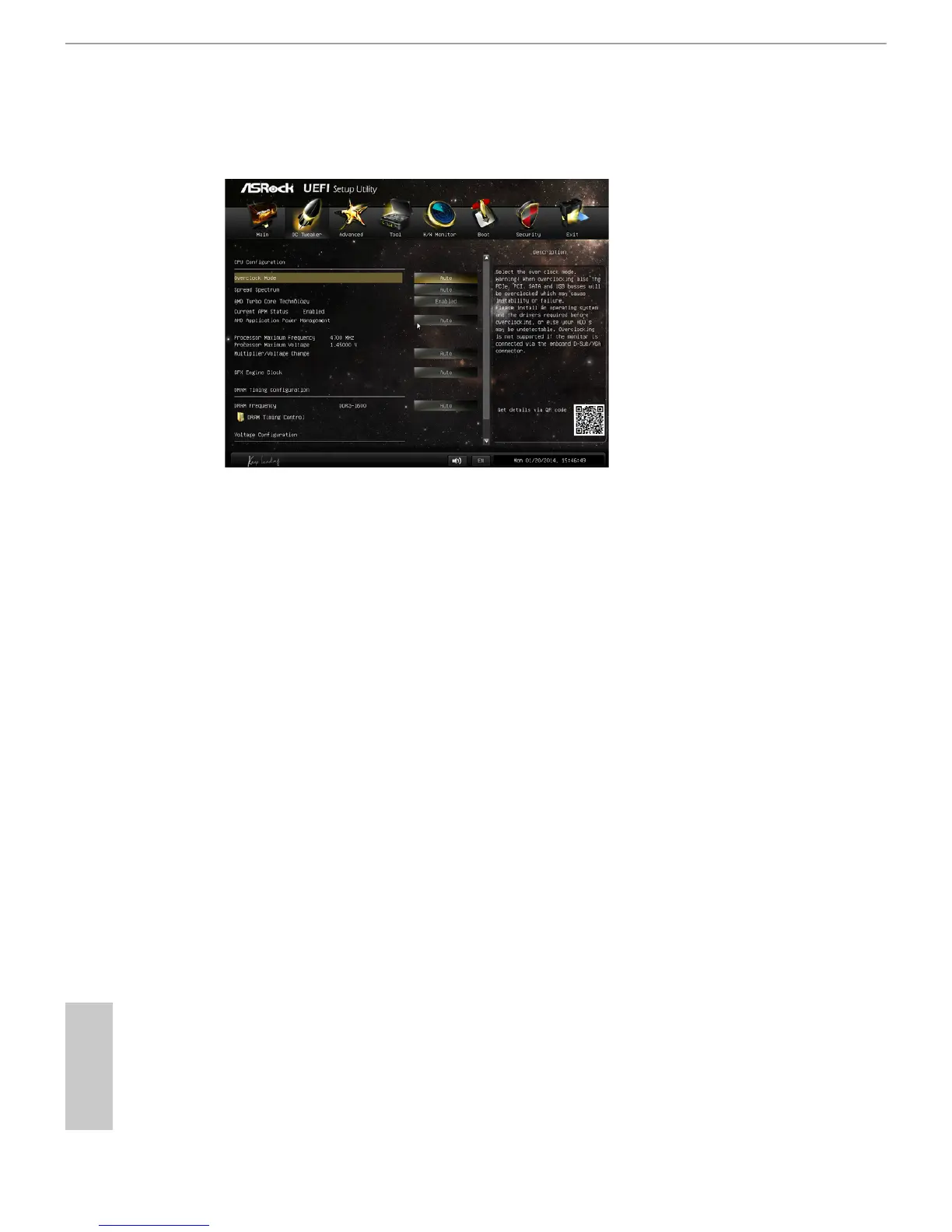
In the OC Tweaker screen, you can set up overclocking features.
CPU Conguration
Overclock Mode
Use this to select Overclock Mode. Configuration options: [Auto] and
[Manual]. The default value is [Auto].
Spread Spectrum
This item should always be [Auto] for better system stability.
AMD Turbo Core Technology
This item appears only when the processor you adopt supports this fea-
ture. Use this to select enable or disable AMD Turbo Core Technology.
Conguration options: [Enabled] and [Disabled]. The default value is
[Enabled].
AMD Application power Management
Application Power Management (APM) ensures that average power con-
sumption over a thermally significant time period remains at or below
the TDP for the CPU mode being used. If [Enabled] is selected, the power
consumption is reduced when overclocking.




 To Next Page