FM2A58M-DG3+
33
English
Using Remote Desktop
Remote Desktop allows you to remotely access your host computer from a client
device.
For Windows PC users:
Step 1
Go to Orbweb.ME portal login page: http://orbweb.me
Step 2
Log in with your Orbweb.ME account and password.
Step 3
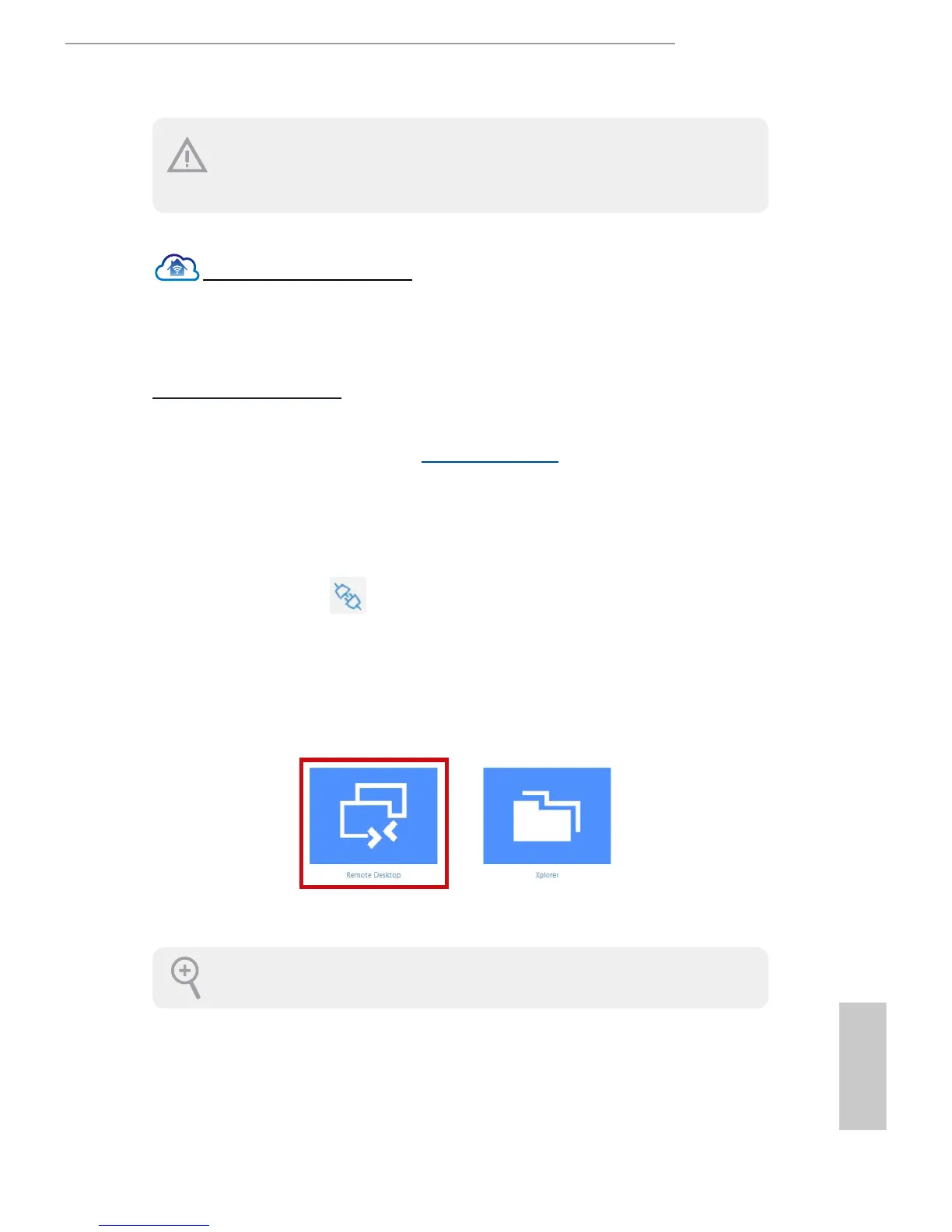
Click the Connect icon .
Step 4
Click on Remote Desktop.
If the Remote Desktop Connection dialog appears, click Connect to
continue.
Step 5
Enter the Windows password to log in and you will see the desktop of your host
computer.
Please refer to the user manual of the Orbweb.ME Professional for more instructions on
how to use Orbweb.ME Professional.
Please be noted that if the host device is not WOW compatible, the host status
icon will turn ofine and the power option icon will dissappear. You have to physi-
cally wake up computer in order to bring power option icon back to online.




 To Next Page