67
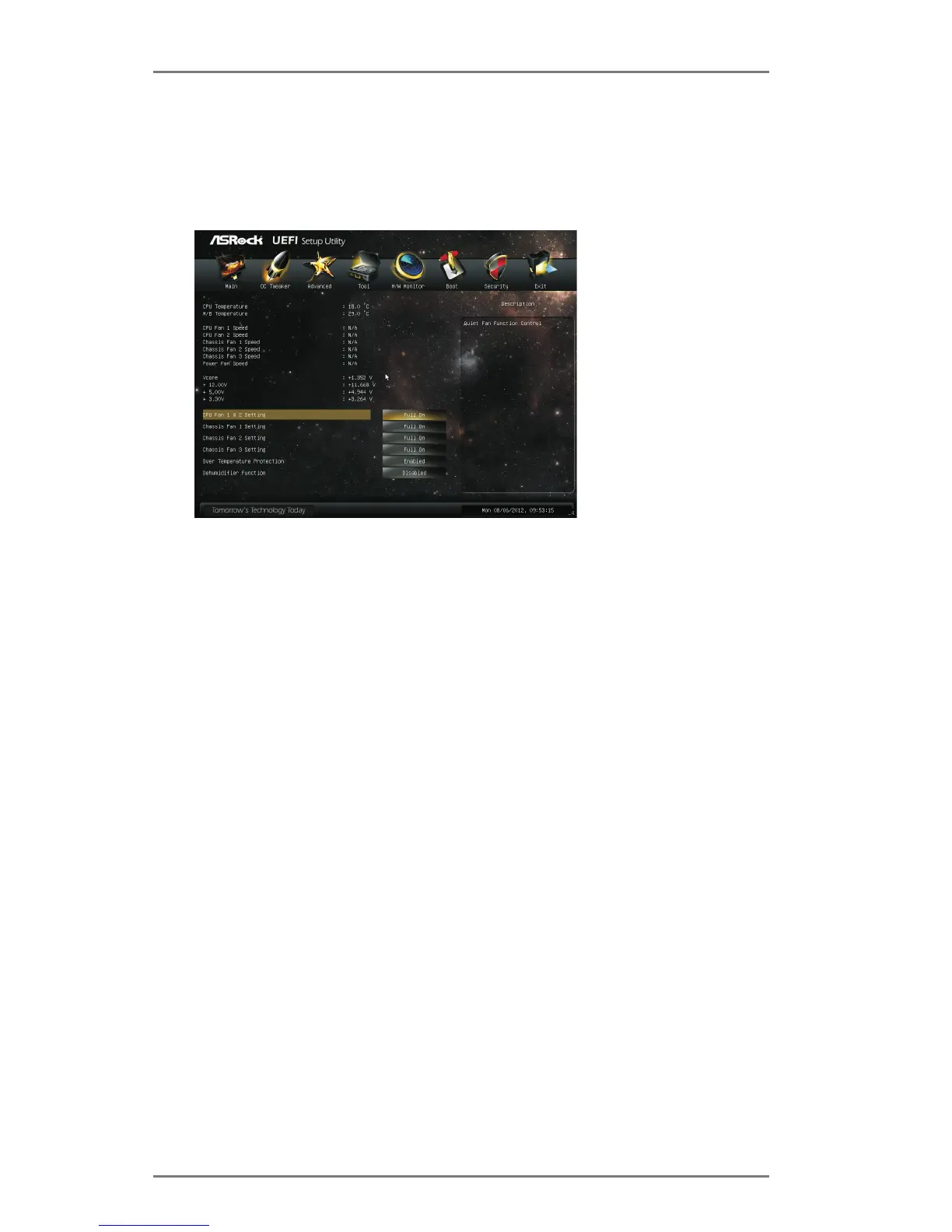
CPU Fan 1 & 2 Setting
This allows you to set the CPU fan 1 & 2 speed. Con guration options: [Full
On] and [Automatic Mode]. The default is value [Full On].
Chassis Fan 1 Setting
This allows you to set the chassis fan 1 speed. Con guration options: [Full
On], [Manual Mode] and [Automatic Mode]. The default is value [Full On].
Chassis Fan 2 Setting
This allows you to set the chassis fan 2 speed. Con guration options: [Full
On] and [Manual Mode]. The default is value [Full On].
Chassis Fan 3 Setting
This allows you to set the chassis fan 3 speed. Con guration options: [Full
On] and [Manual Mode]. The default is value [Full On].
Over Temperature Protection
Use this item to enable or disable Over Temperature Protection. The
default value is [Enabled].
Dehumidier Function
Users may prevent motherboard damages due to dampness by enabling
“Dehumidier Function”. When enabling Dehumidier Function, the com-
puter will power on automatically to dehumidify the system after entering
S4/S5 state.
Dehumidier Period
This allows users to congure the period of time until the computer powers
on and enables “Dehumidier” after entering S4/S5 state.
3.6 Hardware Health Event Monitoring Screen
In this section, it allows you to monitor the status of the hardware on your system,
including the parameters of the CPU temperature, motherboard temperature, CPU
fan speed, chassis fan speed, and the critical voltage.






 To Next Page