71
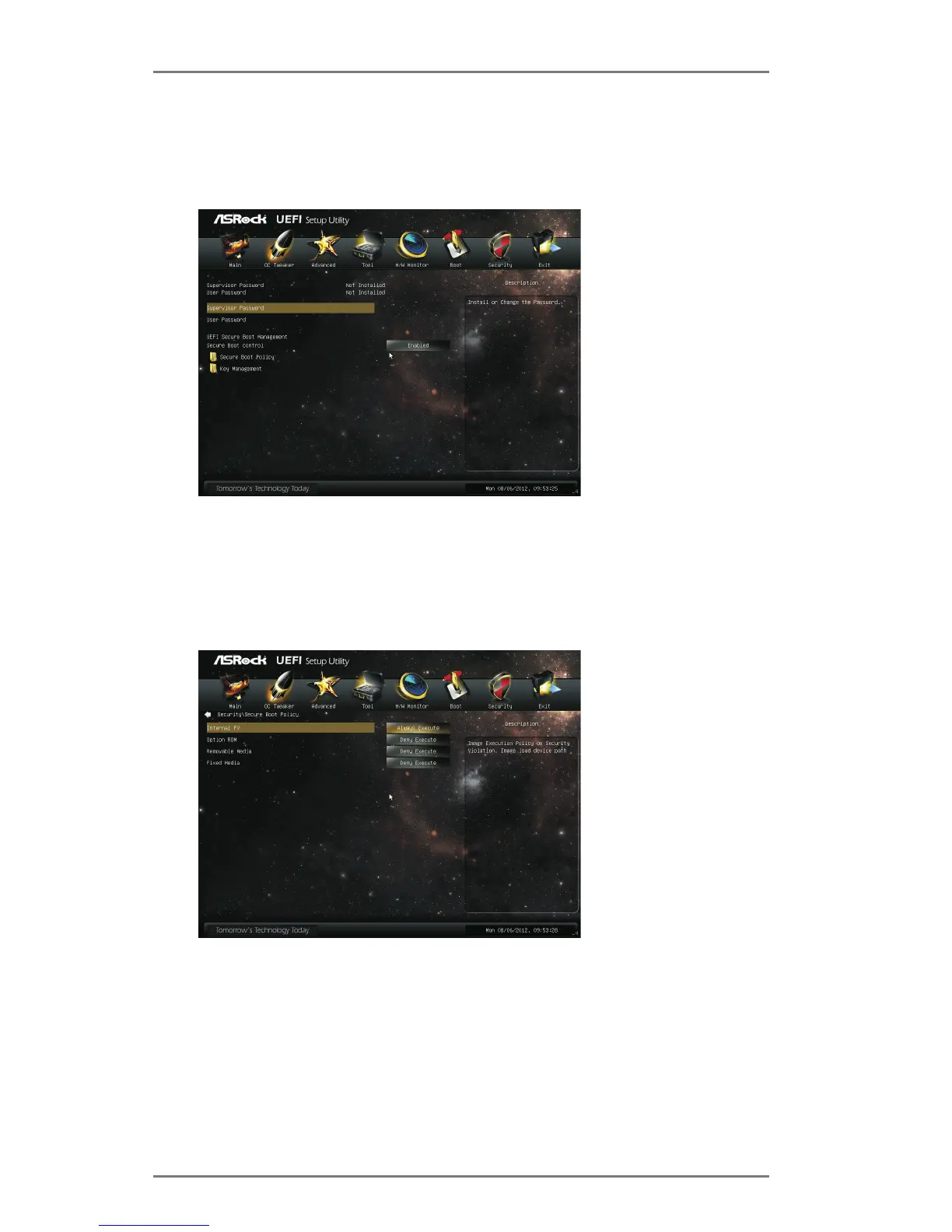
3.8 Security Screen
In this section, you may set or change the supervisor/user password for the system.
For the user password, you may also clear it.
Secure Boot Control
Use this to enable or disable Secure Boot Control. The default value is
[Enabled].
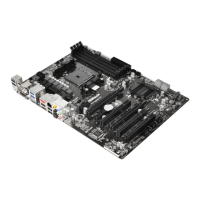
Secure Boot Policy
Internal FV
Image Execution Policy on Security Violation. Image load device path. The
default value is [Always Execute].
Option ROM
The default value is [Deny Execute].
Removable Media
The default value is [Deny Execute].






 To Next Page