78
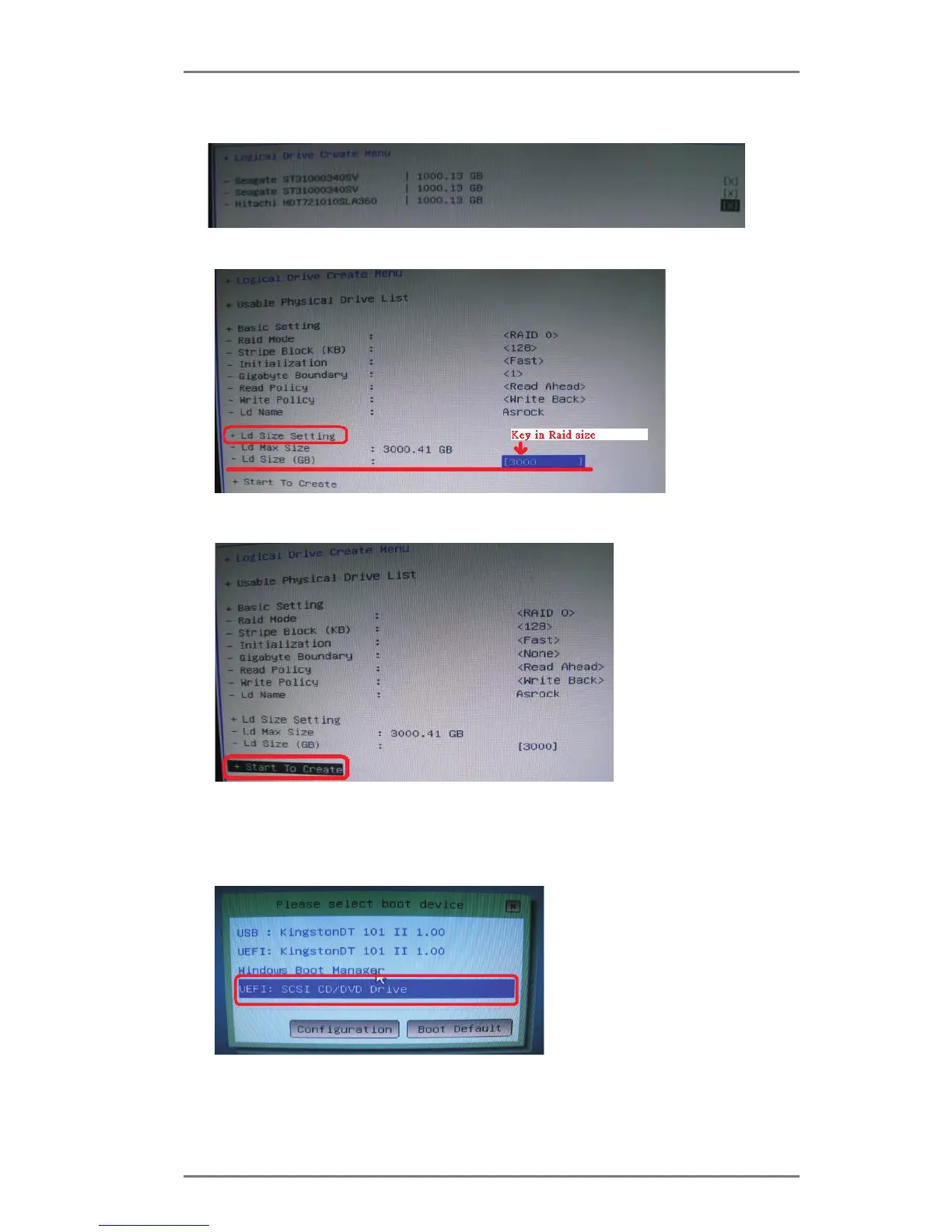
11. Press Space on keyboard to toggle checkbox.
12. Choose Ld Size setting, and key in the Raid size.
13. After set up Raid size, please click Start to Create.
14. Press <F10> to exit Utility.
15. During reboot, please press <F11> to enter Boot Manual. Choose UEFI: SCSI
CD/DVD Drive.
* This option only shows on Windows
®
7 64-bit and Vista
TM
64-bit OS.






 To Next Page