23
English
FM2A78 Pro3+
Step 1
Power on your computer and boot into OS.
Step 2
system.
Step 3
Install the required drivers and CATALYST Control Center then restart your
computer. Please check AMD’s website for details.
2.7.2 Driver Installation and Setup
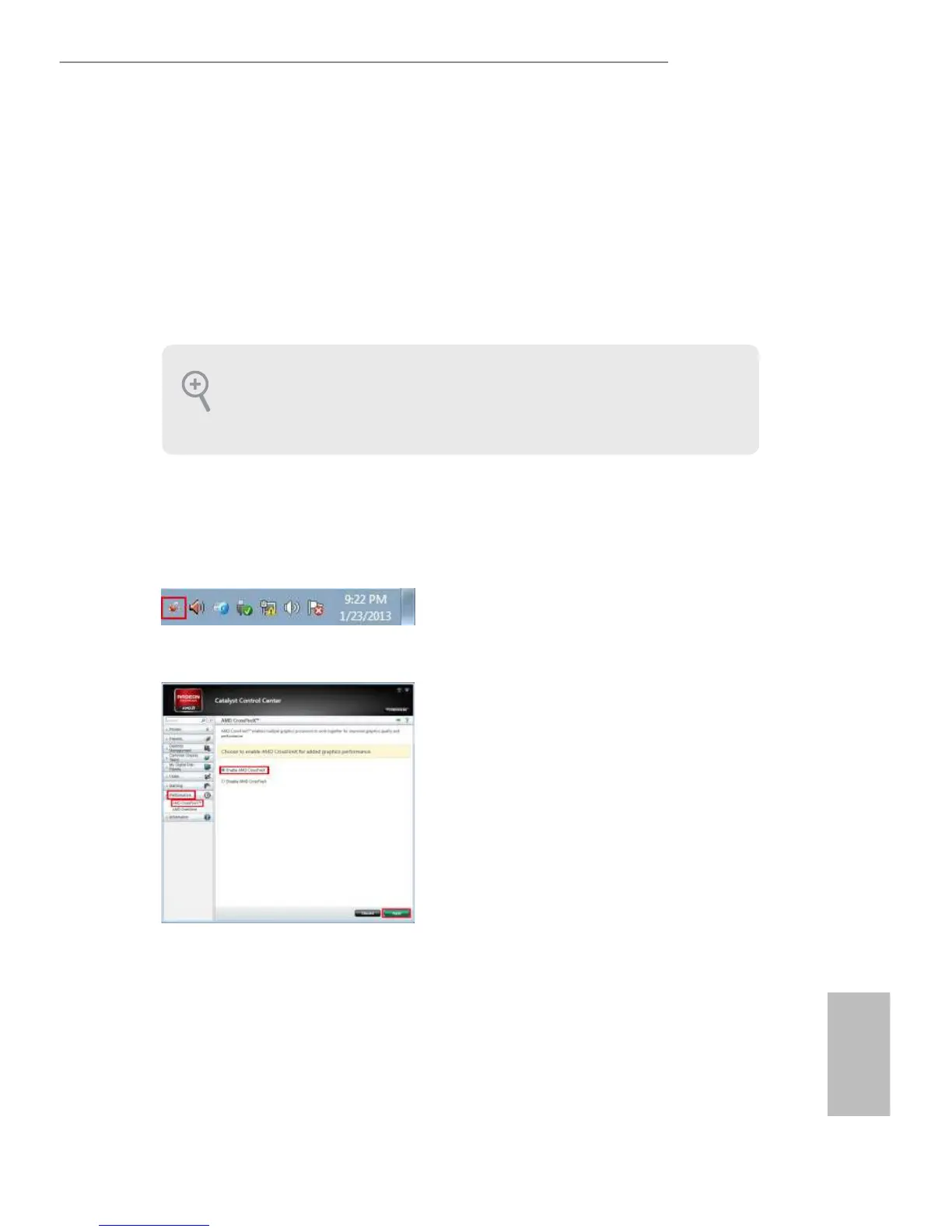
Step 4
Double-click the AMD Catalyst
Control Center icon in the Windows
®
system tray.
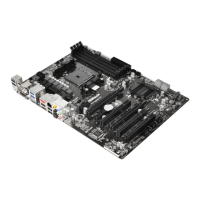
Step 5
In the left pane, click Performance
and then AMD CrossFireX
TM
. Then
select Enable AMD CrossFireX and
click Apply. Select the GPU number
according to your graphics card and
click Apply.
AMD Catalyst Control Center







 To Next Page