English
32
FM2A88X+ BTC
3.2 A-Tuning
A-Tuning is ASRock’s multi purpose software suite with a new interface,
more new features and improved utilities, including XFast RAM, Dehumidi-
er, Good Night LED, FAN-Tastic Tuning, OC Tweaker and a whole lot more.
3.2.1 Installing A-Tuning
When you install the all-in-one driver to your system from ASRock’s support
CD, A-Tuning will be auto-installed as well. After the installation, you will nd
the icon “A-Tuning“ on your desktop. Double-click the “A-Tuning“ icon,
A-Tuning main menu will pop up.
3.2.2 Using A-Tuning
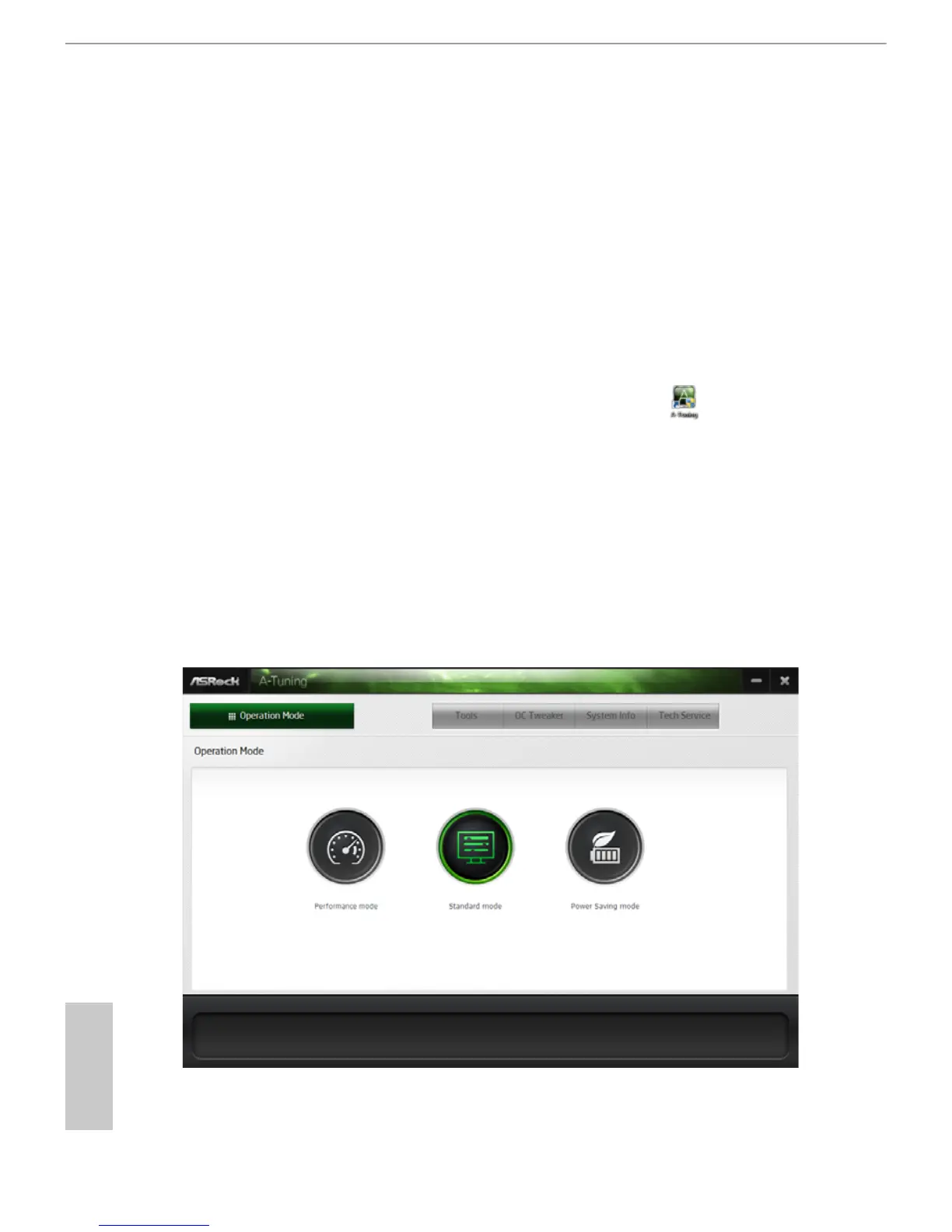
There are ve sections in A-Tuning main menu: Operation Mode, Tools, OC
Tweaker, System Info and Tech Service.
Operation Mode
Choose an operation mode for your computer.




 To Next Page