4141
4141
41
If you select [I.O.T.] (Intelligent Overclocking Technology), the system will
automatically enable the overclocking function when your CPU is heavy
loaded.
BCLK Frequency (MHz)
Use this option to adjust BCLK (Internal Base Clock) frequency.
PCIE Frequency (MHz)
Use this option to adjust PCIE frequency.
Boot Failure Guard
Enable or disable the feature of Boot Failure Guard.
Spread Spectrum
This item should always be [Auto] for better system stability.
CPU Ratio Setting
If the ratio status is unlocked, you will find this item appear to allow you
changing the ratio value of this motherboard.
DRAM Frequency
If [Auto] is selected, the motherboard will detect the memory module(s)
inserted and assigns appropriate frequency automatically.
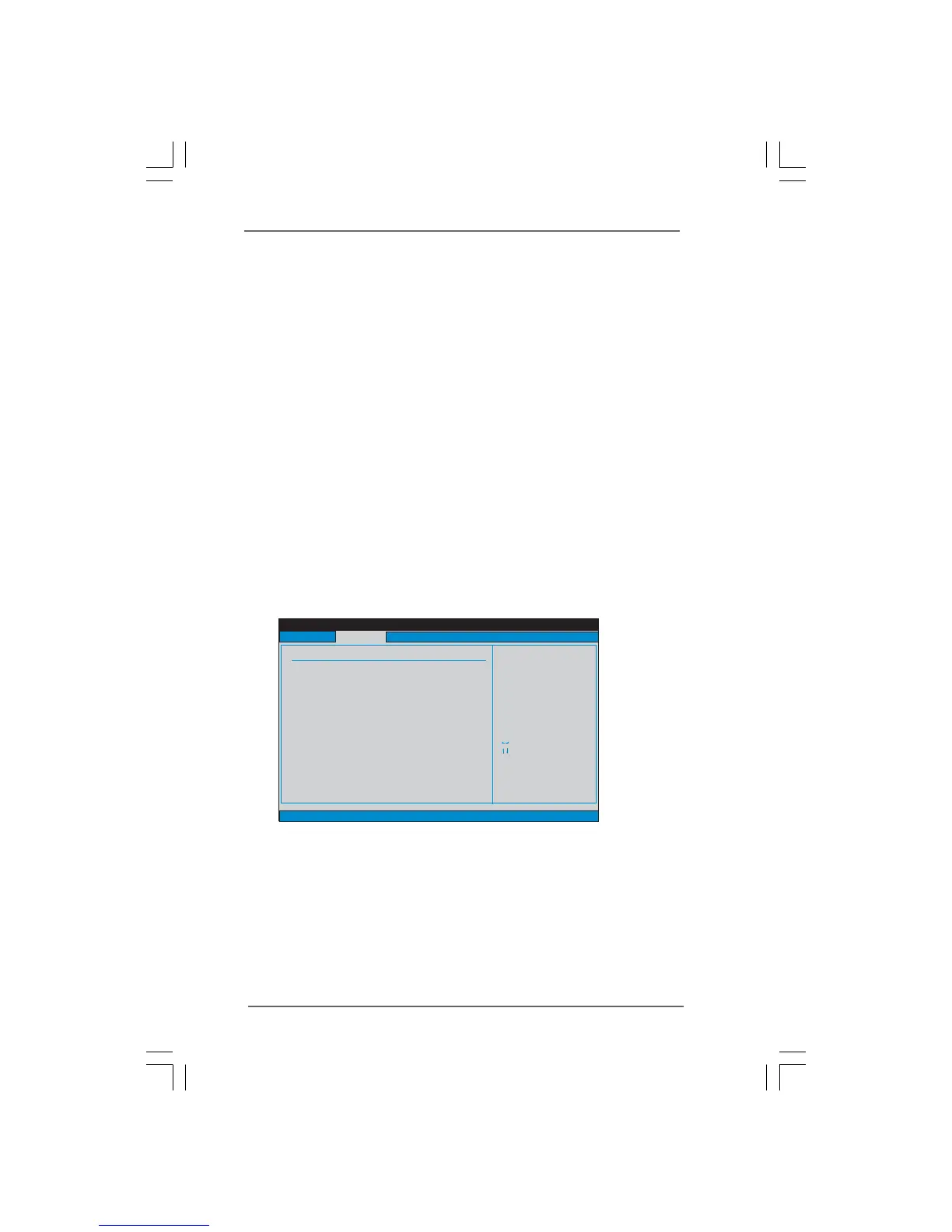
DRAM Timing Control
Use this item to control DRAM Timing.
DRAM tCL
Use this item to adjust the means of memory accessing. Configuration
options : [Auto], [6] to [11].
DRAM tRCD
This controls the number of DRAM clocks for TRCD. Configuration options:
[Auto], [3] to [15].
DRAM tRP
This controls the number of DRAM clocks for TRP. Configuration options:
[Auto], [3] to [15].
BIOS SETUP UTILITY
DRAM Timing Control
Select Screen
Select Item
+- Change Option
F1 General Help
F9 Load Defaults
F10 Save and Exit
ESC Exit
v02.54 (C) Copyright 1985-2005, American Megatrends, Inc.
Advanced
Select Screen
Select Item
+- Change Option
F1 General Help
F9 Load Defaults
F10 Save and Exit
ESC Exit
DRAM tCL
DRAM tCL
[Auto]
DRAM tRCD
DRAM tRP
DRAM tRAS
DRAM tRFC
DRAM tWR
DRAM tWTR
DRAM tRRD
DRAM tRTP
DRAM tFAW
DRAM Command Rate
[Auto]
[Auto]
[Auto]
[Auto]
[Auto]
[Auto]
[Auto]
[Auto]
[Auto]
[Auto]
Min=6
Max=11
9
9
9
24
74
10
5
4
5
20




 To Next Page