
 Need help?
Do you have a question about the ASROCK H67DE3 and is the answer not in the manual?
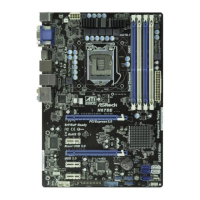
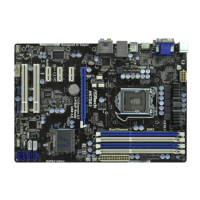
Details the technical specifications of the motherboard's platform, CPU, chipset, memory, expansion slots, graphics, and audio.
Safety precautions to take before installing motherboard components or changing settings.
Step-by-step guide for installing an Intel 1155-Pin CPU into the motherboard socket.
Instructions for installing the CPU heatsink and fan, including thermal interface material application.
Guide on installing DDR3 memory modules, including dual-channel configuration.
Detailed guide on how to use the Hot Plug feature for SATA/SATAII/SATA3 HDDs.
Instructions on how to install drivers from the support CD.
Steps to install Windows OS, with or without RAID functions.
Details the overclocking features and settings available in the OC Tweaker section of the UEFI.
Settings related to CPU features like Hyper-Threading, active cores, and power states.
Settings for SATA mode (IDE, AHCI, RAID) and Hard Disk S.M.A.R.T.
 General
| Form Factor | ATX |
|---|---|
| Socket | LGA 1155 |
| Chipset | Intel H67 |
| Max Memory | 32GB |
| PCI Express 2.0 x16 | 1 |
| PCI Express x1 | 2 |
| PCI Slots | 2 |
| SATA 3Gb/s | 4 |
| SATA 6Gb/s | 2 |
| USB 3.0 | 2 |
| Audio Chipset | Realtek ALC892 |
| LAN Chipset | Realtek RTL8111E |
| Memory Standard | DDR3 1333/1066 |
| Audio | 7.1 CH HD Audio |
| LAN | Gigabit LAN |
| Video Outputs | HDMI, DVI, VGA |



 To Next Page

