EasyManua.ls Logo

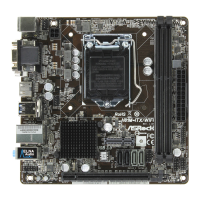
ASROCK H81M-ITX/WiFi - User Manual

ASROCK H81M-ITX/WiFi
140 pages
Print Icon
To Next Page IconTo Next Page
Loading...
Version 1.0
Published May 2014
Copyright©2014 ASRock INC. All rights reserved.
Copyright Notice:
No part of this documentation may be reproduced, transcribed, transmitted, or
translated in any language, in any form or by any means, except duplication of
documentation by the purchaser for backup purpose, without written consent of
ASRock Inc.
Products and corporate names appearing in this documentation may or may not
be registered trademarks or copyrights of their respective companies, and are used
only for identication or explanation and to the owners’ benet, without intent to
infringe.
Disclaimer:
Specications and information contained in this documentation are furnished for
informational use only and subject to change without notice, and should not be
constructed as a commitment by ASRock. ASRock assumes no responsibility for
any errors or omissions that may appear in this documentation.
With respect to the contents of this documentation, ASRock does not provide
warranty of any kind, either expressed or implied, including but not limited to
the implied warranties or conditions of merchantability or tness for a particular
purpose.
In no event shall ASRock, its directors, ocers, employees, or agents be liable for
any indirect, special, incidental, or consequential damages (including damages for
loss of prots, loss of business, loss of data, interruption of business and the like),
even if ASRock has been advised of the possibility of such damages arising from any
defect or error in the documentation or product.
e terms HDMI
TM
and HDMI High-Denition Multimedia Interface, and the HDMI
logo are trademarks or registered trademarks of HDMI Licensing LLC in the United
States and other countries.
is device complies with Part 15 of the FCC Rules. Operation is subject to the following
two conditions:
(1) this device may not cause harmful interference, and
(2) this device must accept any interference received, including interference that
may cause undesired operation.
CALIFORNIA, USA ONLY
e Lithium battery adopted on this motherboard contains Perchlorate, a toxic substance
controlled in Perchlorate Best Management Practices (BMP) regulations passed by the
California Legislature. When you discard the Lithium battery in California, USA, please
follow the related regulations in advance.
“Perchlorate Material-special handling may apply, see www.dtsc.ca.gov/hazardouswaste/
perchlorate
ASRock Website: http://www.asrock.com
Question and Answer IconNeed help?

Do you have a question about the ASROCK H81M-ITX/WiFi and is the answer not in the manual?

ASROCK H81M-ITX/WiFi Specifications

General IconGeneral
BrandASROCK
ModelH81M-ITX/WiFi
CategoryMotherboard
LanguageEnglish

Summary

Motherboard Layout

I;O Panel Overview

I;O Panel Ports

Lists and describes rear panel ports like USB, DVI, HDMI, audio jacks, and PS/2.

LAN Port LED Indicators

Explains the status of activity/link and speed LEDs on the LAN port for network connectivity.

WiFi Module and Antenna Function

Infrastructure Mode

Describes using the WiFi module to connect to an access point for network access.

Ad-hoc Mode

Explains setting up WiFi for direct device-to-device wireless communication.

WiFi Module Installation Guide

Module Bracket and Installation

Details steps for installing the WiFi module bracket and inserting the module into the slot.

Antenna Connection and Positioning

Covers connecting the antenna cable to the module and positioning the antenna for signal.

Introduction to ASRock H81 M-ITX;WiFi

Package Contents

Lists all accessories and components included with the motherboard package.

System Specifications

Platform, CPU, Chipset, and Memory

Details motherboard form factor, CPU support, chipset, and DDR3 memory specifications.

Expansion Slots and Graphics

Covers PCI Express slots and integrated Intel HD Graphics capabilities.

Ports and Connectivity

Details audio, LAN, wireless, and rear panel I/O ports.

Internal Connectors and System Features

Lists storage, internal headers, BIOS, hardware monitor, OS support, and certifications.

Motherboard Installation Guide

Pre-installation Precautions

Essential safety and handling guidelines before installing any components.

Core Component Installation

Covers CPU, CPU Fan/Heatsink, and Memory module installation procedures.

Expansion Slots and Connectors

Details installation and usage of PCIe slots, onboard headers, and connectors.

Jumpers and System Panel Setup

Explains jumper configurations and front panel connections.

Contact Information

Related product manuals