42
English
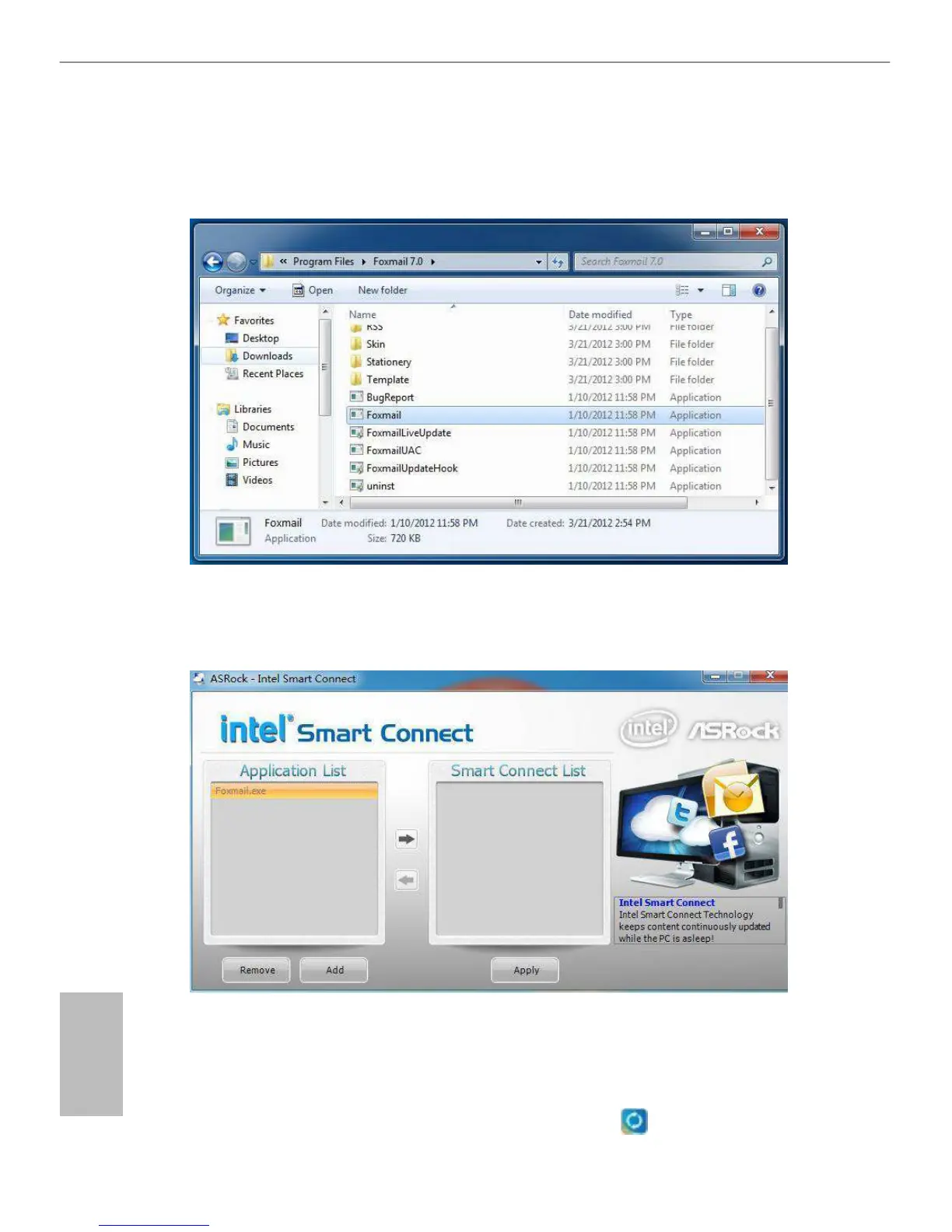
Step 3
Click the Add button. Take Foxmail as an example, add Foxmail to the Application
list.
Step 4
Select Foxmail from the Application List, then click the arrow pointing right to add
this application to the Smart Connect List.
Step 5
Click Apply to enable Smart Connect.
Step 6
Double-click the Intel® Smart Connect Technology Manager icon in the
Windows system tray.


 To Next Page
 Loading...