H97M-ITX/ac
67
English
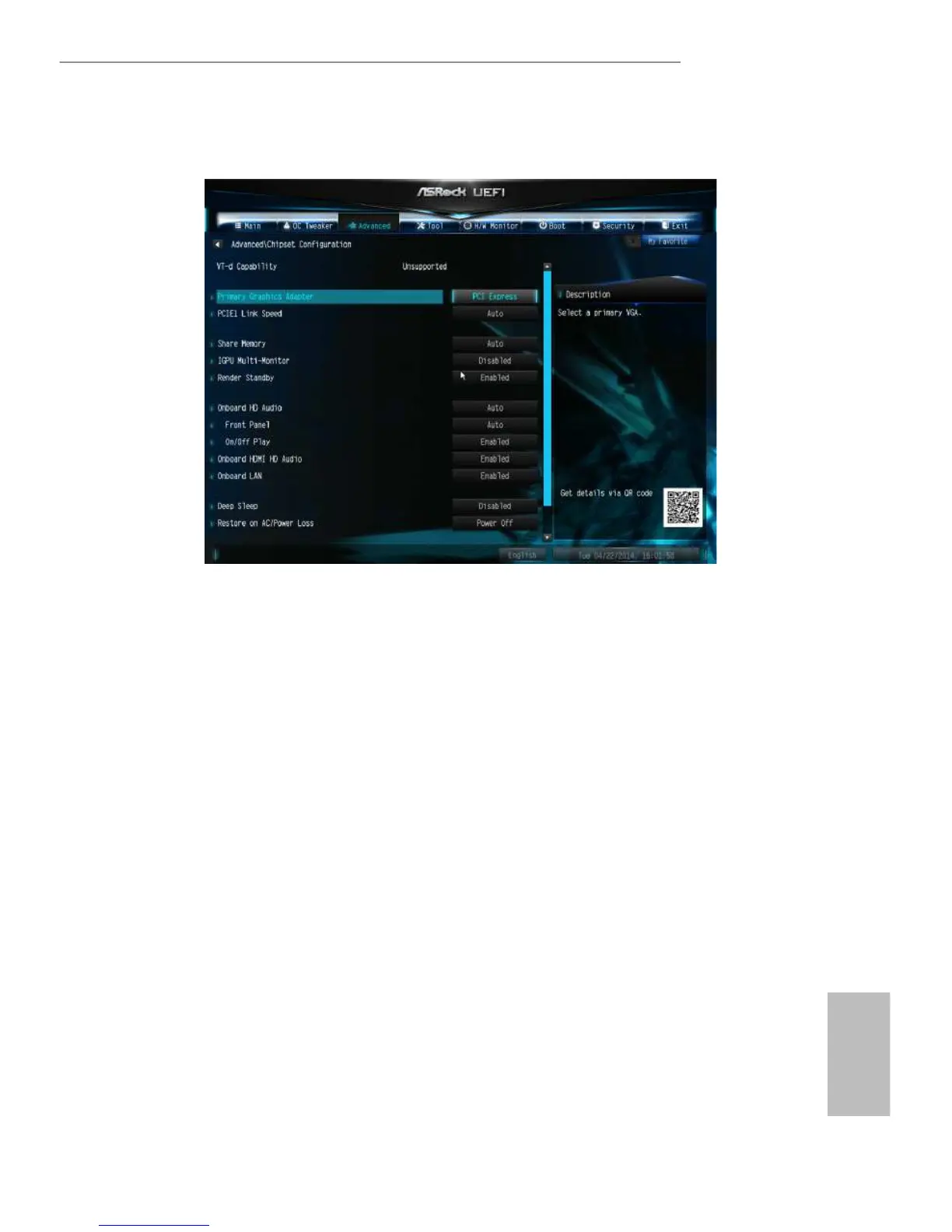
4.4.2 Chipset Conguration
Primary Graphics Adapter
Select a primary VGA.
PCIE1 Link Speed
Select the link speed for PCIE1.
Share Memory
Congure the size of memory that is allocated to the integrated graphics processor
when the system boots up.
IGPU Multi-Monitor
Select disable to disable the integrated graphics when an external graphics card is
installed. Select enable to keep the integrated graphics enabled at all times.
Render Standby
Power down the render unit when the GPU is idle for lower power consumption.
Onboard HD Audio
Enable/disable onboard HD audio. Set to Auto to enable onboard HD audio and
automatically disable it when a sound card is installed.


 To Next Page
 Loading...