3737
3737
37
3.33.3
3.33.3
3.3
OC TOC T
OC TOC T
OC T
weakweak
weakweak
weak
er Screener Screen
er Screener Screen
er Screen
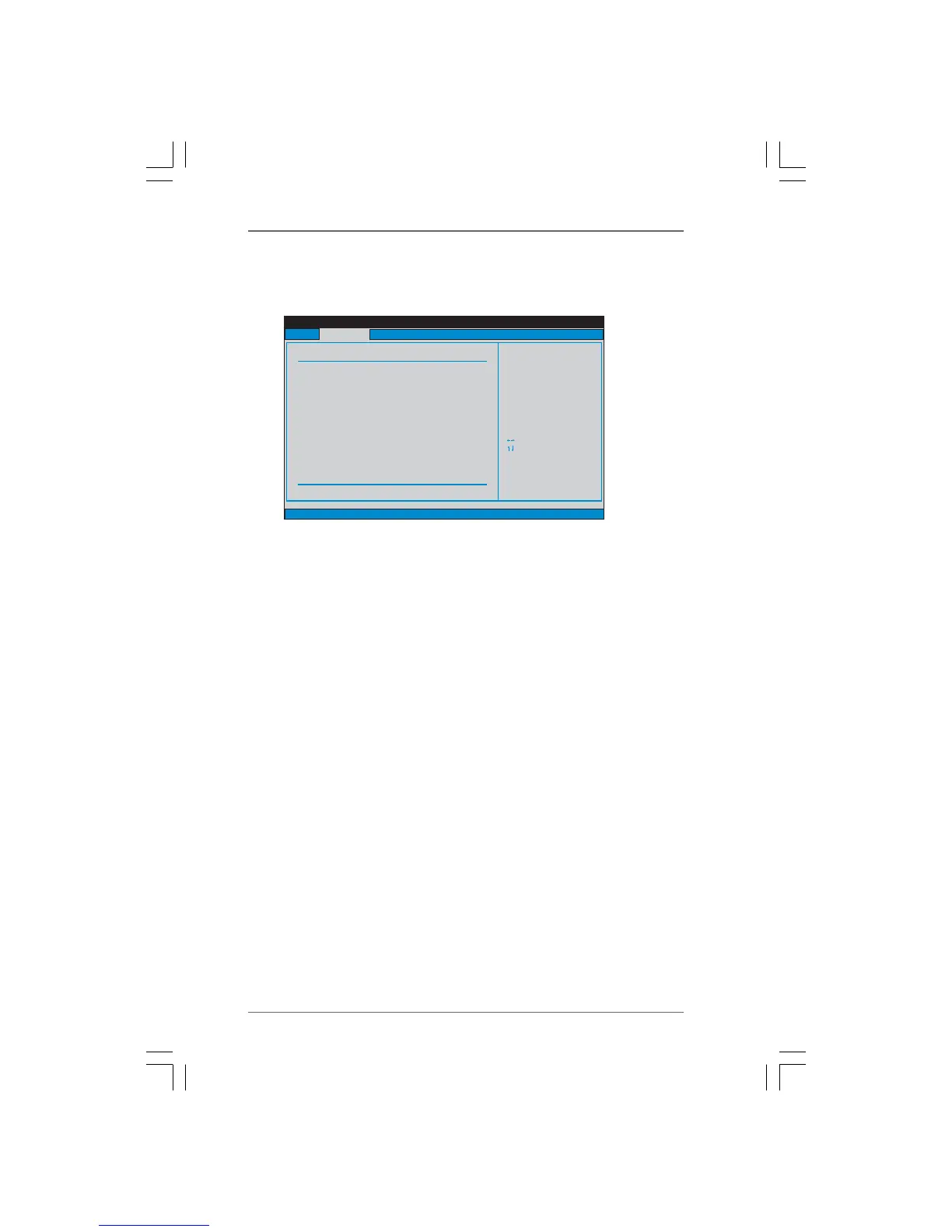
In the OC Tweaker screen, you can set up overclocking features.
BIOS SETUP UTILITY
Main
Advanced H/W Monitor Boot Security Exit
Overclocking may cause
damage to your CPU and
motherboard.
It should be done at
your own risk and
expense.
Select Screen
Select Item
Enter Go to Sub Screen
F1 General Help
F9 Load Defaults
F10 Save and Exit
ESC Exit
v02.54 (C) Copyright 1985-2005, American Megatrends, Inc.
OC Tweaker
CPU Configuration
CPU Frequency (MHz)
PCIE Frequency (MHz)
Overclock Mode
[200]
[100]
[Auto]
Spread Spectrum
Boot Failure Guard
Processor Maximum Multiplier
Processor Maximum Voltage
x11 2200 MHZ
1.450 V
[Auto]
[Enabled]
Multiplier/Voltage Change
HT Bus Speed
HT Bus Width
CPU Thermal Throttle
[Auto]
[Auto]
[Auto]
[Auto]
Memory Configuration
Memory Clock
[Auto]
Overclock Mode
Use this to select Overclock Mode. The default value is [Auto]. Configura-
tion options: [Auto], [CPU, PCIE, Sync.], [CPU, PCIE, Async.] and [Optimized].
CPU Frequency (MHz)
Use this option to adjust CPU frequency.
PCIE Frequency (MHz)
Use this option to adjust PCIE frequency.
Spread Spectrum
This item should always be [Auto] for better system stability.
Boot Failure Guard
Enable or disable the feature of Boot Failure Guard.
Processor Maximum Frequency
It will display Processor Maximum Frequency for reference.
Processor Maximum Voltage
It will display Processor Maximum Voltage for reference.
Multiplier/Voltage Change
This item is set to [Auto] by default. If it is set to [Manual], you may adjust the
value of Processor Frequency and Processor Voltage. However, it is
recommended to keep the default value for system stability.




 To Next Page