26 27
English
3.4.1 Realtek® Wake-On-WAN
Realtek® Wake-On-WAN allows you to wake up and remote control your home computer
from sleep or shutdown state.
Before conguring this feature, verify the followings on your host computer:
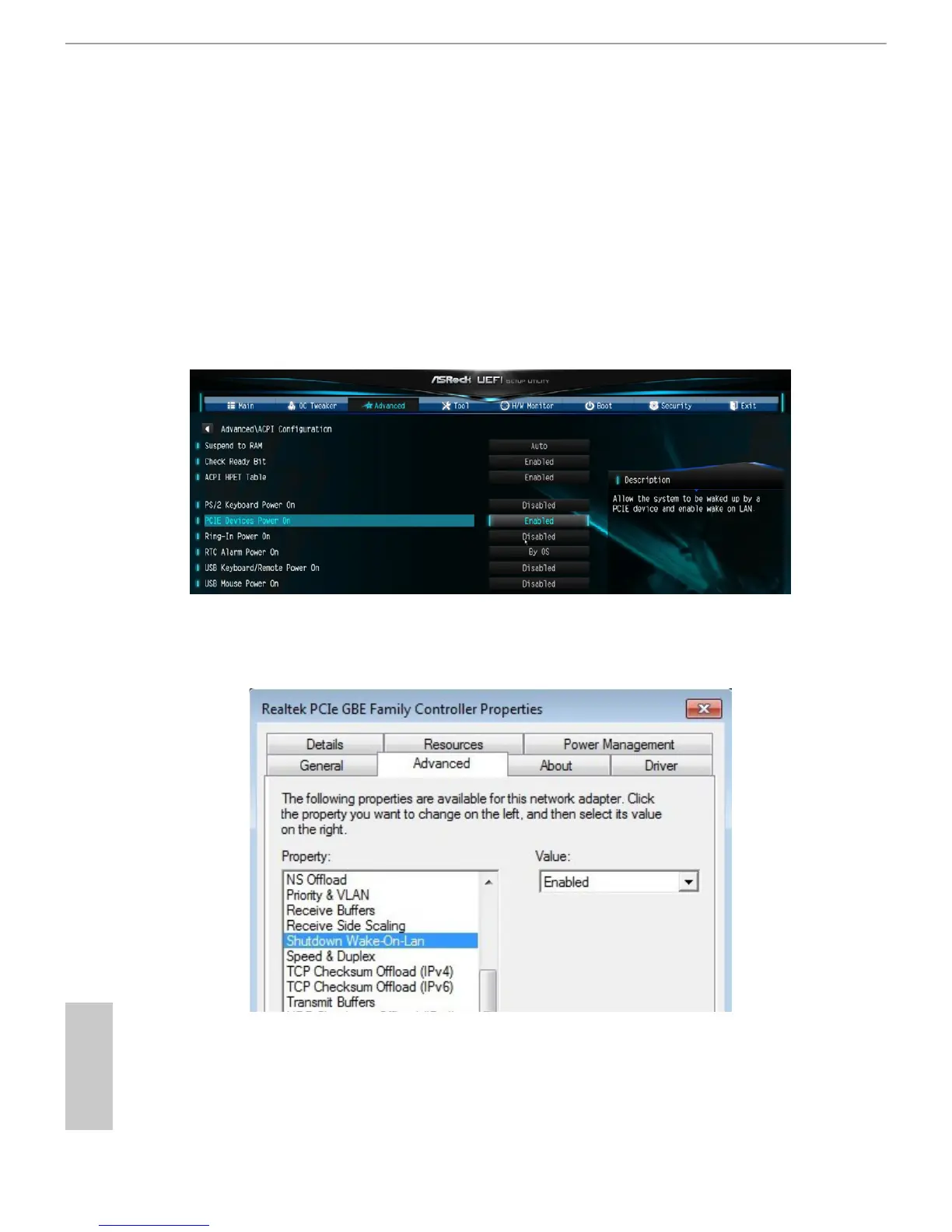
• Make sure that the "PCIE Devices Power On" is enabled in UEFI SETUP
UTILITY > Advanced > ACPI Conguration.
• Make sure that the
"Shutdown Wake-On-Lan" is enabled in Device Manager >
Network Adapters > Realtek PCIe GBE Family Controller > Advanced.
*e UEFI screen is for reference only. e actual screen may dier by model.
*e screen is for reference only. e actual screen may dier on dierent computers.


 To Next Page
 Loading...