English
75
X570S PG Riptide
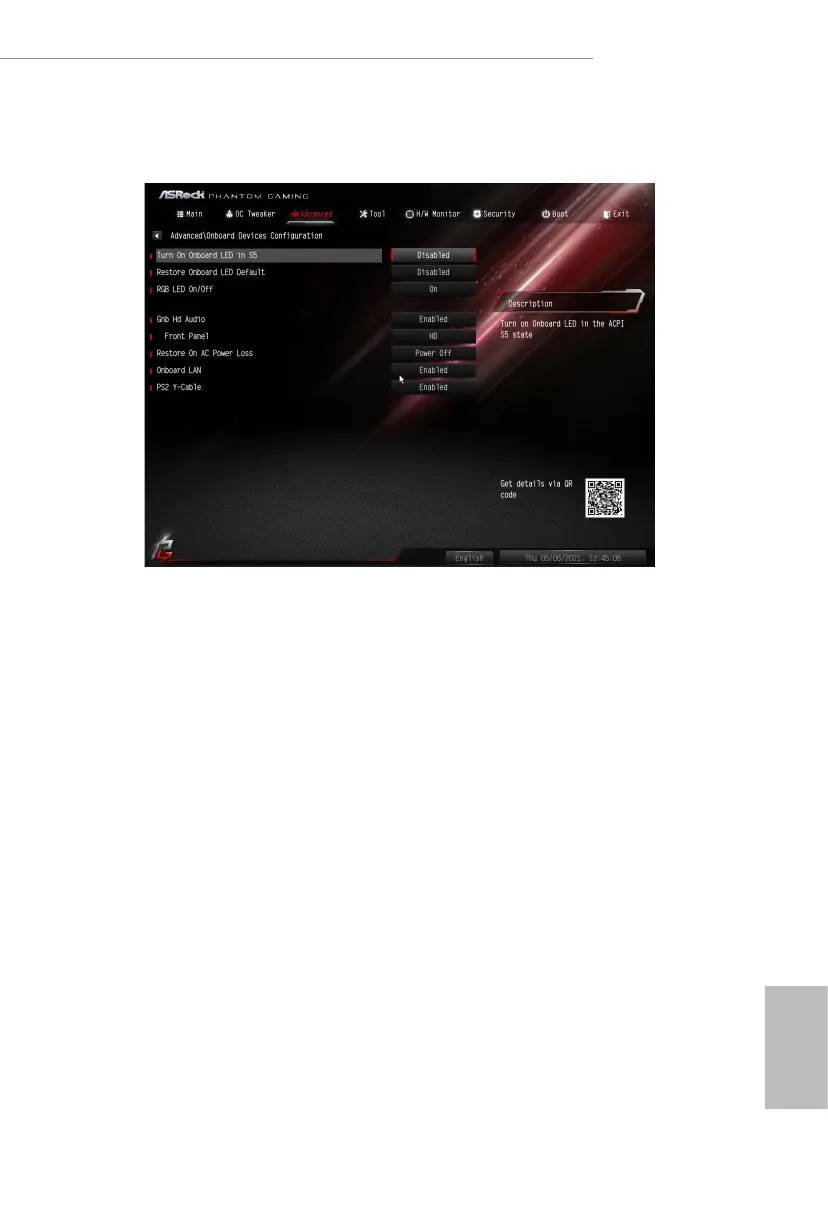
4.4.3 Onboard Devices Conguration
Turn On Onboard LED in S5
Turn on/o the LED in the ACPI S5 state.
Restore Onboard LED Default
Restore Onboard LED default value.
RGB LED On/O
is option enables/disables the RGB LED.
UMA Frame buer Size
(Only for processor with integrated graphics)
is item allows you to set the size of the UMA frame buer.
Gnb Hd Audio
Enable/disable onboard HD audio. Set to Auto to enable onboard HD audio and
automatically disable it when a sound card is installed.
Front Panel
Enable/disable front panel HD audio.






 To Next Page