12/04/2016 - 19 - Concept
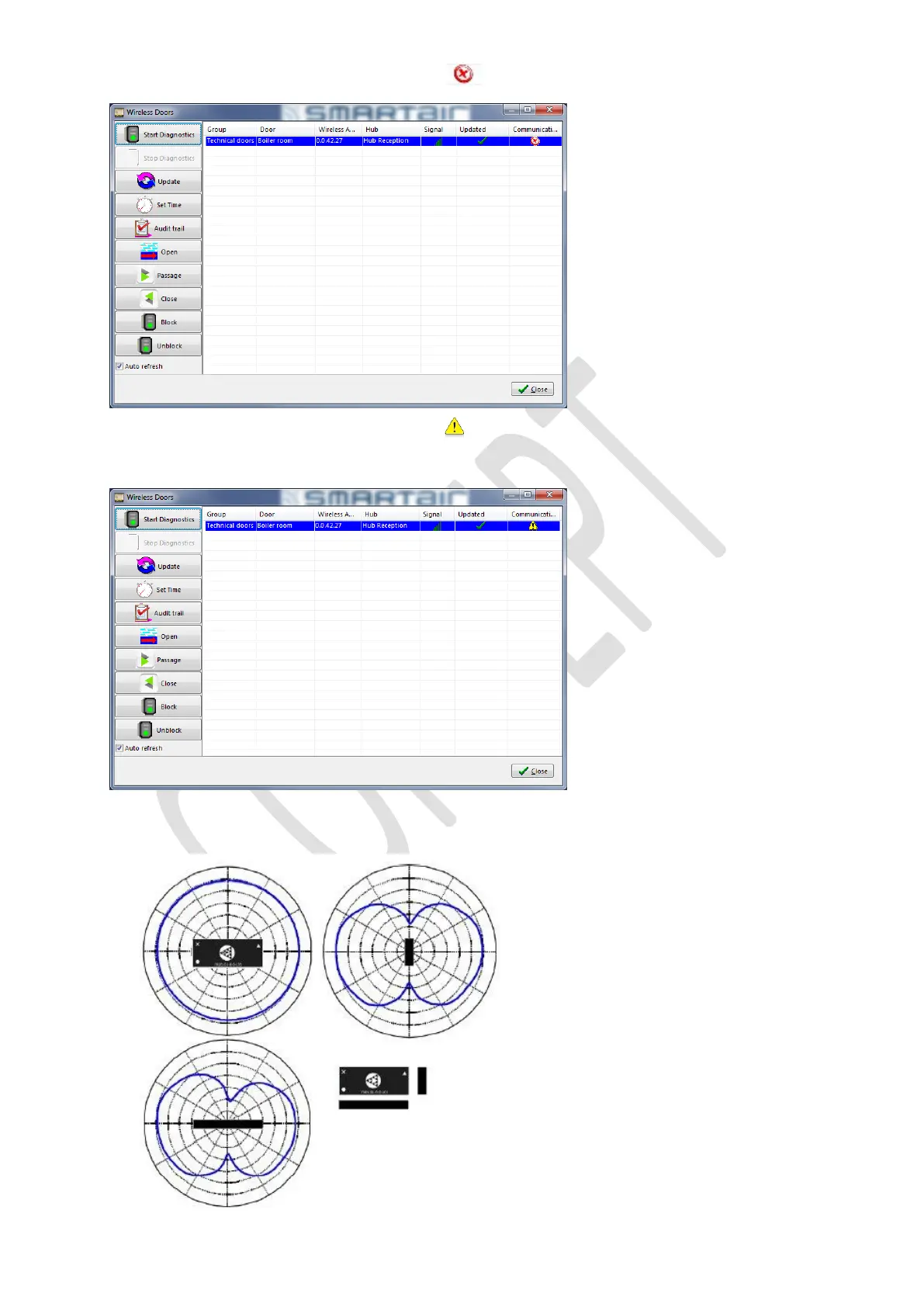
In the Wireless menu, if we Start Diagnostics and we see , this means there is no communication from PC to the
hub. Check the network of the client and that the hub has power.
In the Wireless menu, if we Start Diagnostics and we see , this means there is no communication from hub to the
device. Check that the device is working, that the RF module is not in Always Sleep mode. This can be done using the PP.
Use the doors menu to test the device and see the RF module status.
If the RF module is in Always Sleep mode, go to point 7
The RF range can be visualized as below ( the black part is the RF antenna of the module)
Note that the signals goes in both directions, so if the hub is mounted on a wall, is signal also goes through the wall, but not
as strong of course…



 To Next Page