12/04/2016 - 18 - Concept
9 Resetting the hub back to factory default
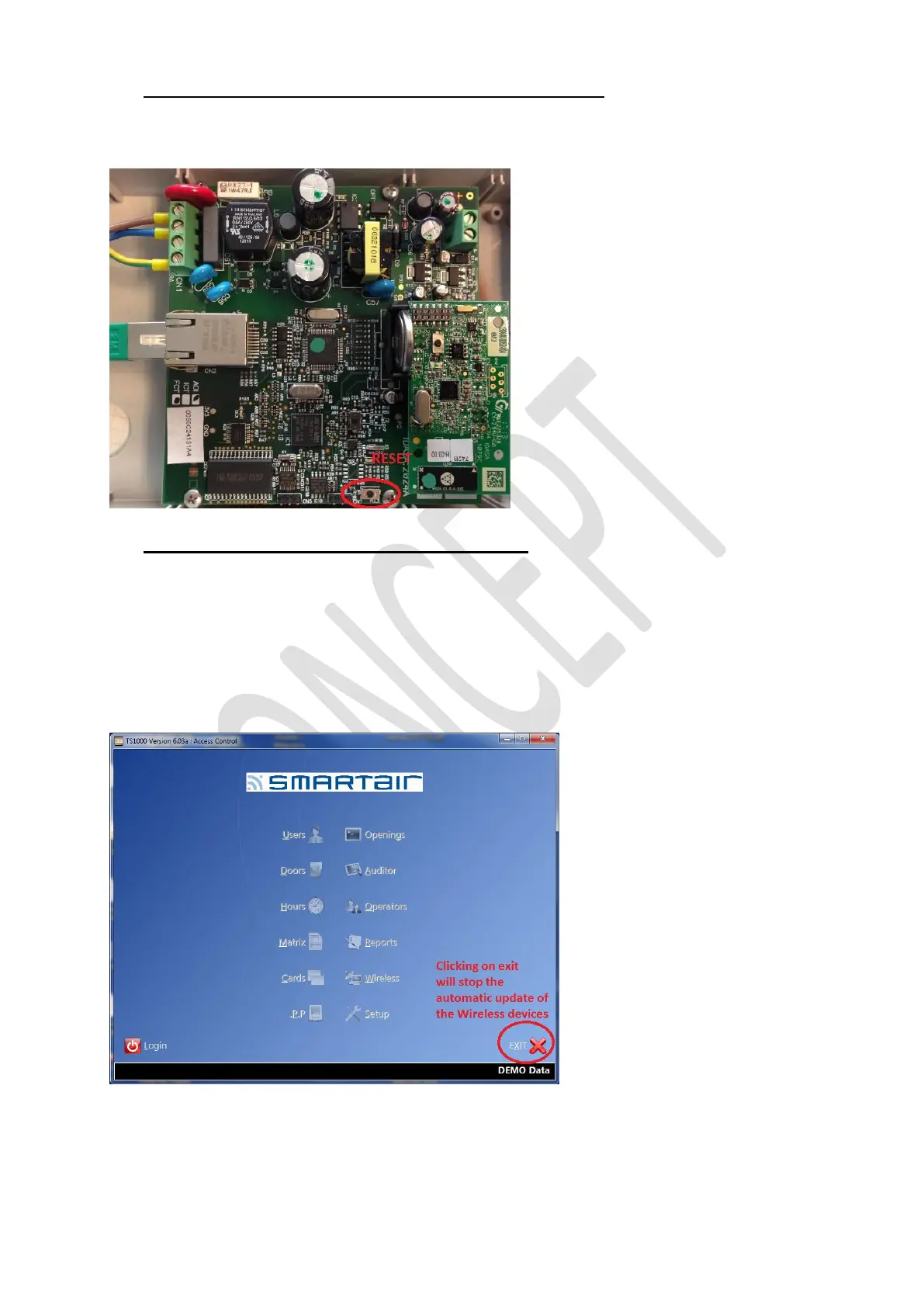
First power off the hub, then press the indicated button and power up the hub while pressing this button for at least 10
seconds.
Release the button and allow the hub to start up.
The hub has now been reset to factory default (default IP address).
10 Good to know and Do’s and Don’ts
10.1 Good to know
The RF modules of the readers are in the outside part.
The RF module of the Cylinders are in the outside part.
The RF modules of the Escutcheon are on the Inside part.
Windows can have a metallic layer and therefore block the RF signal.
The automatic update function (setup screenshot point 1) will only function if the software is running.
If you completely exit the software, the automatic update will also stop working.
Once you start up the software, the automatic update will start again.



 To Next Page