12/04/2016 - 5 - Concept
After you created the locking plan Matrix, you need to load the plan into the PP and initialize the device.
During this initialization, the PP will read the RF Wireless Address of the device and store this in the PP.
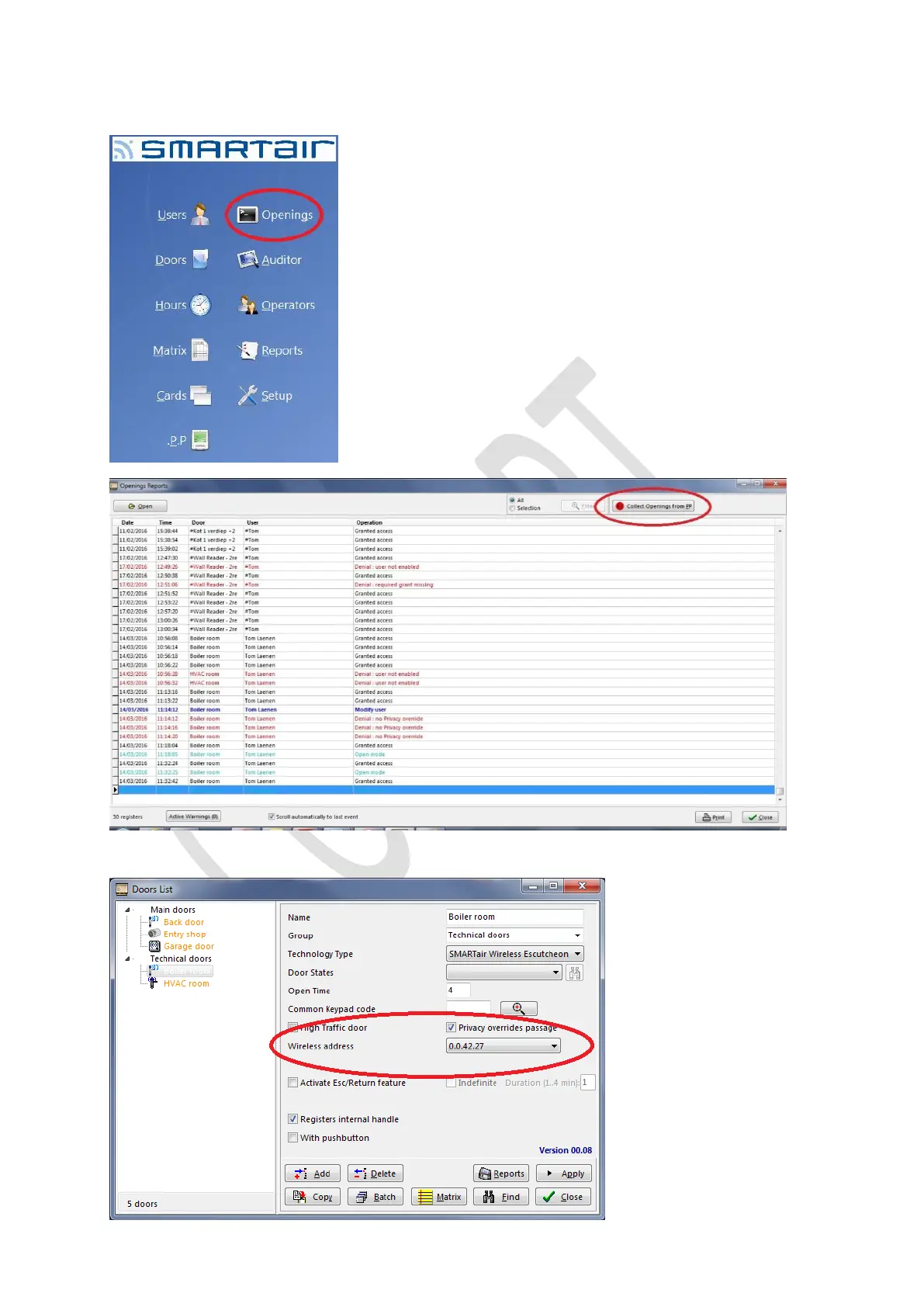
After you initialized the device, connect the PP to the software and open the “Openings” menu and select “Collect openings
from PP”
Now the RF Wireless Address is registered in the system and only now the wireless device can be paired to an hub.



 To Next Page