7
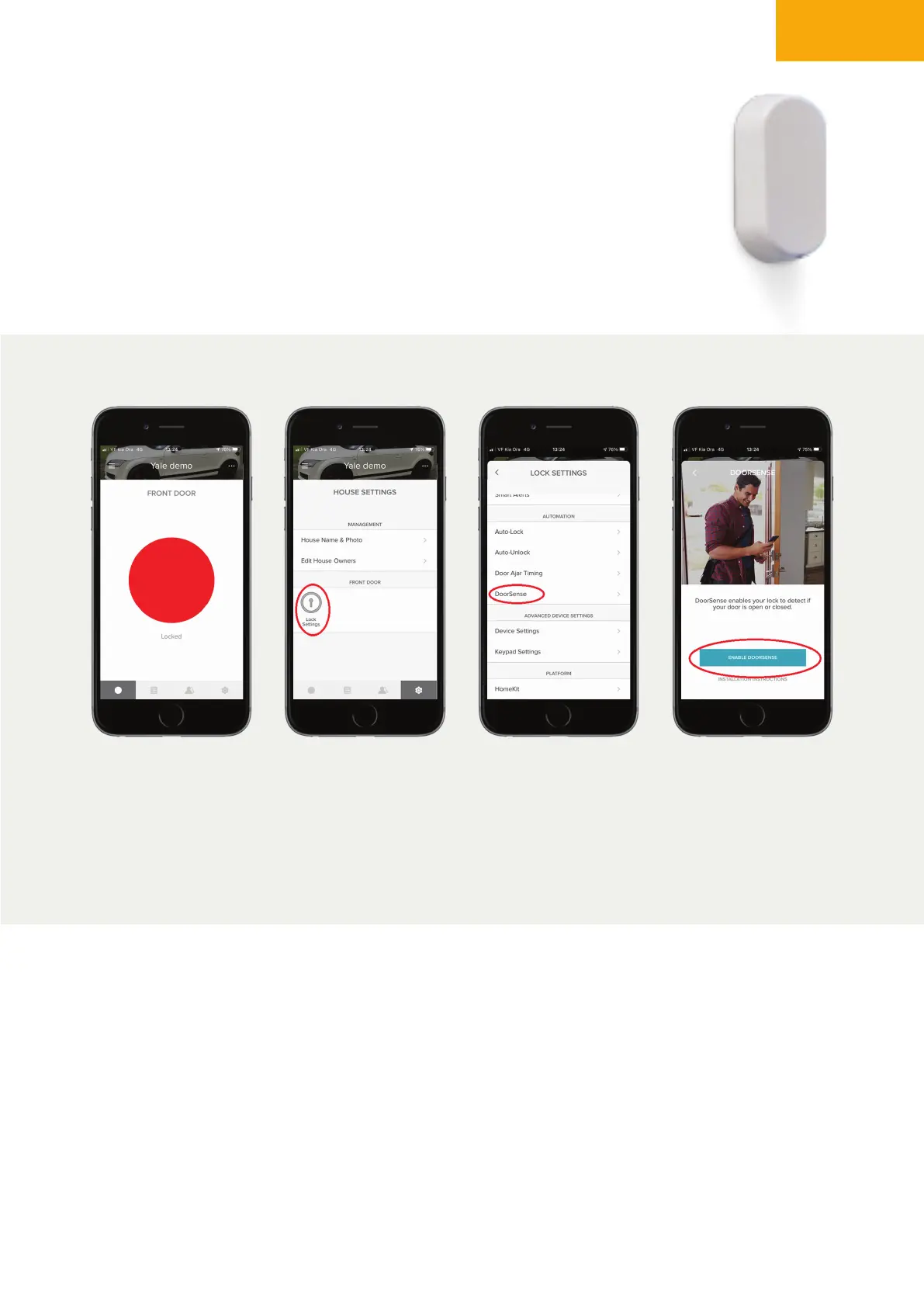
Go to the lock that
you have Door Sense
installed next to it.
Go to ‘Lock Settings’ Go to ‘DoorSense’
under Automation
Select ‘Enable
DoorSense’
NOTE: If you want to add DoorSense
TM
later or you have moved past the prompt you
can go into the ‘lock settings’ and go through the DoorSense
TM
set up.
Step 1 Step 2 Step 3 Step 4
SETUP DOORSENSE
TM
Step 4
• Once the DoorSense
TM
is installed you will need to complete the set up
using the app.


 To Next Page