Astec Mobile Screens Maintenance 33 KDS 710
710
KDS
by adjusting the return idlers. After adjusting
return idlers, if belt is still straying, adjust several
idlers behind the point at which the belt strays.
Begin the troubleshooting process by perform-
ing this adjustment on the opposite side of the
belt that runs off the roller.
Do not attempt to make extreme adjustments to
one idler. Instead, make several slight adjust-
ments to several idlers. Always allow several
rotations to occur before determining belt align-
ment.
After idlers have been adjusted, place a load
onto conveyor and check for alignment. If nec-
essary, repeat idler adjustments until content
with alignment.
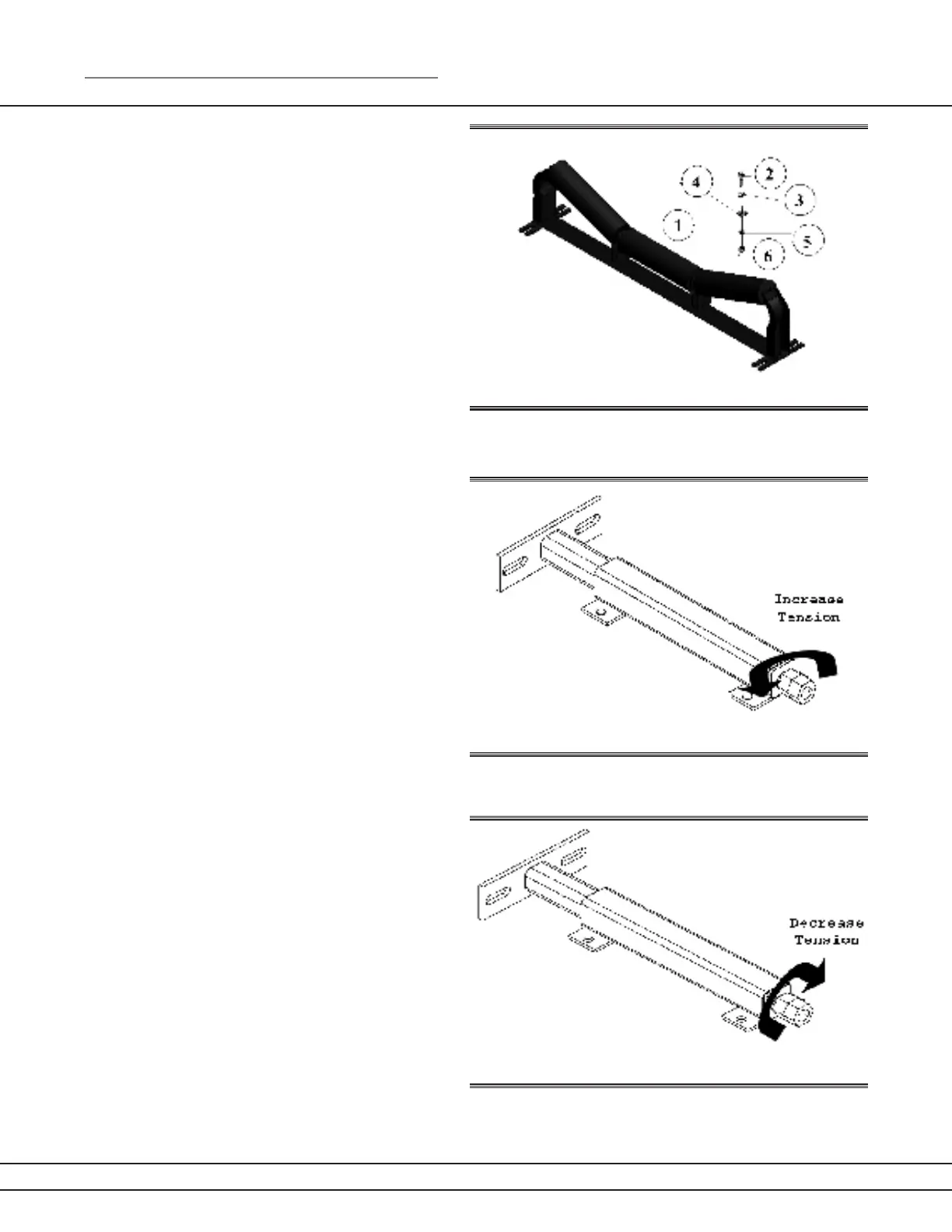
2. If adjusting the idlers does not work, an
adjustment to the take-up screws may be
necessary. The screws are located on either side
of the head/tail pulley, and can be adjusted with
a 1 5/8” socket.
This is not the most common cause of a mis-
aligned belt, but the process can be used as a
last resort to troubleshoot the situation.
Ensure the head pulley is properly aligned
with the tail pulley by adjusting the take-up
screws. By increasing the tension on either
side of the head/tail pulley, the belt will shift
in that direction.
By decreasing the tension to either side of
the head/tail pulley, the belt will shift in the
opposite direction. Keep in mind that the
head/tail pulley must stay parallel with the
conveyor frame. If the head/tail pulley is
not parallel with the conveyor, the belt will
stray. By adjusting the head pulley you are
attempting to create a parallel line with the
conveyor frame.
After adjusting the take-up screws, run the
belt and check for proper alignment. Allow
several full rotations of the conveyor belt before determining satisfaction of alignment.
Figure 33a
Figure 33b
Figure 33c


 To Next Page
 Loading...